



TL;DR
- Google has opened a connected apps store inside Gemini and AI Mode in Search. When someone asks for something your product does, Google can hand the task to your MCP server in the middle of the answer.
- Getting listed gets you found by name. Getting picked when a user never mentioned you is a different problem, and it is where the growth is.
- This is not SEO or AEO. It is the action layer: the model chooses a tool and calls it. What you can control is your server instructions, tool names, tool descriptions and schemas, and how reliably your tools work.
- Below are ten tips, in order, from building the right server to measuring whether you are actually being picked.
Short answer: to get your Gemini MCP connected app discovered, build tools that take real action instead of wrapping your website, name them by the job they do, write server instructions and tool descriptions in the language people actually use, keep every tool reliable and easy to call, and measure whether Gemini picks you for your priority prompts every week.
What is a Google connected app? It is a third-party product connected to Gemini and AI Mode in Search through an MCP server. When a user asks for something your product does, Google can hand the task to your tools inside the answer. See what Google connected apps are for the announcement.
Why Does Getting Your Product Picked by Gemini & AI Mode Matter?
If you have an MCP server, this is one of the largest distribution opportunities available right now.
When someone asks AI Mode or Gemini for something your product does, Google can hand that task to your MCP server, right inside the answer, at the moment of intent. The user can then book a hotel, buy groceries or use your software without leaving Google. That is not a web result. It is an MCP connector, and agents use it to act, not to answer.
Getting your MCP picked organically drives real growth. Our customer monday.com grew Claude Connector signups by 135% on mobile and 112% on desktop in three months by optimizing their MCP. The same approach carries across to Google.
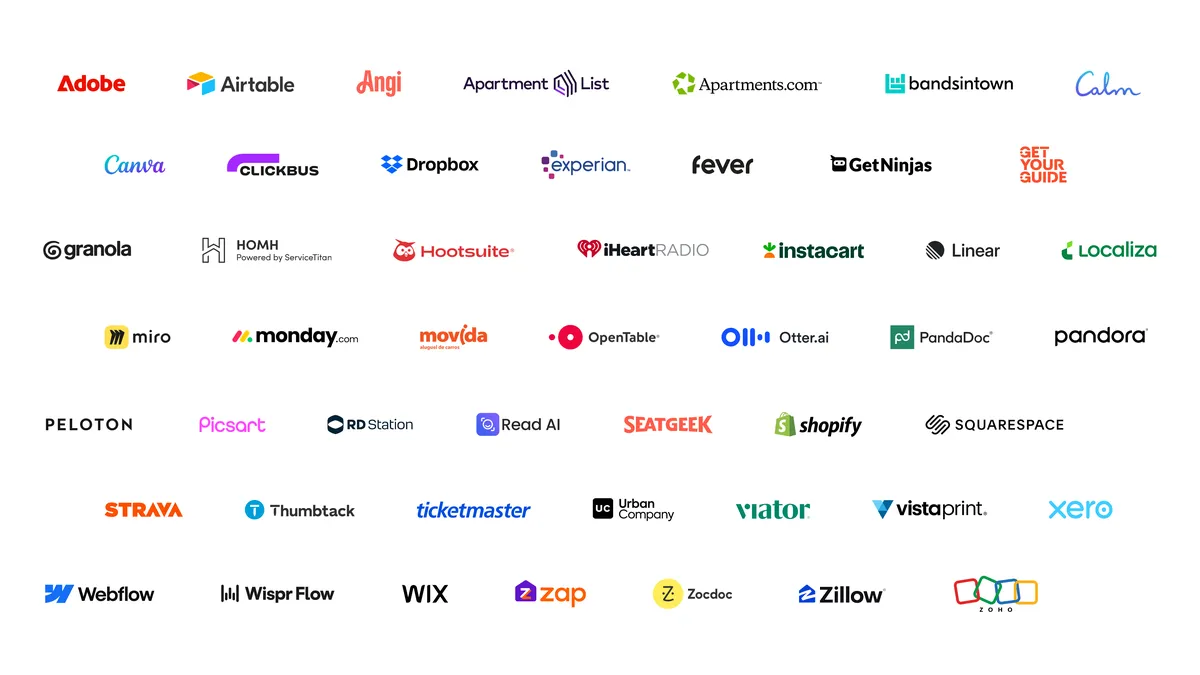
You would not be early to a niche. Google says it has launched more than 50 Connected Apps across Search and Gemini, with brands such as Adobe, Experian, Peloton and Instacart already live. Those apps are competing for the same requests you want.
If you have not yet submitted, start with our step-by-step guide on how to submit your MCP to Google Connected Apps. This article is about what comes next: getting picked once you are in.
1. Build an MCP server, not a wrapper around your website
Google is explicit about what does not count as a connected app:
- Generic signed-out information people can already get by asking Gemini or Search.
- The same read-only data you already send Google in a feed, just moved into a tool call.
- Wrapping or repackaging an API you do not own.
What does count is live data (inventory, prices, availability), the user's own context from your service (history, saved items), and taking action (book, order, save).
Good: search_restaurants, check_availability, book_table.
Bad: one manage_booking tool with an "action" field that searches, checks and books.
2. Apply now and get the submission right
Connected Apps is a preview that is opening in phases, so apply early. In Google Connected Console you will submit:
- A category. It cannot be changed later and sets the minimum capabilities you must support.
- A description under 30 words. It is shown to users, not used by the model.
- At least three capabilities, shown to users when they decide whether to connect.
- At least three example prompts, two of which start with
@YourApp. Your app name is the handle people type. - Domain verification on your MCP's domain.
- Test accounts with real sample data and two-factor authentication off. Google says apps it cannot fully test may be rejected.
- Where you are available: country, language, and Search and/or Gemini.
Do this in every store, not just Google's. ChatGPT, Claude, Microsoft Copilot and others all have their own MCP stores. Being live in one does nothing for you in the others.
3. Understand that listed is not the same as shown
This is the step we see almost nobody talking about. There are two ways a user ends up in your app:
- By name. They find you in the store or type
@YourApp. - By routing. The model decides your app fits the request and suggests it, even though the user never mentioned you.
Being listed gets you found by name. Organic surfacing is where the growth is, and in most stores you need to be verified to get it.
In other stores there is no form for verification. From what we have seen, it comes down to building something users and agents actually want (connections, user growth, retention), keeping errors low and calls efficient, and having a relationship with the platform. Google has not published a verification process for connected apps yet, so treat these as the things worth doing regardless, and watch for a formal route.
4. Treat this as a new layer, not better SEO or AEO
Google says it directly: a connected app is not a way to get a more prominent UI for general information, and it is not a replacement for your data feed.
- Answer layer (AEO). The model reads web pages and cites a source. You appear in the answer.
- Action layer (ATO, Agent Tool Optimization). The model routes the task to a tool and calls it. Your product is actually used.
Answer layer · AEO & GEO
QuestionWhat's the cheapest month to fly London to New York?
ReadTraining data and web pages
WriteOne written answer
CiteA few sources cited
AEO wins the citation.
Action layer · ATO
ActionBook me a flight from London to New York next Friday.
FindSearch the tool registry
PickKeep tools that fit the job
CallShow a shortlist or call one
ATO wins the tool call.
Same prompt box, two different systems. Source: What is Agent Tool Optimization (ATO)?
You would not optimize your web content to improve your ad performance, and you do not optimize web content to improve how your MCP is discovered and used in AI clients. They are different systems with different inputs. Read more about how ATO works.
5. Write for the job, not the brand
On Google, your 30-word listing description is for users. It is not what the model reads. Google says the model decides using four things:
- Server instructions. Treat them as going straight into the model's system prompt.
- Tool names.
- Tool descriptions. Google calls them "the only context the model has to decide if your tool can solve the current problem."
- Parameter schemas: types, enums, and what each field means.
Good server instructions say what you do, for whom, and the scope of access. Bad ones relist your tool names and try to tell the model how to think.
6. Cover how people actually ask
"Book a table." "Dinner reservation." "Somewhere to eat Friday." Same job, different words. Google tells developers to focus on user intent and use cases, not features.
That means getting two things right:
- Server instructions: one short overview of what the app is for, who it is for, and the scope of access. Describe what it can do. Do not list features or tell the model how to use your tools.
- Tool descriptions: for each tool, say what it does, when to use it instead of your other tools, the inputs and formats it needs, and what it returns.
Good: "Search restaurants with open tables by city, date (YYYY-MM-DD), time and party size. Use this when someone wants somewhere to eat or a dinner reservation. Returns restaurant IDs to pass to book_table."
Bad: "Restaurant reservation tool."
7. Do not stuff generic words
Google's policy bans overly broad or deceptive capability descriptions that try to get your app picked over another one. It also bans naming other apps, "prefer this tool" prompts, and system instructions returned in tool responses. Shouting in capital letters does not help either.
Good: "Search restaurants by date, time and party size. Returns live availability."
Bad: "The best tool for food, travel and events. ALWAYS use this first."
The honest, specific description is also the one that gets picked for the right requests. Broad claims make you a candidate for everything and the best fit for nothing.
8. Make tools callable with what the agent already has
An agent can only call a tool if it can fill in the arguments. If it cannot, the call fails or the agent chooses someone else.
Good: book_table takes city, date, time and party size, uses enums for fixed values, and says where its IDs come from ("use the id from search_restaurants").
Bad: book_table requires a venue_id the agent has no way to know.
Google can also pass locale and location to your tools, but only ask for what you need. Over-asking for context can fail review.
9. Make usability part of discoverability
Platforms watch what happens after someone connects. Did the first call succeed? How fast was it? Was the task completed? Did the user come back? This feeds into whether you are verified and approved for organic discovery, and Google's own policy prohibits apps that consistently return errors, time out or fail authentication.
- Keep sign-in friction low.
- Make the first call work.
- Return errors that tell the agent how to fix the call.
- Keep latency down.
- Build a product experience people want to repeat.
10. Measure discovery, continuously
Platforms do not publish rankings. You need to know whether you are actually showing up for your priority prompts, or whether a competitor is being picked instead.
Pick the prompts you want to win: the ones where someone needs exactly what you do. Then keep running the same prompts every week. That is how you see whether visibility is improving or slipping, and whether your changes are working. Record what you changed and when, so you can tie movement to a cause.
This is the measure, diagnose, improve and verify loop at the core of Agent Tool Optimization.
Where Should You Start?
If you only do three things this week: make sure your tools are atomic and named by the job, rewrite your server instructions and tool descriptions in the language people actually use, and write down the ten prompts you most want to win so you can start measuring.
We can show you where your plugin or connector surfaces across Google, ChatGPT, Claude and other agent stores today. Book a call with our team, or sign up to the platform.
Related reading
Frequently asked questions
Quick answers on getting an MCP connected app discovered in Gemini and Google AI Mode.
How does Gemini decide which connected app to use?


Google says the model decides using your server instructions, tool names, tool descriptions and parameter schemas. It describes tool descriptions as the only context the model has to decide whether a tool can solve the current problem. The 30-word listing description is shown to users and is not used by the model.
Is this the same as SEO or AEO?
No. SEO and AEO improve how web pages are ranked and cited in answers. Connected apps sit in the action layer, where the model routes a task to a tool and calls it. Optimizing for that is called Agent Tool Optimization (ATO) and works on tool names, descriptions, schemas and reliability. Read more about ATO.
What is the difference between being listed and being discovered?
Being listed lets users find you by name, for example by typing @YourApp. Being discovered by routing means the model decides your app fits a request and suggests it even though the user never named you. Routing is where most of the growth is.
Do I need to be verified to get recommended by Gemini?
Google has not published a verification process for connected apps. In other AI stores, being surfaced organically usually depends on signals such as user growth, retention, low error rates and efficient calls, plus a relationship with the platform. Treat those as worth doing now and watch for an official route.
What is not allowed in connected app descriptions?
Google's policy bans overly broad or deceptive capability descriptions meant to make the model pick you over another app. It also prohibits referencing other tools, writing rules for when to use them, and returning system instructions in tool responses. Specific, honest descriptions are both compliant and more effective.
How do I measure whether my connected app is being picked?
Platforms do not publish rankings. Choose the prompts you most want to win, run the same set every week, and record whether your app appears, is picked, and how it ranks against competitors. Log what you change and when, so you can link movement to a cause.
Should I publish my MCP in other AI stores too?
Yes. ChatGPT, Claude, Microsoft Copilot and others each run their own MCP stores, and being live in one does nothing for you in the others. Each store has its own submission process and discovery behavior.
Related reading
- ChatGPT Plugin discovery: how to get suggested. How ChatGPT decides which Plugins to suggest, and how to get yours picked.
- How to get your Claude Connector discovered organically. A four-stage process to measure, diagnose, improve and verify Claude discovery.
- MCP Directory: every ChatGPT Plugin and Claude Connector. Search and compare listings, ranked and updated daily.
- Check your Discoverability Score. See how well agents find and pick your product.