



- Brand
- Unknown
- Category
- Pending
- Primary Subcategory
- Pending
Integration details
Description
Clawnify runs AI agents, business apps and a company knowledge base for your organization. Connect your Clawnify account to search and cite your company's policies and documents, see what your AI agents did and adjust their instructions, look up your apps and flows and work with their data, and keep shared memory and tasks. The included skills cover building Clawnify apps and websites and organizing company knowledge. Requires a Clawnify account. It only reaches the organizations the signed-in person belongs to.
- Integration type
- Plugin
- Verification status
- Not applicable
- Platform
- ChatGPT
- Category
- Pending
- Primary Subcategory
- Pending
- Secondary Subcategories
- None listed
- Brand
- Unknown
- Access
- Account required
- First tracked
- 2026-11-05
- Tool count
- 47
- Market
- US
The broad Category that contains the Primary Subcategory.
The Primary Subcategory used for this profile’s headline score.
Other Subcategories where the Integration is listed.
 Agent Discoverability
 ChatGPT Plugin Discovery Score
Your score is coming
ChatGPT now suggests Plugins on its own when they match a user's request.Your Plugin Discovery Score measures how often yours appears, and it will show here as soon as it’s ready.
What discovery looks like
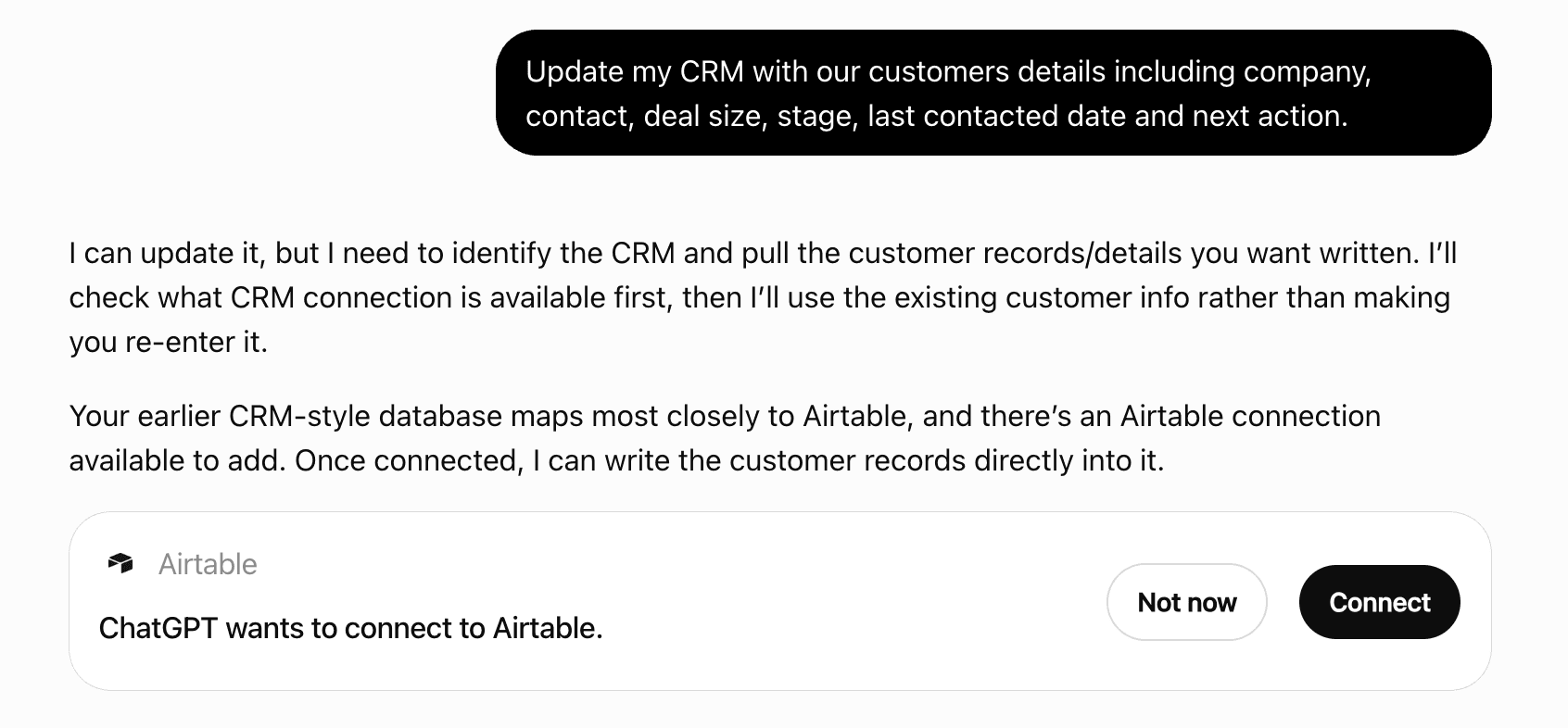
Get alerts for Clawnify
Get updates when Clawnify’s Discoverability Score or category rank changes.
Competitive lineup
47 tools agents can invoke
Add a markdown document to a Project — scoped reference for that client/engagement (e.g. notes, a brief, a distilled summary). Unlike company_knowledge_propose, this is not governed/citable org knowledge; it's working context for the Project. Use [[wikilinks]] to relate documents.
project_add_document
Archive a Company Knowledge document (owner/admin only): it disappears from search for every agent and tool but keeps its version history, and company_knowledge_restore brings it back. Use for docs that are superseded or no longer apply; for a doc that is merely wrong, prefer company_knowledge_review { state: "outdated" } so it can be fixed.
company_knowledge_archive
Mark a task on the Tasks board as completed (or reopen it with completed: false). Use tasks_list to find the id.
tasks_complete
Create a task on the organization's Tasks board. Assign it to a person (assignee_user_id, an org member — use clawnify_list_agents for agents and the org's members for people) or to an agent (assignee_server_id): an agent task is dispatched into that agent immediately and the agent does it. Leave both unset for an unassigned task. Returns the task, including run_status when it went to an agent.
tasks_create
Build a new app for this workspace from a description. Returns immediately with an app_id; the build runs in the background, so poll clawnify_get_app for status. Asks the person first.
clawnify_create_app
Send a POST, PUT or PATCH request to a deployed Clawnify app, which creates or changes its data, and return its response. To change part of one long text field of a record without sending all of it, pass `field` and `edits` instead of `body`: the record at `path` is read with GET, each edit replaces one exact `old_text` with `new_text`, and only `field` is written back to `path` with `method` (PUT or PATCH), so use a route that updates just the fields it is sent. Each old_text must occur exactly once; selections cannot overlap; all refer to the text as it is now, and the batch saves together; an empty new_text deletes. The read and the write are two requests, so a change made to that field in between is overwritten. Read the text first with clawnify_app_api_read and `field`. It reaches the Clawnify app's own HTTP API: every app documents it at GET /llms.txt (a lean index of every endpoint) and GET /api/openapi.json (full request/response schemas); read those with clawnify_app_api_read first. Only an older app that serves neither documents itself in agent_instructions, via clawnify_get_app.
clawnify_app_api_write
Permanently delete a memory from both Postgres and the vector index.
memory_delete
Delete a task from the Tasks board. Irreversible — only for a task created by mistake (a duplicate you just made) or when the user asks. To close finished work use tasks_complete instead.
tasks_delete
Delete an app, its database and its stored source. This cannot be undone. Asks the person first.
clawnify_delete_app
Send a DELETE request to a deployed Clawnify app and return its response. It reaches the Clawnify app's own HTTP API: every app documents it at GET /llms.txt (a lean index of every endpoint) and GET /api/openapi.json (full request/response schemas); read those with clawnify_app_api_read first. Only an older app that serves neither documents itself in agent_instructions, via clawnify_get_app.
clawnify_app_api_delete
Get one app: build status and any build error, its URL, whether it has unpublished changes, the integrations it uses, template provenance, and its agent_instructions. Poll it after create or update.
clawnify_get_app
Return current billing / quota info for the caller's org.
clawnify_get_usage
List Company Knowledge documents with structured filters (no semantic search). Useful for browsing the corpus: titles, types, status, versions, and freshness (`review_state`, `published_at`). Agent callers only see published documents; human callers also see drafts awaiting review. Knowledge hygiene is one call each: { review_state: "outdated" }, { review_state: "verification_expired" }, { review_state: "verification_requested" }, or { published_before: <ISO> } for docs nobody has re-published in a while.
company_knowledge_list
Inspect flow executions. Without `run_id`: a summary list of runs, newest first, 20 per page (`limit`, then `cursor` for the next page), optionally filtered by flow name and status (running | completed | paused | waiting | failed | cancelled). With `run_id`: that run in full (status, state, per-node trace, approval info — how to see where a flow failed). A run too large to return whole comes back as an outline of its fields with their sizes; read the part you need with `path`. Read-only.
clawnify_get_flow_runs
List the documents and files in a Project (no semantic search) — titles and descriptions, for browsing what a client/project contains.
project_list_documents
List the org's AI agents. Each entry is one agent (the "employee"), with a `sub_agents` array of the narrower helpers it delegates to — that is the whole hierarchy, nothing above or between — plus `flows` (the ClawFlow automations on its box: name, trigger, node count, published version) and `integrations` (the services it can use: per-agent connections plus org-shared ones, scope-tagged). Start here to see which agents exist and which `agent_id` to pass to the session / transcript / skill tools. An agent missing from this list does not exist in this org.
clawnify_list_agents
List an agent's stored OpenClaw sessions, including its sub-agents', newest first, with token counters — a high `contextTokens` flags a bloated, expensive, drift-prone session. Read-only; the first step in diagnosing a misbehaving agent. Pass agent_id only when the org has more than one agent — discover them with clawnify_list_agents.
clawnify_list_agent_sessions
The EFFECTIVE skill inventory an agent can actually run — workspace + shared managed-root + bundled ∩ allowlist, with eligibility — as OpenClaw's loader reports it, not just what sits in the agent's workspace folder. Use it to check whether an agent already has the skill a task needs before authoring or granting one. Read-only. Pass agent_id only when the org has more than one agent.
clawnify_list_agent_skills
List apps the caller can access in the current org.
clawnify_list_apps
List the services this workspace has connected, so you know what you can actually reach before searching for actions.
clawnify_list_integrations
List the ClawFlow automations on an agent's box: name, description, trigger, declared inputs, node tree, and `published` — the version number the box runs. `null` means the flow has never been published, in which case the box runs its DRAFT, so editing that flow changes production immediately. Read-only; start here before reading or editing a flow.
clawnify_list_flows
List memories with structured filters (no semantic search). Useful for browsing recent memories, listing pinned items, or filtering by type/scope.
memory_list
List the organization's Projects — scoped knowledge containers for specific clients, engagements, or capabilities (distinct from company_knowledge, the org-wide source of truth). Returns each Project's id, name, and kind. Use this to discover which Project to search or add to.
projects_list
List the organization's tasks from the Tasks board: every open task plus recently completed ones, with the `people` and `agents` rosters a task can be assigned to (ids and names). Each task has a title, an optional due_date (YYYY-MM-DD), one assignee — either assignee_user_id (a person) or assignee_server_id (an agent) — completed_at, and for agent tasks a run_status (queued | running | done | failed) with run_result, the agent's own summary of what it did. Use it to answer "what is on X's plate" or to find a task before completing it.
tasks_list
List the Clawnify organizations this connection can act on, with each one's name and handle. When there are several, every other tool takes an `org` argument naming one of them.
clawnify_list_orgs
Pin or unpin a memory. Pinned memories appear in the pinned pack and are always injected at session boot. Use sparingly; the pack has a budget.
memory_pin
Propose a Company Knowledge document as a DRAFT for human review — it is never published automatically. Use when something deserves to become official, citable company knowledge: a distilled policy interpretation, an FAQ-shaped answer, a procedure worth canonizing, or "remember this for the whole company" requests. For a targeted text edit, pass `supersedes`, `expected_revision`, and `edits` instead of content; unchanged title and metadata are inherited. To revise an existing doc, pass `supersedes` with its id: the revision becomes that doc's next version, so a title never needs a version number. A person with the owner or admin role can publish the draft in the conversation with company_knowledge_publish and the draft id; otherwise a reviewer publishes it from the dashboard review queue. Not for secrets or credentials; per-customer facts belong in memory, not Company Knowledge.
company_knowledge_propose
Publish a Company Knowledge draft (human callers with owner/admin role only). Bumps the version, snapshots it to the audit trail, and embeds it — the document becomes citable as <Title> v<N> by every agent and connected AI tool in the org, and searchable within seconds (`indexed_at` in the response is null while indexing finishes in the background). A pending revision (`supersedes` set) merges into its target document on publish; the draft row is removed.
company_knowledge_publish
Publish an app's current draft so the workspace's people see it live. Asks the person first.
clawnify_publish_app
Read one Company Knowledge document by id, including its full content — for when a search chunk isn't enough. Optionally fetch a specific published version (the version history is the audit trail for "what did the policy say when"). Cite as: Per <Title> v<N>.
company_knowledge_get
Read one flow's full DRAFT definition, plus a content `hash` and `published_version`. Pass the hash back to clawnify_write_flow as `base_hash` so your edit can't clobber a version that changed since. The draft is what you edit; whether it is also what RUNS depends on `published_version` — a number means that published version runs instead, `null` means this draft is what runs. Read-only.
clawnify_get_flow
Read one memory by id, including its full content.
memory_get
Read one session's transcript — a bounded tail of turns (normalised messages on OpenClaw 2026.9+ and Hermes, raw JSONL entries on older OpenClaw) — to see exactly where an agent veered, looped, or burned tokens. `key` is the agent-scoped session key from clawnify_list_agent_sessions (e.g. "agent:ash:lead:row_8268"). Read-only. Pass agent_id only when the org has more than one agent.
clawnify_get_session_transcript
Read an agent's AGENTS.md (its authored instructions) plus a content `hash`. Read this before editing, and pass the hash back to clawnify_set_agent_instructions as `base_hash` so your write won't clobber a version that changed since. Read-only. Pass agent_id only when the org has more than one agent.
clawnify_get_agent_instructions
Send a GET request to a deployed Clawnify app and return its response. It reaches the Clawnify app's own HTTP API: every app documents it at GET /llms.txt (a lean index of every endpoint) and GET /api/openapi.json (full request/response schemas); read those with clawnify_app_api_read first. Only an older app that serves neither documents itself in agent_instructions, via clawnify_get_app. List endpoints are paged: pass the app's own paging params (`limit` with `offset` or `page`) and its search/filter params rather than fetching everything. JSON/text responses are returned inline; binary responses are summarized (size + type), not inlined. To read one value of a large JSON response, such as a long text field of one record, pass `field`: a long string comes back in parts by `offset` and `limit` (characters), an array by items, each part with the `next_offset` to continue from.
clawnify_app_api_read
Fetch the agent's pinned memory pack — a small set of memories that are always injected at session boot. Useful for refreshing the pack mid-session.
memory_pinned
Change an existing app by describing the change. Queues a rebuild; poll clawnify_get_app for status. Asks the person first.
clawnify_update_app
Semantic search across the agent's accessible memories. Returns the most relevant memories (with scores) for a natural-language query. Use this before answering anything that depends on what was learned earlier.
memory_recall
Replace an agent's AGENTS.md (its authored instructions) with new full text. Reversible (write again): the result returns the text before and after the change. Pass the `hash` from clawnify_get_agent_instructions as `base_hash` so a concurrent edit is rejected rather than overwritten. Takes effect on the agent's next session, no restart. AGENTS.md only — skills are edited via the `clawnify` CLI, flows via clawnify_write_flow. Pass agent_id only when the org has more than one agent.
clawnify_set_agent_instructions
Restore an archived Company Knowledge document (owner/admin only). It is re-published as the next version and becomes searchable again within seconds.
company_knowledge_restore
Save a durable memory the agent (or user) wants to recall later. Default scope = the caller's own private scope (the agent for agents, the user for users) — override via scope_type + scope_id. Include `description` (one-line summary, mandatory) and `content` (full body). See clawnify-protocol-memory.md for type semantics.
memory_write
Semantic search over the organization's official, citable Company Knowledge corpus (published documents only — policies, SOPs, pricing, brand, FAQs, legal). It is the organization's source of truth for company facts. Every result carries a citation in the form <Title> v<N>, such as "Refund Policy v3". Each result also carries `review_state` and `published_at`: `verified` docs are ranked up; `verification_expired` docs are demoted and may be out of date; `outdated` docs never reach agent callers. Each result also carries its `folder` (the doc's home in the browse tree) — to list everything in a folder rather than rank by relevance, use company_knowledge_list { folder }.
company_knowledge_search
Semantic search within a single Project (a specific client/engagement's documents and files) — use when the question is about that client/project, not the whole company. Get the project_id from projects_list. For org-wide facts (policies, pricing, brand), use company_knowledge_search instead.
project_search
Search across the org's apps' procedure docs. Returns hits ranked by relevance, each with app slug, procedure name (if applicable), and a snippet.
clawnify_docs_search
Record whether a PUBLISHED Company Knowledge document still holds (human callers with owner/admin role only). `verified` = a human vouches for it today — optionally time-boxed with `until` (e.g. 90 days out); when that passes the doc flips to `verification_expired`, is demoted in search, and its owner is emailed. `outdated` = the content is wrong or stale; agents stop seeing it in search until it is revised and re-verified — say why in `note`. `verification_requested` = unsure, ask the owner. `none` clears. Use when the human confirms a doc is current, notices one is wrong, or asks to audit the corpus.
company_knowledge_review
Edit a task on the Tasks board: title, due_date, or who it is assigned to. To unassign, pass assignee_user_id: null and assignee_server_id: null. Moving a task onto an agent dispatches it to that agent; taking it off an agent mid-run stands the agent down. Use tasks_list to find ids and the people / agents roster.
tasks_update
Create or update a Company Knowledge document directly (human-authenticated callers only). For targeted text changes, pass `id`, `expected_revision`, and `edits` instead of content. Pass `id` to update an existing document's fields; omit it to create a new draft. A PUBLISHED document is never overwritten in place: a title/description/content edit is saved as a pending revision — the response carries `revision_of` and a NEW draft id — and you publish that draft id to merge it in as the next version. Saving alone never publishes; pass `publish: true` (owner/admin) to save and publish in one call once the human has confirmed, or call company_knowledge_publish later. Attempt this call when you need it; if the connection is not human-authenticated the server rejects it and names company_knowledge_propose as the fallback.
company_knowledge_write
 Recommended guideHow to get your ChatGPT Plugin suggestedFollow the practical steps agents use to find, shortlist, and choose your Plugin.Read guide
Clawnify ChatGPT Plugin FAQ
How the directory, categories and Discoverability Score work.
Read the methodologyHow do I improve Clawnify's ChatGPT Plugin discoverability?
The levers are the listing surface agents actually read: names, descriptions, keywords, tool metadata, and registry health. Which lever matters depends on where discovery breaks, which is what continuous measurement shows.
Where is this profile measured?
This profile uses the geography attached to the latest public registry snapshot: US. Locale tags are intentionally omitted.