



Print.App
Set up your Print.App store and build print-ready templates with AI: designs, product setup, options and prices, graphics, fonts and print PDF settings.
 View in the Claude registry
- Brand
- Print.App
- Category
- Pending
- Primary Subcategory
- Pending
Integration details
Description
Print.App is the design editor print shops add to their Shopify, WooCommerce, BigCommerce, PrestaShop and OpenCart stores, so customers can personalise products and order print-ready files. This connector works in your Print.App account through the Print.App API. First setup: Claude can take one product from choosing it to testing it as a customer, or go through the whole store product by product, then your logo, fonts and colours. Designs: create templates at a print size with bleed and a safe area, add text, images, shapes, QR codes and calendars, and see the pages as images to check the result. Or start from the Print.App library: ready-made designs and graphic kits, found by what the product is for and its size. Products: choose which designs each product or variant opens, and make project URLs to share or test a design. On Shopify and BigCommerce, Claude can also list the store's products. Connectors: make the editor follow a product page's options, such as front, back or both sides, a design per size, or the shirt colour. Each choice is tested before the connector is saved. Options and prices: give a Shopify product its sizes, papers and quantities with Print Options. Every price is checked with you before it goes live. Graphics, fonts and colours: upload images and SVG graphics, organise them in folders, import Google fonts and set up palettes with CMYK and spot values. Print PDFs and the editor: limit the fonts, colours and graphics some designs offer, set how print PDFs are made and imposed on sheets, show designs in 3D, and change how the editor behaves on your product pages. Projects: find your customers' saved designs and their print files, and fix what is on their pages. You connect with a secret key created in your Print.App admin, and revoking the key disconnects Claude. Tools that change your account are marked as such.
- Integration type
- Connector
- Verification status
 Community connector
- Platform
- Claude
- Category
- Pending
- Primary Subcategory
- Pending
- Secondary Subcategories
- None listed
- Brand
- Print.App
- Access
- Account required
- First tracked
- 2026-11-05
- Tool count
- 53
- Market
- US
The broad Category that contains the Primary Subcategory.
The Primary Subcategory used for this profile’s headline score.
Other Subcategories where the Integration is listed.
 Agent DiscoverabilityClaude Discoverability Score
Claude Connector discovery is coming soon
Community Connectors only appear in Claude’s registry.Once verified, organic discovery begins and we can calculate your score.Read more about Community Connector verification.
No spam. Unsubscribe any time.
What discovery looks like
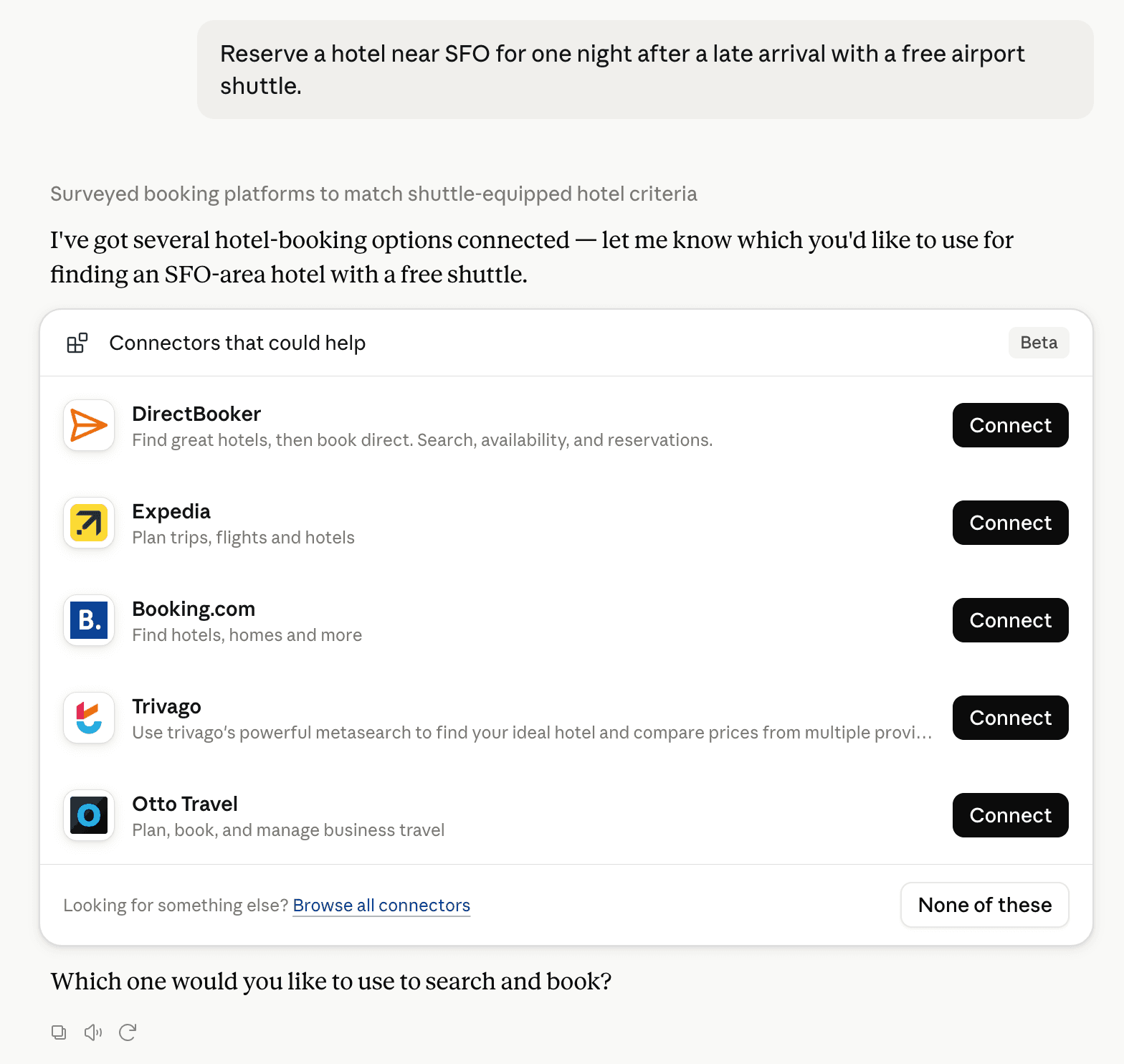
Claude can surface verified Connectors when they match a user’s Prompt.
How Claude Connector discovery works
Your Connector will compete to appear for users’ Prompts once Claude verifies it
Competitive lineup
53 tools agents can invoke

Print.App Claude Connector FAQ
How the directory, categories and Discoverability Score work.
Read the methodologyHow do I improve Print.App's Claude Connector discoverability?
The levers are the listing surface agents actually read: names, descriptions, keywords, tool metadata, and registry health. Which lever matters depends on where discovery breaks, which is what continuous measurement shows.
Where is this profile measured?
This profile uses the geography attached to the latest public registry snapshot: US. Locale tags are intentionally omitted.