



Ridian Scheduling
Let your assistant run your Ridian booking pages: set up appointment types, find open slots, book, reschedule or cancel, answer requests and follow up on leads.
 View in the Claude registry
- Brand
- Unknown
- Category
- Pending
- Primary Subcategory
- Pending
Integration details
Description
Ridian Scheduling connects your assistant to the booking pages you run in Ridian. Your appointment types, availability rules and calendars stay in Ridian; your assistant works with them in chat. Ask things like: "Which appointment types do I offer?" "Create a 30-minute intro call with Google Meet." "Find three free slots for an intro call next week." "Book Anna Weber for Thursday at 10 and send her the confirmation." "Move my 3 pm booking to tomorrow." "I'm on vacation from the 20th to the 24th. Which bookings are affected, and who can take them?" "Show me new leads from this week and mark the one from Acme as contacted." Bookings go through the same path as your booking page: Ridian checks the time again, writes the event into the host's calendar and emails the booker a confirmation with a link to reschedule or cancel. Free slots respect your buffers, limits and the host's calendars. Rescheduling, cancelling, handing a booking to a colleague and removing a booker's personal data are marked so that your assistant asks you first. Leads from your funnels and bookings are available too: list and search them, read their answers and history, set a status and add notes. Members see the bookings they host; owners and admins see the whole workspace. New appointment types are saved as drafts; your assistant can activate or pause them and accept or decline booking requests after asking you. You can review or revoke your assistant's access at any time in the Ridian console. Hosted in the EU.
- Integration type
- Connector
- Verification status
 Community connector
- Platform
- Claude
- Category
- Pending
- Primary Subcategory
- Pending
- Secondary Subcategories
- None listed
- Brand
- Unknown
- Access
- Account required
- First tracked
- 2026-11-12
- Tool count
- 23
- Market
- US
The broad Category that contains the Primary Subcategory.
The Primary Subcategory used for this profile’s headline score.
Other Subcategories where the Integration is listed.
 AgentDiscoClaude Discoverability Score
Claude Connector discovery is coming soon
Community Connectors only appear in Claude’s registry.Once verified, organic discovery begins and we can calculate your score.Read more about Community Connector verification.
No spam. Unsubscribe any time.
What discovery looks like
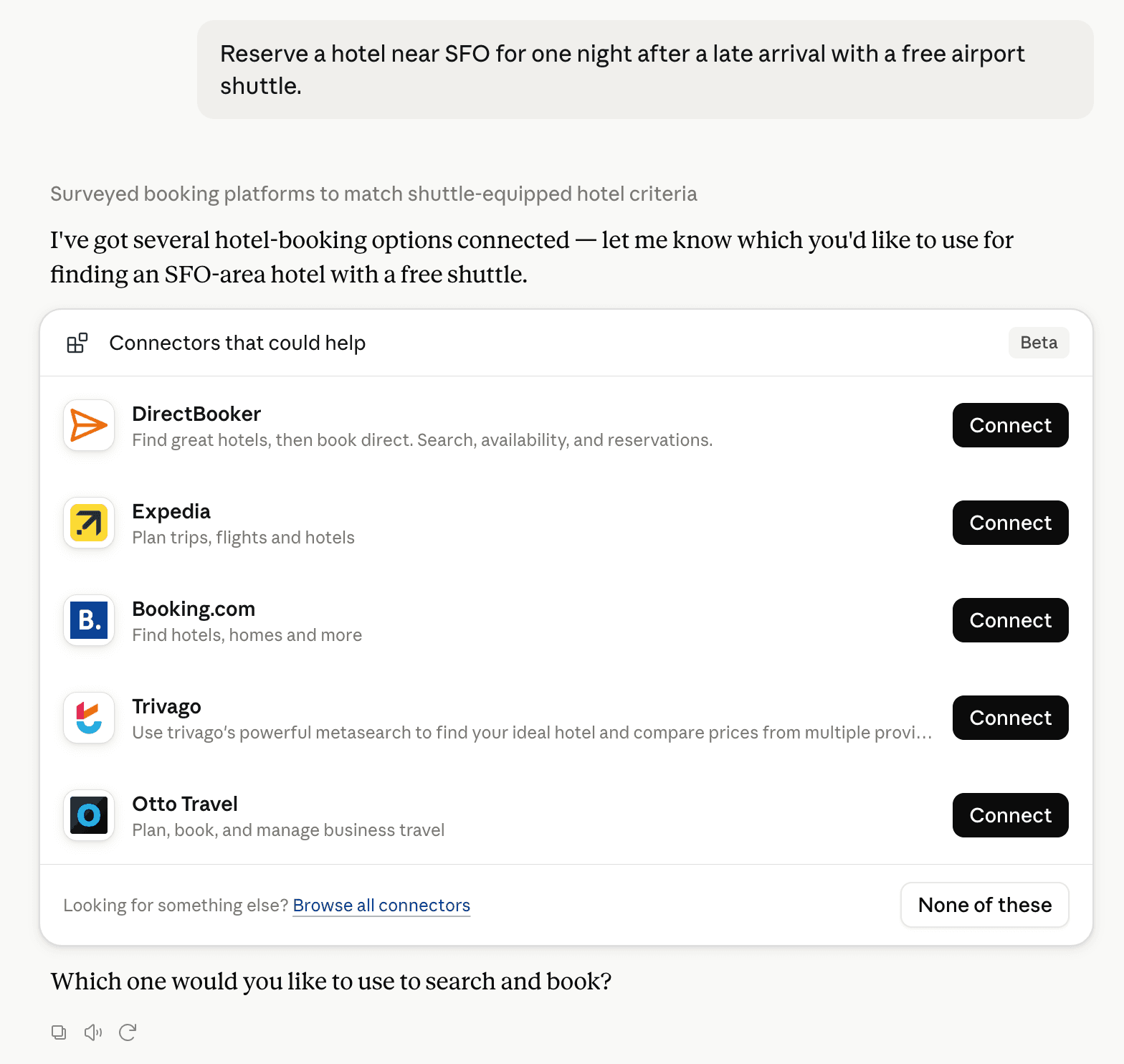
Claude can surface verified Connectors when they match a user’s Prompt.
How Claude Connector discovery works
Your Connector will compete to appear for users’ Prompts once Claude verifies it
Competitive lineup
23 tools agents can invoke

Ridian Scheduling Claude Connector FAQ
How the directory, categories and Discoverability Score work.
Read the methodologyHow do I improve Ridian Scheduling's Claude Connector discoverability?
The levers are the listing surface agents actually read: names, descriptions, keywords, tool metadata, and registry health. Which lever matters depends on where discovery breaks, which is what continuous measurement shows.
Where is this profile measured?
This profile uses the geography attached to the latest public registry snapshot: US. Locale tags are intentionally omitted.