



- Brand
- Explorium
- Category
- Sales & CRM
- Primary Subcategory
- B2B Prospecting & Contact Data
Integration details
Description
Vibe Prospecting brings live B2B data into ChatGPT for prospecting, lead research, and data enrichment. It draws on a database of 150M+ companies and 800M+ professional contacts aggregated from 50+ sources, so you can build lead lists, research accounts, and fill in missing contact data without leaving the conversation. Search for companies. Describe your ideal customer profile in plain language and filter by industry (including LinkedIn industry, NAICS, and SIC classifications), employee count, revenue range, location, funding stage, and the technologies a company uses. Results come back as structured lists you can refine, rank, and export. Find the right people. Search professional contacts by job title, seniority, department, location, skills, and work history. Look up a specific person by name and company, or map the decision-makers across a target account, including org structure and reporting lines, to plan multi-threaded outreach. Get contact details. Retrieve business emails and phone numbers for the contacts you find, with verification status included, so outreach lists are ready to use. Fill gaps in partial records, for example a name and company with no email. Verify email addresses you already have before a send, and flag records that need replacing. Track buying signals. See which companies raised funding, announced news, grew headcount, opened relevant job listings, or had key people change roles. Use these events to time outreach, score leads, and prioritize accounts. Enrich your existing records. Paste or upload a list of companies or contacts and append firmographics, technographics, contact details, and recent signals. The app matches records to the right company or person, flags duplicates, and returns a clean table you can export to CSV for your CRM, ATS, or outreach tools. Who it's for. Sales teams and SDRs building qualified pipeline. Recruiters sourcing candidates by role, skills, and location. RevOps and marketing teams segmenting accounts, sizing markets, and improving CRM data quality. It also supports market sizing and TAM analysis, lead scoring, territory planning, and account-based marketing list building. Try prompts like: "Find US SaaS companies with 100 to 1,000 employees that use HubSpot." "Identify VP-level decision-makers at these accounts and get verified work emails." "Enrich this list with industry, employee count, revenue, and tech stack." "Which of these companies raised funding or grew headcount in the last 6 months?" "Find backend engineers in Austin with fintech experience and get their profiles." "Build a target account list for my ICP and rank it by fit." "Map the sales leadership org chart at this company." "Verify the emails in this list and flag the risky ones." "Estimate how many US companies match this ICP." "Write a personalized cold email opener for each contact based on their company's recent news." Vibe Prospecting is built on Explorium's B2B data platform. Data is retrieved live at query time, not from a static export, so results reflect current company and contact information.
- Integration type
- Plugin
- Verification status
- Not applicable
- Platform
- ChatGPT
- Primary Subcategory
- B2B Prospecting & Contact Data
- Secondary Subcategories
- None listed
- Brand
- Explorium
- Access
- Account required
- First tracked
- 2026-09-22
- Tool count
- 14
- Market
- US
The Primary Subcategory used for this profile’s headline score.
Other Subcategories where the Integration is listed.
 Agent Discoverability
 ChatGPT Plugin Discovery Score
Your score is coming
ChatGPT now suggests Plugins on its own when they match a user's request.Your Plugin Discovery Score measures how often yours appears, and it will show here as soon as it’s ready.
What discovery looks like
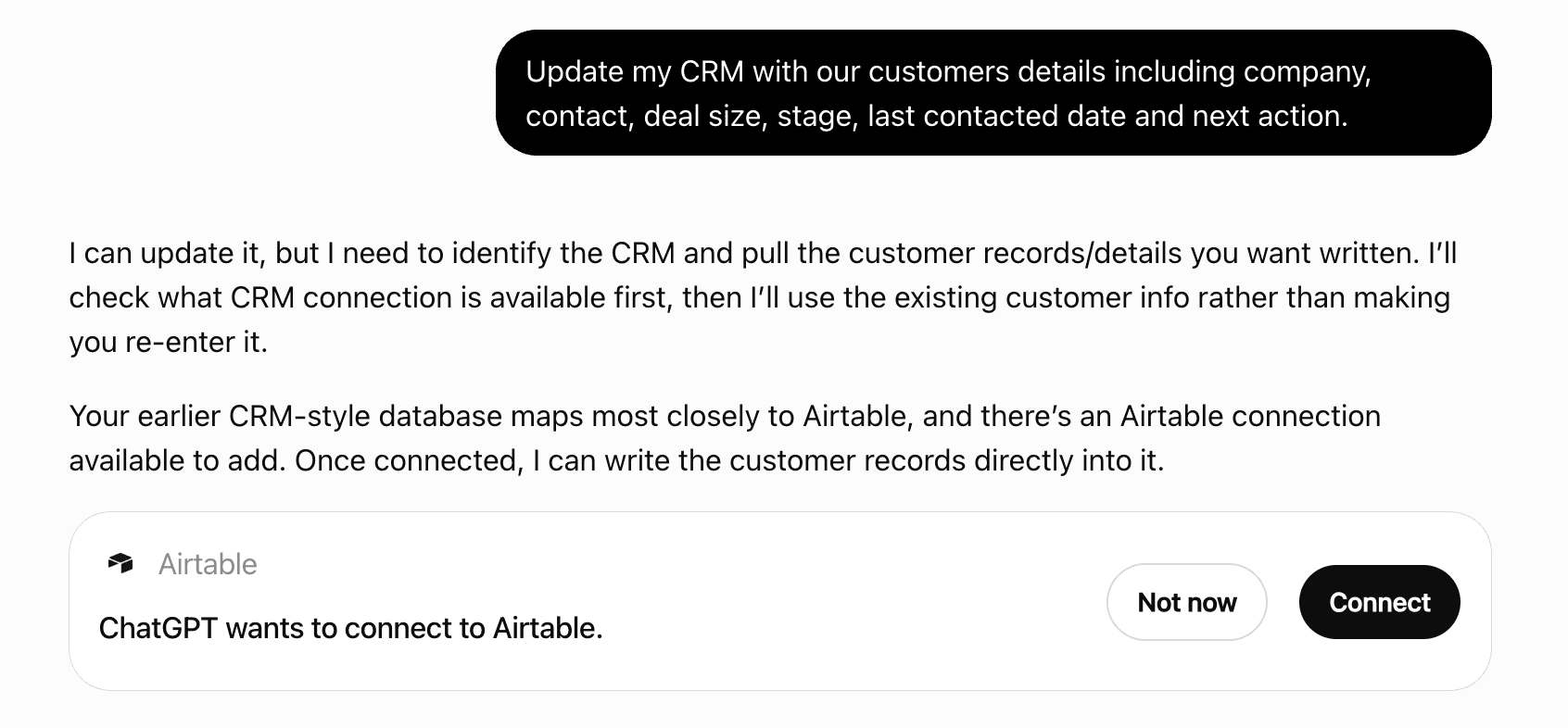
Get alerts for AI Vibe Prospecting
Get updates when AI Vibe Prospecting’s Discoverability Score or category rank changes.
Competing in ChatGPT B2B Prospecting & Contact Data
View Category14 tools agents can invoke
Autocomplete values for business filters based on a query. Never use for fields not explicitly listed (e.g., `website_keywords`). Prefer `linkedin_category` over `google_category` when both apply. **Category Selection Strategy:** When autocomplete returns multiple relevant categories, you MUST: - ✓ MUST include ALL applicable categories to maximize coverage - ✓ ALWAYS prioritize comprehensiveness over precision - ✗ ONLY exclude clearly unrelated categories - ✓ For broad queries → include more categories rather than fewer - Narrowing selection unnecessarily reduces result coverage **Session Storage:** - If session_id is provided, results will be stored for future reference - If not provided, a new session_id will be created and returned - Returns session_id in the response for future data retrieval Do NOT call autocomplete for: - `company_country_code`: List[str] — use valid ISO Alpha-2 country codes directly (e.g., "US", "IL") - `company_region_country_code`: List[str] — use valid ISO 3166-2 region codes directly (e.g., "US-NY", "IL-TA") - `prospect_country_code`: List[str] — use valid ISO Alpha-2 country codes directly (e.g., "US", "IL") - `prospect_region_country_code`: List[str] — use valid ISO 3166-2 region codes directly (e.g., "US-NY", "IL-TA") Hints: - Searching for SaaS? Use the keyword 'software'
Add detailed information to companies from previous fetch-entities results. **WHAT TO DO:** - Use session_id and table_name from `fetch-entities` results (when fetching businesses) - Choose enrichment types (firmographics, technographics, funding, etc.) - Returns masked preview + `table_name`. - If this is the final data step for the user's request, make a separate `show-sample` call for each returned final `table_name` before replying. - Continue workflow or finish here - Use `export-to-csv` when ready to get all companies with full enrichment **Export Confirmation:** - **CRITICAL: NEVER auto-export. Always wait for explicit user confirmation before proceeding to `export-to-csv`.** - Once sample data is displayed, the user should review it and decide whether to proceed with export. **DATA AVAILABILITY:** Handle missing or unavailable data appropriately: - ✓ If enrichment returns empty/null fields → Present available data without apologizing - ✓ If specific enrichment unavailable → Suggest alternative enrichments that may help - ✗ DO NOT claim enrichment types not in the available list below - ✗ DO NOT suggest enriching data that requires file uploads or unavailable data sources - ✗ DO NOT frame missing data as Explorium limitations or deficiencies - ✓ Focus on what IS available rather than what is missing **Available enrichment types:** - **enrich-business-firmographics**: Basic company info (name, description, website, location, industry, size, revenue) - **enrich-business-technographics**: Complete technology stack used by the business - **enrich-business-company-ratings**: Employee satisfaction and company culture ratings - **enrich-business-financial-metrics**: Financial data for public companies (requires date parameter) - **enrich-business-funding-and-acquisitions**: Funding history, investors, IPO, acquisitions - **enrich-business-challenges**: Business challenges and risks from SEC filings - **enrich-business-competitive-landscape**: Market position and competitors from SEC filings - **enrich-business-strategic-insights**: Strategic focus and value propositions from SEC filings - **enrich-business-workforce-trends**: Department composition and hiring trends - **enrich-business-linkedin-posts**: Company LinkedIn posts and engagement metrics - **enrich-business-website-changes**: Website content changes over time - **enrich-business-website-keywords**: Search for specific keywords on company websites (requires keywords parameter) - **enrich-business-webstack**: Website-specific technologies and web infrastructure components detected on company websites - **enrich-business-company-hierarchies**: Corporate hierarchy including parent company, ultimate parent, subsidiaries, and full organization tree (JSON format) Once this turn's exploration work is finished, call `show-sample` with the final `table_name`. **PRESENTATION** - Build the sample only from `show-sample` results—never from exploration masked preview rows. - The sample rows are displayed by the widget; do not write them out yourself. - NEVER mention internal table names or technical internals. **RESPONSE FORMAT** **Results Found** [key qualifier] [entity type] from [companies/sources] **Ready to Export?** Get all [total] [entities] with full details. Say "export" to download the complete dataset as CSV.
Add contact details and profiles to people from previous fetch-entities results. **WHAT TO DO:** - Use session_id and table_name from `fetch-entities` results (when fetching prospects) - Choose enrichment types (contacts for emails/phones, profiles for work history). - `parameters.contact_types`: Contacts enrichment only. Use ["email"] for email only, ["phone"] for phone only, or ["email", "phone"] for both/either. Omit or null to request both. Do not run contact enrichment for profile-only requests. - Returns masked preview + `table_name`. - If this is the final data step for the user's request, make a separate `show-sample` call for each returned final `table_name` before replying. - Only proceed with `export-to-csv` after user confirms the data looks correct **Export Confirmation:** - **CRITICAL: NEVER auto-export. Always wait for explicit user confirmation before proceeding to `export-to-csv`.** - Once sample data is displayed, the user should review it and decide whether to proceed with export. **DATA AVAILABILITY:** Handle missing or unavailable data appropriately: - ✓ If enrichment returns empty/null contact fields → Present available data without apologizing - ✓ If emails/phones unavailable for some prospects → Focus on successfully enriched prospects - ✗ DO NOT claim enrichment types not in the available list below - ✗ DO NOT suggest enriching data that requires file uploads or unavailable data sources - ✗ DO NOT frame missing data as Explorium limitations or deficiencies - ✓ Explain that contact availability varies by prospect and data sources **Available enrichment types:** - **enrich-prospects-contacts**: Professional email (`professional_email`) and mobile phone (`mobile_phone`) - **enrich-prospects-profiles**: Full name, location, role details, work experience, education Once this turn's exploration work is finished, call `show-sample` with the final `table_name`. **PRESENTATION** - Build the sample only from `show-sample` results—never from exploration masked preview rows. - The sample rows are displayed by the widget; do not write them out yourself. - NEVER mention internal table names or technical internals. **RESPONSE FORMAT** **Results Found** [key qualifier] [entity type] from [companies/sources] **Ready to Export?** Get all [total] [entities] with full details. Say "export" to download the complete dataset as CSV.
Export your data to CSV and get download link. Use this at the END of your workflow when ready to deliver final results. **WORKFLOW STEP:** - This is the final step after reviewing sample data. - User should review the sample data first and explicitly confirm they want to proceed with export. - Only proceed with export after user confirms the data looks correct. **Export Confirmation:** - **CRITICAL: NEVER auto-export. Always wait for explicit user confirmation before proceeding to `export-to-csv`.** - Once sample data is displayed, the user should review it and decide whether to proceed with export. **DATASET NAMING:** - **Encouraged to provide a `dataset_name`** - this creates user-friendly, descriptive names - Generate concise names based on search criteria (max 35 chars, lowercase, underscores only) - Final name format: `{dataset_name}_{unique_id}` - If not provided, a random name will be automatically generated. - Examples of good names: - "canadian_saas_companies" → canadian_saas_companies_20231218143522 - "us_healthcare_ceos" → us_healthcare_ceos_20231218143522 - "fintech_decision_makers_eu" → fintech_decision_makers_eu_20231218143522 - Extract key attributes from the query: industry, location, role, company size, etc. - Keep it concise and descriptive - users should understand what's in the dataset at a glance **EXPORT EXECUTION:** - Exports may return partial rows depending on execution constraints. **RESUMING / EXTENDING A PRIOR EXPORT (`exclude_key` on the SAME `table_name`):** - **After an incomplete export then the user retries (same goal):** call `export-to-csv` again on the **same** `session_id` and **same** `table_name` with `exclude_key` = the prior export `dataset_id` (`ds-`…). When the prior run delivered **fewer rows than the user originally wanted**, set `limit` = **(original requested result count) minus (rows already delivered)** — use the prior export response `counts.records_available`, the assistant’s partial-export message, or ask the user. Do **not** pass the full original count as `limit` unless nothing was delivered yet. No `fetch-entities` rebuild. Never mention credits or billing to the user. - **User asks for a specific number of additional rows:** same `session_id`, same `table_name`, `exclude_key` = the previous export `dataset_id`, `limit` = that **N**. - Without `exclude_key`, `limit: N` means “up to N rows total from the original query.” Ask for the `ds-` id (or hub link) if missing. **Exclusion:** - Exporting does not add entities to the user's exclude list - If the user asks to add, remove, list, or check the exclusion list, call `manage-exclusion-list`. Do not send them to the app for that - If the user asks to add to the exclusion list, first check whether that set was exported. If an export widget is present, read its result for the `dataset_id`. The same id is in the `export-to-csv` response. Pass that id as `exclusion.dataset_id`. Do not add only the preview ids **WHAT TO DO:** - Use session_id and table_name from the final step in your workflow - Ideally generate a descriptive `dataset_name` based on the search criteria - If you have sample data (10 results from requesting 1000), this gets ALL the data - Provides downloadable CSV link (expires in 1 week) - **Always show the `url` to the user** - Show `_core_download_url` and `_full_download_url` only if the user explicitly asks for direct download - **NEVER mention internal table names or technical details to the user** - Present the export using these exact formats based on the response message: **Standard Export:** Your data is ready for download! Here's your CSV file with [rowCount] [search criteria]: 🔗 Download Link: [URL] The file includes complete details for all [entities] including [key fields like business names, domains, locations, employee counts, revenue ranges, industry classifications, and business descriptions]. **Partial Export (when rowCount < requestedCount):** Your data is ready for download! We've prepared [rowCount] [search criteria] for you. 🔗 Download Link: [URL] Note: Your request was for [requestedCount] [entities], but we've provided [rowCount] based on your current daily limit. Your quota will reset tomorrow, allowing you to export more results.
Retrieves business-related events from the Explorium API in bulk. If you're looking for events related to role changes, you should use the prospects events tool instead. **BEFORE CALLING THIS TOOL:** - You MUST ask the user to confirm they want event details before calling `fetch-businesses-events` when the prior `fetch-entities` call used `events` (skip only if they explicitly asked for event details in the same message). - Wrong: call `fetch-businesses-events` immediately after `fetch-entities` returns businesses with matching event signals. - Right: present the matching businesses, ask "Do you want me to fetch the detailed event records for these companies?", and call this tool only after the user confirms. **Use Cases:** - Get detailed event information after filtering businesses using the events filter in fetch-entities - Research a company's complete event history with specific event types and timestamps - Analyze timing and details of funding rounds, partnerships, office changes, etc. **Workflow:** 1. Use fetch-entities with events filter to find businesses that experienced specific events 2. Ask the user whether to run this tool before export (skip if they already asked in the same message) **Note:** For events related to role changes or people movements, use the prospects events tool instead. **WHAT TO DO:** - Use session_id and table_name from `fetch-entities` results (when fetching businesses) - You MUST ask the user before calling this tool when the prior fetch used `events` (skip only if they explicitly asked for event details in the same message) - Choose event types and time range - Returns masked preview + `table_name`. - If this is the final data step for the user's request, make a separate `show-sample` call for each returned final `table_name` before replying. - Sample preview shows up to 3 events per company. This is a limited preview, not the full dataset. Export-to-csv includes all events for all companies in your results, which can be much larger. - Let the user know this is a sample preview showing up to 3 events per company. The full dataset — available via export-to-csv — will contain all events for all companies. **Export Confirmation:** - **CRITICAL: NEVER auto-export. Always wait for explicit user confirmation before proceeding to `export-to-csv`.** - Once sample data is displayed, the user should review it and decide whether to proceed with export. **EMPTY RESULTS HANDLING:** If query returns zero events: - ✗ DO NOT simply state "no events found" or "no data available" - ✓ Proactively suggest expanding the search period - ✓ Provide constructive guidance: "No events found in this time period. To capture more activity, consider expanding your date range. For example, extending the search to [suggest broader period] may reveal relevant events." - ✓ Frame positively as an opportunity to refine the search **Default Timeframe:** - If the user asks for recent events or does not supply a timeframe, the default is 3 months from now - This default is automatically applied when timestamp_from is not specified - Include timestamp_from only when the user explicitly asks for a specific time period **Session Storage:** - If session_id is provided, results will be stored for future reference - If not provided, a new session_id will be created and returned - Use the session_id to retrieve stored data later Once this turn's exploration work is finished, call `show-sample` with the final `table_name`. **PRESENTATION** - Build the sample only from `show-sample` results—never from exploration masked preview rows. - The sample rows are displayed by the widget; do not write them out yourself. - NEVER mention internal table names or technical internals. **RESPONSE FORMAT** **Results Found** [key qualifier] [entity type] from [companies/sources] **Ready to Export?** Get all [total] [entities] with full details. Say "export" to download the complete dataset as CSV.
Find companies and/or prospects using any combination of filters (returns ~10 sample rows) - Whenever the user is asking to find companies who need or are showing intent/interest/relevancy for a certain product or service, use the business_intent_topics filter. - ALWAYS use autocomplete for the following filters: linkedin_category, naics_category, job_title, interests, skills, business_intent_topics, company_tech_stack_tech. - Use standardized values from autocomplete in the subsequent fetch call; avoid using raw user input for these filters. - **PERSISTENCE:** Ensure standardized values are preserved and used even if other tools (like match) are called between autocomplete and fetch. **ENTITY_TYPE SELECTION:** - **Use "prospects"** - When request involves people/individuals in ANY way - **Use "businesses"** - When request is ONLY about companies with NO people **KEY: Any people-related request = use "prospects" directly** **LOCATION FILTERS:** - `company_country_code` / `company_region_country_code` filter the company's HQ location. - `prospect_country_code` / `prospect_region_country_code` filter where the person is based. - If `entity_type` is `prospects` and the user mentions a location without making clear whether it applies to the person or the company, ask before fetching: "Before I search, when you say "in <location>", do you mean: - Prospects who are physically based there - Prospects working at companies headquartered there - Both: prospects who are physically based there and work at companies headquartered there" - Do not ask when the wording is clear, such as "companies in Germany" (company HQ) or "prospects based in New York" (prospect location). - Only call this tool after the user confirms which location filter to use. **PROSPECT CONTACT INFO (EMAIL / PHONE):** - Availability only, not contact values: "email" = email available; "phone" = phone available; "email_or_phone" = at least one; "email_and_phone" = both. Profile only: omit contact filters, including deprecated filters. - Ask before prospect fetch unless the prompt/current dataset specifies a preference. Never ask for business-only searches. MUST show all four options verbatim, in order; never omit or merge "Either email or phone": "Before I search, would you like to include contact details in your results? - Emails only - Both emails and phones - Either email or phone - No, only prospect profile" - Set `has_contact_details.value`, in option order: `email`, `email_and_phone`, `email_or_phone`, or omit the filter. Email does not exclude prospects with phones. - Apply explicit preferences directly (phone/mobile only → `phone`). Map clear free text/"Something else"; ask if ambiguous. Retain the preference until the dataset or preference changes. - Profile only: no contact enrichment. - For requested contacts, run `enrich-prospects` with `enrich-prospects-contacts` on the fetched `table_name` and same `session_id`; use the enriched table downstream. **EVENT DETAILS:** - `events` only selects businesses with that signal—it does not add event detail fields to fetch results. - If the fetch used `events` and the user did not already ask for event details in the same message, you MUST ask after presenting results and before `fetch-*-events` or export: "Would you like me to retrieve event details for these results? - Yes, get event details - No thanks, keep results as-is" - Wrong: call `fetch-*-events` immediately after `fetch-entities` returns results with matching event signals. - Right: present the matching results, ask the event-details question, and call `fetch-*-events` only after the user confirms. - If yes: run `fetch-*-events` with matching `event_types`. **WORKFLOW** 1) `fetch-entities` → explore (returns masked preview + `table_name`) 2) (Optional) `enrich-business` / `enrich-prospects` → add details (name, domain, revenue, size, tech stack, emails, phones) **only if user asks or answers the contact-details prompt with email only, phone only, both, or either** 3) If `events` was used: use the event-details prompt before `fetch-*-events` 4) After this user turn's requested fetch/enrich/events work is done, make a separate `show-sample` call for each final relevant `table_name` (for split/parallel results, sample every final dataset; call it again after later turns that add more data) 5) After user confirms the sample: `export-to-csv` on the **latest** `table_name` (post-events or post-enrich when applicable) - Only ask about export when the workflow is finished **and** there is more data than shown in chat (preview subset, bulk fields, or user asked for a file)—not when the answer is already complete in the message. - Never auto-export; export only after explicit user confirmation. **Export Confirmation:** - **CRITICAL: NEVER auto-export. Always wait for explicit user confirmation before proceeding to `export-to-csv`.** - Once sample data is displayed, the user should review it and decide whether to proceed with export. **REQUEST PLANNING** - Determine all filters in advance; make **ONE** comprehensive fetch call. - Avoid multiple fetch calls when filters can be combined into one. Once this turn's exploration work is finished, call `show-sample` with the final `table_name`. **PRESENTATION** - Build the sample only from `show-sample` results—never from exploration masked preview rows. - The sample rows are displayed by the widget; do not write them out yourself. - NEVER mention internal table names or technical internals. **RESPONSE FORMAT** **Results Found** [key qualifier] [entity type] from [companies/sources] **Ready to Export?** Get all [total] [entities] with full details. Say "export" to download the complete dataset as CSV. **RESULT LIMITS** - Max 1000 results per request; do not imply exhaustion. - If more needed: suggest refining filters or running another targeted search (positive framing). **MAX_PER_COMPANY** - Use this only when the user specifies a number. **BUYING INTENT (for sales prospecting)** - When user wants to find potential customers/prospects for what they're selling - Use business_intent_topics filter (requires autocomplete) - Example Keywords: "selling to", "need", "looking for", "interested in buying", "prospects for" **JOB FILTER RULES** - Broad role categories: use `job_level` + `job_department` ONLY (never `job_title`). - Example: job_level ["c-suite", "director", "vice president"] + job_department ["engineering"] - Specific titles: use `job_title` ONLY. - `job_level`/`job_department` are more precise; if seniority/department is requested, ALWAYS use them. - Use autocomplete to get standardized job titles. - If too broad, narrow with `website_keywords`. **AMBIGUOUS TERMS** - For broad/ambiguous terms toggle options (e.g., "designers", "engineers", "security", "mining", "consulting"): - Present specific subcategory options AND an option to search **ALL relevant categories (including the general term)**. - **Do not auto-select** the general term without user choice. **SESSION / REFERENCES** - If `session_id` provided: store filters/results; otherwise return a new one. - Use the `session_id` to retrieve stored data later. - Pass previous result table names into reference-table fields: - `businesses_reference_table` refines prospects from prior fetch-businesses results; requires `session_id`. For company details from prospect data, use enrich-business instead. - **IMPORTANT: When chaining enrichment → fetch, always use the enriched table name (from enrich response) not the original fetch table name as reference** - Enriched result tables from enrich tools can also be used as reference tables; when used, enriched fields may be available in results. **EXCLUDE** - Optional `exclude_key` filters out previously excluded entities; auto-generated (tenant context) when applicable. **AUTOCOMPLETE REQUIREMENTS:** These filters REQUIRE autocomplete before fetch-entities: - linkedin_category - naics_category - job_title - interests - skills - business_intent_topics - company_tech_stack_tech - city_region (only for USA cities) Always call autocomplete first when using any of these filters. Use the autocomplete results in the fetch-entities call — do not fall back to the user's raw input. Standardized values should persist even when multiple tools are called in sequence. **Exception:** If autocomplete returns empty results after broadening your query once, skip that filter entirely. **EVENT-BASED FILTERS (use enum values directly, no autocomplete needed):** - `events`: Object with "values" (array of event types from fixed enum) and "last_occurrence" (days: 30-90) **Do NOT autocomplete these filters (use directly):** - country_code, company_country_code → use ISO Alpha-2 codes (e.g., "US", "IL") - region_country_code, company_region_country_code → use ISO 3166-2 codes (e.g., "US-CA", "IL-TA") - businesses_reference_table → extract from previous fetch-businesses results - business_id, prospect_id → extract from previous results **CONSTRAINTS** - For enum-backed filters, use schema enum values directly. - Never set more than one of: `linkedin_category`, `naics_category`. - Never set both `region_country_code` and `country_code`; same for company. - Run enrich tools only if user asks or answers the contact-details prompt with email only, phone only, both, or either. - To filter by a specific company, first call match-business to get its ID, then pass it here. - Returns Business/Prospect IDs; do NOT chain with `match-business` / `match-businesses` / `match-prospects`. - `businesses_reference_table` requires `session_id`. - If a filter is unsupported/invalid, stop and alert the user.
Fetch aggregated insights into businesses or prospects by industry, revenue, employee count, job department, and geographic distribution. **CRITICAL RULES:** - **Use "prospects"** - When request involves prospects in ANY way - **Use "businesses"** - When request is ONLY about companies with NO prospects **Autocomplete-Required Filters** (standardized values MUST be obtained from autocomplete tool FIRST): - `linkedin_category`: LinkedIn industry categories - `company_tech_stack_tech`: Specific technologies - `naics_category`: NAICS industry codes - `job_title`: Job titles - `business_intent_topics`: Intent topic strings **MANDATORY RULE:** If you use ANY of these filters, you MUST call autocomplete FIRST. NO EXCEPTIONS. NO SHORTCUTS. **Exception:** If autocomplete returns empty results after broadening your query once, skip that filter entirely. **Direct-Use Filters** (use standard codes directly, no autocomplete needed): - country_code, company_country_code → use ISO Alpha-2 codes (e.g., "US", "IL") - region_country_code, company_region_country_code → use ISO 3166-2 codes (e.g., "US-CA", "IL-TA") **Best** - To get statistics or breakdowns by state/region, use the `company_region_country_code` or `prospect_region_country_code` filter with ISO 3166-2 codes (e.g., "US-NY"). **Returns:** Aggregated statistics based on the selected entity type and filters. Statistics describe the full population matching these filters before saved exclusions. Discovery applies saved exclusions, so its matching count can be lower. Present statistics as population insights rather than the number of rows available to fetch or export.
Retrieves prospect-related events from the Explorium API in bulk. **BEFORE CALLING THIS TOOL:** - You MUST ask the user to confirm they want event details before calling `fetch-prospects-events` when the prior `fetch-entities` call used event-related filters or when the user only asked for prospects with role/company-change signals (skip only if they explicitly asked for event details in the same message). - Wrong: call `fetch-prospects-events` immediately after `fetch-entities` returns prospects with matching event signals. - Right: present the matching prospects, ask "Do you want me to fetch the detailed event records for these prospects?", and call this tool only after the user confirms. **WHAT TO DO:** - Use session_id and table_name from `fetch-entities` results (when fetching prospects) - You MUST ask the user before calling this tool when they want role/company-change details (skip only if they explicitly asked for event details in the same message) - Choose event types and time range - Returns masked preview + `table_name`. - If this is the final data step for the user's request, make a separate `show-sample` call for each returned final `table_name` before replying. - Sample preview shows up to 3 events per prospect. This is a limited preview, not the full dataset. Export-to-csv includes all events for all prospects in your results, which can be much larger. - Let the user know this is a sample preview showing up to 3 events per prospect. The full dataset — available via export-to-csv — will contain all events for all prospects. **Export Confirmation:** - **CRITICAL: NEVER auto-export. Always wait for explicit user confirmation before proceeding to `export-to-csv`.** - Once sample data is displayed, the user should review it and decide whether to proceed with export. **EMPTY RESULTS HANDLING:** If query returns zero events: - ✗ DO NOT simply state "no events found" or "no data available" - ✓ Proactively suggest expanding the search period - ✓ Provide constructive guidance: "No events found in this time period. To capture more activity, consider expanding your date range. For example, extending the search to [suggest broader period] may reveal relevant events." - ✓ Frame positively as an opportunity to refine the search **Default Timeframe:** - If the user asks for recent events or does not supply a timeframe, the default is 3 months from now - This default is automatically applied when timestamp_from is not specified - Include timestamp_from only when the user explicitly asks for a specific time period **Automatic Data Storage:** - All results are automatically stored in the database - A session_id will be generated if not provided Use this when querying for prospect-related events about businesses: Example workflow: Fetch entities (businesses) > Fetch entities (prospects) > Fetch prospects events Once this turn's exploration work is finished, call `show-sample` with the final `table_name`. **PRESENTATION** - Build the sample only from `show-sample` results—never from exploration masked preview rows. - The sample rows are displayed by the widget; do not write them out yourself. - NEVER mention internal table names or technical internals. **RESPONSE FORMAT** **Results Found** [key qualifier] [entity type] from [companies/sources] **Ready to Export?** Get all [total] [entities] with full details. Say "export" to download the complete dataset as CSV.
Internal autocomplete. This tool is used internally by widgets and should not be called directly by users.
List the user's saved datasets, or load one into a session or into the conversation. Saved datasets are lists the user already exported or uploaded to the Vibe Prospecting Hub. **LISTING DATASETS (no `dataset_id` and no `dataset_name`):** Returns up to 20 of the user's most recent datasets, newest first. Metadata only; nothing is loaded. Use for "Show me my datasets" or "What datasets do I have?". **LOADING A DATASET:** - Provide `dataset_id` (`ds-` followed by a UUID, preferred) or `dataset_name`. If both are given, `dataset_id` wins. If you have neither, ask the user. - An exact `dataset_name` match loads directly; otherwise the response lists close matches with their IDs to choose from. - If the dataset is still processing or failed, the response returns its status instead of rows. - Omit `load_into`, or use `"session"`, to load it into a session table and return a `table_name` for `fetch-entities`, `enrich-prospects`, `enrich-business` and `show-sample`. Omit `session_id` when starting a new conversation about the dataset. - Use `load_into: "context"` only when the rows themselves are needed to answer, filter, sort, score, or reason about the user's data. It requires `dataset_id`, does not create a table, and is free because exported data was already paid for. Start with `page_number: 1`; `page_size` defaults to 25 and cannot exceed 50. Request more pages only if required. For a live exploration table use `show-sample` instead. **NOT FOR:** - Finding new companies or prospects: use `fetch-entities`. - Changing the exclusion list: use `manage-exclusion-list`. - Uploading a new dataset. Do not call a tool; tell the user: "To upload a dataset, head over to the Vibe Prospecting Hub at https://app.vibeprospecting.ai/lists." **Response includes:** - Listing: datasets (list of {id, name, created_at, row_count}), count, message - Loading: table_name, entity_type, counts ({ records_received, records_available }), status, available_datasets (if no exact match)
Add to, remove from, list, or check the user's persistent exclusion list. Entities on the list are left out of future `fetch-entities` results. Removing entries only changes this list; it does not delete saved datasets. **OPERATIONS (`op`):** - `"add"` / `"remove"`: change the list. Pass exactly one of `dataset_id` (the whole fetched or exported set) or `ids` (specific entities whose ids you already have). `entity_type` is `"business"` or `"prospects"`. Optional `names` must match `ids` in length. - `"list"`: `entity_type` only. Returns a count and a short sample of names. - `"contains"`: `ids` only. Returns whether each id is excluded. **RULES:** - Add or remove only when the user explicitly asks for that change. - To add an exported set, use the `dataset_id` from the `export-to-csv` response (it is also on the export widget). Do not add only the preview ids. If the set was never exported, say so instead of adding preview ids. - `fetch-entities` already applies this list. Do not pass `exclude_key` on fetch to edit it.
Get the Explorium business IDs from business name and/or domain in bulk. You can provide either name OR domain for each business: - Using only name: {"name": "Google"} - Using only domain: {"domain": "microsoft.com"} - Using both (recommended for better accuracy): {"name": "Amazon", "domain": "amazon.com"} Appropriate for questions involving: - Company information (size, revenue, industry, location) - Executive teams or employee data - Technology stack analysis - Funding history or investors - Company events or changes - Workforce trends and hiring - Contact information for company employees - Competitive analysis or market positioning **Session Storage:** - If session_id is provided, results will be stored for future reference - If not provided, a new session_id will be created and returned - Returns session_id in the response for future data retrieval - **Show every field and piece of data available for each business** - **NEVER mention internal table names or technical details** Present the matching results directly. Matching returns complete results; sample presentation applies only after fetch, enrichment, or event retrieval. Do NOT use when: - You already called fetch-entities for businesses (response contains business IDs) - Looking for general industry trends without specific companies - Searching for news articles or press releases
Match specific individuals to get their Explorium prospect IDs. Explorium is a B2B/B2C data company. **Session Storage:** - If session_id is provided, results will be stored for future reference - If not provided, a new session_id will be created and returned - Returns session_id in the response for future data retrieval - **NEVER mention internal table names or technical details** Present the matching results directly. Matching returns complete results; sample presentation applies only after fetch, enrichment, or event retrieval. Appropriate for questions involving: - "Who is [Name] at [Company]?" - "Get me [Person's] contact information" - "Tell me about [Specific Person]" - Professional background of named individuals - Contact details, work history, social profiles of specific people Requirements: Email OR (full name + company name) **LOW MATCH RATE HANDLING:** When many prospects are unmatched (prospect_id is null): - Frame the low match rate as an input data quality opportunity, NOT a platform limitation - Suggest improvements: adding LinkedIn URLs, replacing generic emails (contact@, info@) with personal business emails, verifying company names **UNMATCHED USER-PROVIDED PROSPECTS:** If any person from a user-provided list has a null `prospect_id`, report the unmatched people and enrich only those matched. Do not derive filters or fetch replacements. You may offer to search for other prospects at the same companies, but wait for explicit approval. This does not apply to discovery requests.
Present the final sample to the user before export. **SHOW-SAMPLE (`fetch-entities`, `enrich-business`, `enrich-prospects`, `fetch-businesses-events`, `fetch-prospects-events` only)** - For each user turn that includes exploration work, call `show-sample` after that turn's fetch/enrich/events work is finished, using the final relevant `table_name`(s). - If the turn creates multiple final datasets/tables (for example US and Canada splits), make a separate successful `show-sample` call for each final `table_name` before replying. - If a table is enriched, sample the final enriched table only—not the intermediate fetch table. - If a later user turn asks for more data or another enrichment, call `show-sample` again after that turn's work is finished. - Do not ask the user for confirmation before calling `show-sample`; confirmation is required only before `export-to-csv`. - Present the sample returned by `show-sample`, not the masked exploration preview. - All other tools return complete results—present those directly. Exploration is free; Once this turn's exploration work is finished, call `show-sample` with the final `table_name`. **PRESENTATION** - Build the sample only from `show-sample` results—never from exploration masked preview rows. - The sample rows are displayed by the widget; do not write them out yourself. - NEVER mention internal table names or technical internals. **RESPONSE FORMAT** **Results Found** [key qualifier] [entity type] from [companies/sources] **Ready to Export?** Get all [total] [entities] with full details. Say "export" to download the complete dataset as CSV. **Export Confirmation:** - **CRITICAL: NEVER auto-export. Always wait for explicit user confirmation before proceeding to `export-to-csv`.** - Once sample data is displayed, the user should review it and decide whether to proceed with export.
 Recommended guideHow to get your ChatGPT Plugin suggestedFollow the practical steps agents use to find, shortlist, and choose your Plugin.Read guide
AI Vibe Prospecting ChatGPT Plugin FAQ
How the directory, categories and Discoverability Score work.
Read the methodologyHow do I improve AI Vibe Prospecting's ChatGPT Plugin discoverability?
The levers are the listing surface agents actually read: names, descriptions, keywords, tool metadata, and registry health. Which lever matters depends on where discovery breaks, which is what continuous measurement shows.
What are AI Vibe Prospecting alternatives on ChatGPT?
As of 2026-11-03, AI Vibe Prospecting competes with Add to CRM, AdvPulse, AgentData, AgentSource, AI Leads Scout, anVendor, Apollo.io, Bullwhip and 71 more in ChatGPT B2B Prospecting & Contact Data, ranked by public Discoverability Score.
Where is this profile measured?
This profile uses the geography attached to the latest public registry snapshot: US. Locale tags are intentionally omitted.