



- Brand
- Bigdata.com
- Category
- Finance
- Primary Subcategory
- Institutional Financial Data & Equity Research Platforms
Integration details
Description
Bigdata.com is the AI grounding layer for finance, bringing cited financial research directly into ChatGPT. Research stocks and companies, follow the latest news on your portfolio, and query market data, fundamentals, SEC filings, earnings call transcripts, broker and analyst research, sentiment signals, and premium news, with every answer grounded in real, citable sources instead of guesses. Search billions of documents spanning 25+ years, including 10M+ new public news documents monthly, 200+ premium news sources such as Financial Times, Benzinga, MT Newswires, CNBC and more, filings across 50+ countries, 30+ years of fundamentals, expert interviews, and podcasts. RavenPack's financial knowledge graph resolves company and entity names automatically, so one plain-language question surfaces the right filings, transcripts, news, and data. No manual ticker matching, fabricated numbers, or invented quotes. Beyond public content, upload and search your own private documents, including notes, internal research, artifacts, and files, alongside public filings and market data, so proprietary research and public sources can be used together in the same query. Built for anyone making a financial decision, from individual investors researching a stock or tracking their portfolio to analysts at hedge funds, asset managers, and investment banks. Run an initiation report, compare two 10-Ks, prep a pre-earnings or pre-FOMC briefing, track a competitor, catch a sentiment shift before consensus does, or build a sourced brief before a call, all from one grounded search. Connect in seconds. No setup, no code. You're searching cited financial data from your first prompt.
- Integration type
- Plugin
- Verification status
- Not applicable
- Platform
- ChatGPT
- Primary Subcategory
- Institutional Financial Data & Equity Research Platforms
- Secondary Subcategories
- None listed
- Brand
- Bigdata.com
- Access
- Account required
- First tracked
- 2026-05-20
- Tool count
- 22
- Market
- US
The Primary Subcategory used for this profile’s headline score.
Other Subcategories where the Integration is listed.
 Agent Discoverability
 ChatGPT Plugin Discovery Score
Your score is coming
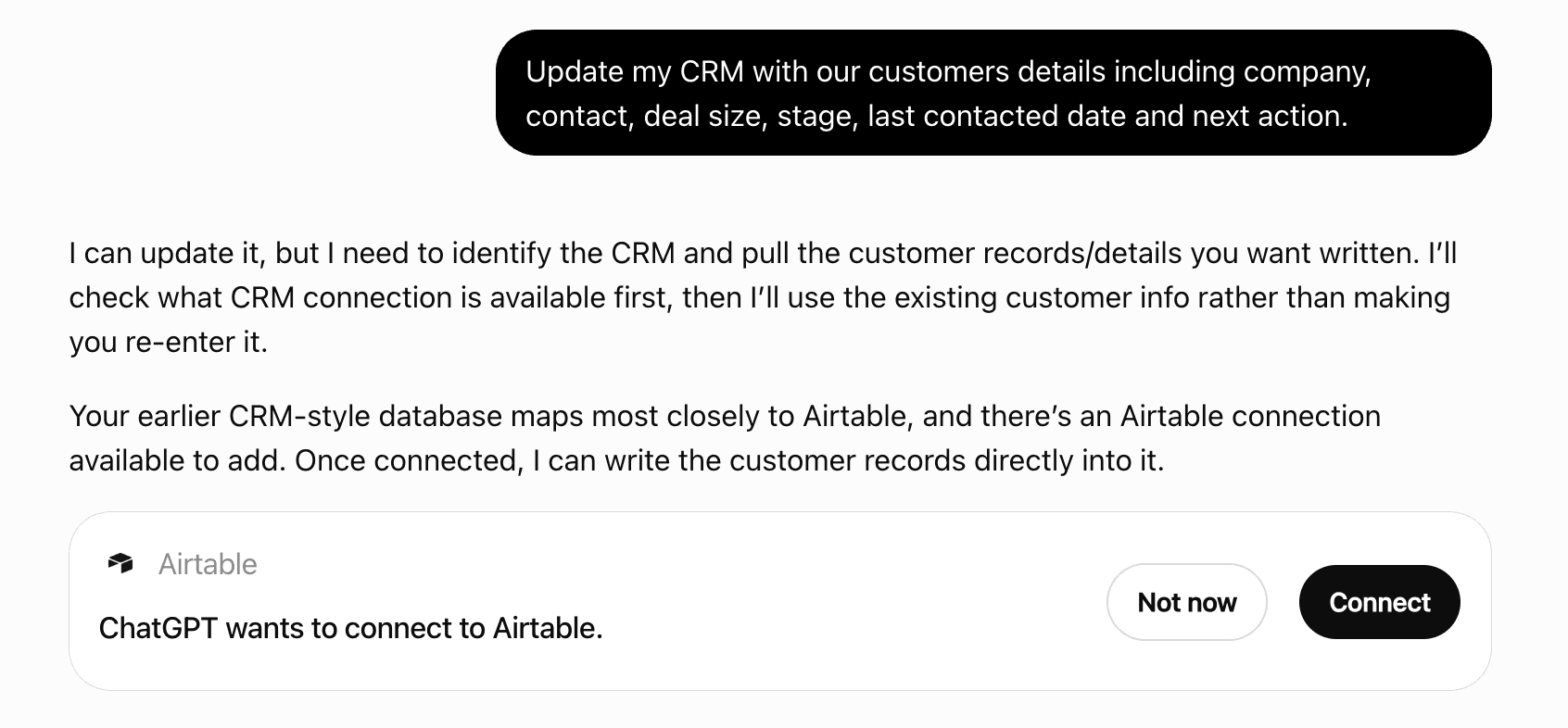
ChatGPT now suggests Plugins on its own when they match a user's request.Your Plugin Discovery Score measures how often yours appears, and it will show here as soon as it’s ready.
What discovery looks like
Get alerts for Bigdata.com
Get updates when Bigdata.com’s Discoverability Score or category rank changes.
Competing in ChatGPT Institutional Financial Data & Equity Research Platforms
View Category22 tools agents can invoke
Returns an interactive help interface that shows: - Information about user active subscription status - Available data packages and their content - Examples of user prompts **When to Use:** Use this tool when users ask about: - "Help" / "documentation" / "prompts examples" - "Subscription status" - "Available data packages" / "What data do I have access to?" / "What data can I use?"
bigdata_help
Create an owned watchlist from a name and rp entity ids. **Requirements:** - `items` must be rp entity ids from `find_securities` or prior tool output. Do not pass company names. - Provide at least one id and at most 100 unique ids. Duplicates are removed before create. - Do not set category, sharing, or global/thematic fields via this tool. **Limits:** - MCP create caps unique items at 100. Existing product watchlists may be larger. `bigdata_get_watchlist` by id can still return more than 100 items for those lists. **Routing / follow-ups:** - After create, offer both a structured portfolio view with `bigdata_portfolio_tearsheet` and a search across the full list with `bigdata_watchlist_search` using the returned watchlist `id`. - Use `bigdata_get_watchlist` without an id to list owned watchlists later. **Display rule.** This tool returns display-ready markdown. Relay it verbatim as the user-facing reply. Render id and entity id values as inline code.
bigdata_create_watchlist
Delete one or more owned watchlists by id. **Requirements:** - `ids` is required and must contain at least one watchlist id. Do not invent ids. List with `bigdata_get_watchlist` first when the user has not supplied them. - Only watchlists the caller owns can be deleted. **Routing / follow-ups:** - After delete, use `bigdata_get_watchlist` without an id to list remaining owned watchlists.
bigdata_delete_watchlist
Returns a comprehensive ETF tearsheet in markdown covering fund facts, top holdings, price performance, historical returns, dividend history, sector breakdown, and country allocation. **Prerequisite: Call find_securities first to get rp_entity_id (the "id" field from the response).** **Workflow for ETF tearsheet:** 1. Call find_securities → check "security_type" is "ETF", then use its "id" as rp_entity_id 2. Call this tool with the rp_entity_id 3. Optionally call bigdata_search for supporting content **When to Use:** Use this tool when users ask about: - ETF overview, ETF snapshot, or ETF fund facts - ETF expense ratio, management fees, or total expense ratio (TER) - ETF assets under management (AUM) or fund size - ETF net asset value (NAV) - ETF holdings, top holdings, or portfolio composition - ETF sector breakdown, sector allocation, or sector exposure - ETF country allocation, geographic exposure, or country weighting - ETF price performance, returns, or historical performance - ETF risk metrics, volatility, max drawdown, or RSI - ETF premium or discount to NAV - ETF concentration, HHI, or top holdings weight - ETF provider, issuer, or fund company (e.g., SPDR, Vanguard, iShares) - ETF inception date, domicile, or ISIN - ETF dividends, dividend yield, dividend history, or distribution schedule - General information about a specific ETF (e.g., "tell me about SPY", "what is QQQ") **Data Returned:** The tearsheet is structured in eight sections, each as a markdown table: → **Fund Overview** (key fund facts from FMP): ISIN, Asset Class, Currency, Net Asset Value (NAV), Assets Under Management (AUM), Expense Ratio (TER), Holdings Count, Inception Date, Domicile, Provider, Average Volume, Listing Exchange → **Top 10 Holdings** (largest positions by weight from FMP): Rank, Asset Name, Shares, Market Value, Weight (%). Summary metrics: Top-10 Weight (%), HHI (Herfindahl-Hirschman Index for concentration) → **Price Performance** (real-time quote data from FMP): Currency, Last Price, Day Change (absolute + %), Market Cap, 52-Week High, 52-Week Low, 50-Day Moving Average, 200-Day Moving Average, Premium/Discount to NAV (%) → **Returns Overview** (computed from historical EOD prices from FMP): Period returns for 1D, 5D, 1M, 3M, 6M, YTD, 1Y, 3Y → **Dividends** (recent dividend payments from FMP): Date, Amount, Adjusted Amount, Yield, Declaration Date, Record Date, Payment Date, Frequency, for the most recent payments → **Risk & Technical** (risk metrics and technical indicators from FMP): Realized Volatility (20D), Realized Volatility (60D), Max Drawdown (1Y), RSI (14-period) for Current, 1D, 5D, 1M, 3M, 6M, 1Y → **Sector Breakdown** (sector weightings from FMP): Sector name and weight (%) for each sector the ETF holds → **Country Allocation** (country weightings from FMP): Country name and weight (%) for each country the ETF is exposed to **Data sources:** When presenting ETF tearsheet results to the user, identify the data sources mentioned or implied in the tool response content and add a "Data sources" section at the bottom listing them.
bigdata_etf_tearsheet
Edit an owned watchlist's name, description, and/or rp entity ids. **Requirements:** - `id` is required. Do not invent ids. List with `bigdata_get_watchlist` first when the user has not supplied one. - At least one of `name`, `description`, `add_items`, or `remove_items` is required. - `name` cannot be an empty string. `description` may be empty to clear it. - Item fields must be RP entity IDs from `find_securities` or `get_securities`. Do not pass company names. - `add_items` unions ids into the current list. Optional, and cannot be empty. Existing ids are ignored. - `remove_items` removes ids from the current list. Optional, and cannot be empty. Missing ids are ignored. - `add_items` and `remove_items` cannot share the same id. **Routing / follow-ups:** - After edit, offer both a structured portfolio view with `bigdata_portfolio_tearsheet` using the returned `items` and a search across the full list with `bigdata_watchlist_search` using the returned watchlist `id`. **Display rule.** This tool returns display-ready markdown. Relay it verbatim as the user-facing reply. Render id and entity id values as inline code.
bigdata_edit_watchlist
Returns the document by its ID.
fetch
**Routing (hard rule):** Use **`find_securities`** for **ETFs**, **funds**, **securities**-oriented asks (including "find/list/search securities", fund tickers, ETF themes), and also for **any company or issuer lookup** (name, ticker, or domain) regardless of whether securities language is used. **Canonical example:** User asks **"Apple securities"** — **call `find_securities`**. User asks **"Apple"** or **"tell me about Apple"** — also **`find_securities`**, putting a single focused token in `query` (e.g. **"Apple"** or **"AAPL"** — follow the one-token rule). **Batch resolution:** When the user provides multiple tickers or names to look up (e.g. *"map AAPL, TSLA, NVDA to rp_ids"* or *"resolve these tickers: HYDR, PLUG, LIT"*), **fire all calls in parallel as a batch** — one `find_securities` call per ticker, all at the same time, not sequentially. Do not combine multiple tickers in a single `query`. Bare ticker symbols (e.g. `AAPL`, `SPY`, `HYDR`) always go here, never to **`get_securities`**. **Listed companies in results:** Matches can include **listed companies**, **ETFs**, **mutual funds** and other **funds**. **Returns REQUIRED data for downstream tools:** - **`id`:** entity identifier for follow-on tools that expect an entity id (e.g. `rp_entity_id` parameters) - Rows include **`security_type`** — **COMPANY**, **ETF**, **MUTUAL_FUND** or **FUND** (and listing metadata for company-like rows where applicable) DO NOT run this tool again if: - The entity you need is already confirmed in this conversation thread - You already have the confirmed entity ID from a previous tool call Use this tool to: - Handle **"Apple securities"** and similar securities-explicit asks - Satisfy **"find securities"**, **"search for securities"**, **"list securities"**, **"which securities …"** (put the user's intent in `query`) - Resolve **ETF** or **fund** names and tickers (e.g. SPY, QQQ) to entity IDs - Resolve any **company** name, ticker, or domain to a RavenPack entity ID Use **`get_securities`** instead when the user provides exact security identifiers: **ISIN**, **CUSIP**, **SEDOL**, or **LISTING** (e.g. `XNAS:AAPL`). **Search scope:** By default, results can include **listed companies**, **ETFs**, **mutual funds** and other **funds**. Narrow to one kind with **`security_types`** (e.g. `["MUTUAL_FUND"]` for mutual funds alone). Optional **`listing_type`**, **`countries`**, and **`sectors`** narrow the universe when the user specifies listing status, geography, or broad sector—use those structured fields rather than stuffing everything into **`query`** alone. For **`countries`**, pass **ISO 3166-1 alpha-2** codes (e.g. **US**, **ES**, **CA**, **GB**). Unknown or malformed entries are ignored (they do not apply a country filter). **Optional filters (use when the user narrows scope—do not bury everything in `query` only):** - **`countries`:** If they say **US**, **America**, **in Spain**, **UK-listed**, etc., set **`countries`** to the matching **alpha-2** list (e.g. `["US"]`, `["ES"]` — United Kingdom → **`GB`**, not `UK`). Never pass full country names in this argument. - **`sectors`:** If they mention **industry** or **sector** (e.g. finance, banks, tech, healthcare), map to one of these broad sector labels: **Basic Materials**, **Consumer Goods**, **Consumer Services**, **Energy**, **Financials**, **Health Care**, **Industrials**, **Real Estate**, **Technology**, **Telecommunications**, **Utilities**. Examples: "financial industry" / "banks" → **`["Financials"]`**. "tech" / "software" → **`["Technology"]`**. **`bigdata_screen_companies` takes a different eleven labels** ("Healthcare", "Financial Services", "Consumer Cyclical"), so a label cannot be carried across from there. If you are not confident the label fits the user's intent, **omit `sectors`** and keep the industry wording in **`query`** only. - **`listing_type`:** When the user specifies **public** vs **private** listing, set **`PUBLIC`** or **`PRIVATE`** (not free text in **`query`**). - **`query` vs filters:** Put **one** issuer or securities-focused token in **`query`** (e.g. **Apple**, **Apple securities**, **AAPL** per rules). When **`listing_type`**, **`countries`**, and/or **`sectors`** are set, **avoid** repeating long listing, geography, or sector phrases inside **`query`**—let the filters carry that signal. **Composite example:** *"Apple in the US in the financial sector"* → **`find_securities`** with **`query`:** `"Apple"`, **`countries`:** `["US"]`, **`sectors`:** `["Financials"]`. Returns: A JSON **array** with a **single** element: an object with **`results`** (up to **5** matches) and **`metadata`**: `request_id` (UUID for correlating this tool call — not an end-user id) and `timestamp` (UTC ISO-8601). Each match in **`results`** includes `security_type`, `id`, identifiers, etc. If the top hit is wrong, inspect the remaining **`results`** before re-querying. A match's **`country`** is a display name ("United States"), not the alpha-2 code the **`countries`** filter takes ("US"): do not feed one straight back into the other.
find_securities
Returns a comprehensive company tearsheet with financial data, market intelligence, and analyst coverage. **PREREQUISITE: Call find_securities first to get rp_entity_id and listing_type.** **Tearsheet routing by security_type (from find_securities):** - security_type "COMPANY" → call this tool (bigdata_company_tearsheet) - security_type "ETF" → call bigdata_etf_tearsheet instead - security_type "BOND" → no tearsheet available **Workflow for company tearsheet:** 1. Call find_securities → check security_type. Only proceed here if security_type is "COMPANY". 2. Read "listing_type" from the result ("PUBLIC" → "Public", "PRIVATE" → "Private") — this is company_type. 3. Call this tool with rp_entity_id and company_type. 4. Optionally call bigdata_search for supporting content. **CRITICAL — Never infer company_type from training knowledge:** The listing classification comes from RavenPack's Point-in-Time (PiT) entity database — it is the authoritative source and will always be present for company entities. It may differ from your training knowledge (e.g. a company you believe is private may be listed, or may have financial data from a previous listing period). Always use the value from find_securities. Never guess. **When to Use:** Company financials, earnings, revenue, valuation, balance sheet, cash flow, analyst ratings, price targets, ESG data, risk assessment, real time sentiment and media attention, or any financial analysis. **Data Returned by Company Type:** → PUBLIC companies (from financial data APIs): • Company profile & real-time quote (price, market cap, volume) • C-level leadership: the people leading the company, including the executive directory, board composition, and management stats • Price performance (52-week range, moving averages, price changes over time) • Competitors comparison (symbol, price, market cap) • Financial statements (income, balance sheet, cash flow) • Key metrics & ratios (P/E, ROE, ROA, debt ratios, margins) • Analyst ratings & recommendations (Strong Buy/Buy/Hold/Sell/Strong Sell) • Analyst price targets (consensus, median, high, low) • Analyst estimates (forward revenue & EPS projections for next 8 quarters) • Latest earnings release (actual vs estimated, surprise %) • Earnings calendar & upcoming earnings dates • Dividend history (dates, amounts, yields, frequency) • Revenue segmentation by product and geography • Sentiment data (last 24h real-time, company-specific news) • Fund trends & institutional holdings (top buyers/sellers, position changes, options activity) • ESG performance scores (Environmental, Social, Governance scores & classifications) • ESG historical trends (yearly ESG scores, performance buckets, sector comparisons) • Workforce signals & employee trend metrics: modeled employee counts and net in/out workforce changes with time-series comparisons (MoM, YoY, trailing-12-month), enabling company growth and contraction analysis regarding job market trends. → PRIVATE companies: • Company overview (legal name, status, founded date, headcount, tags, founders, description) • Contact details (phone, email) & headquarters location (region, country, categories) • Web & social links (website, LinkedIn, Twitter/X, Facebook) • Crunchbase rank with trend changes (7/30/90-day) • Sentiment data (last 24h real-time, company-specific news) • Leadership team (executives, board members, advisors with roles and start dates) • Funding rounds (valuation, total raised, round details with investors and lead investors) • Investments made & acquisitions (target companies, amounts, status) • Founder profiles (investment activity, portfolio, exits) • Workforce signals & employee trend metrics: modeled employee counts and net in/out workforce changes with time-series comparisons (MoM, YoY, trailing-12-month), enabling company growth and contraction analysis regarding job market trends. **Filtering:** The `sections` parameter exists for cases where the user EXPLICITLY references specific sections by name or concept. Do NOT use it for general tearsheet requests — omit it to return the complete tearsheet. **Data sources:** When presenting the tearsheet results to the user, identify the data sources mentioned or implied in the tool response content and add a "Data sources" section at the bottom listing them.
bigdata_company_tearsheet
**PREFERRED TOOL for any explicit sentiment request.** Use this tool whenever the user asks for sentiment, news tone, media perception, or how the media views a company (e.g. "get the sentiment for Apple", "what is the sentiment on Tesla", "show Apple's media sentiment"). Returns a real-time media sentiment analysis for a company as a markdown report. More complete and detailed than the sentiment summary included in the company tearsheet. The report includes: - Sentiment score and direction (bullish / bearish / neutral) - Media attention level over recent periods - An AI-generated narrative summarising the main sentiment drivers - Cited source articles supporting the narrative **You must call find_securities first** to obtain the rp_entity_id before calling this tool. Works for both public and private companies that have recent media coverage. **IMPORTANT:** Present the tool output exactly as returned — do not reformat, summarise, or omit any part of the markdown report.
bigdata_sentiment_tearsheet
Returns a comprehensive country economic tearsheet with a sectoral macroeconomic overview, economic calendar data, G7 peer comparison, market indices, currency information, and US Treasury yields. **Not this tool:** for a schedule of economic releases - what is coming this week, when a specific indicator is published, releases across several countries, or a list filtered by impact or category - call bigdata_events_calendar with calendar_type "economic_calendar" instead. This tool covers one country at a time, has no date range and no filters, and carries the calendar only as a snapshot section alongside indices, currencies and yields. "Recent economic releases" fits either tool, so pick on the shape of the answer: this one gives the latest readings grouped by sector, the economic calendar gives a dated list of the releases themselves. **When to Use:** Use this tool when users ask about: - The overall state of one country's economy, as a snapshot across sectors - Country economic data, GDP, CPI, unemployment rates, interest rates - Economic comparisons between countries (G7 peer comparison) - Sector-specific economic data (housing, manufacturing, retail, trade, energy, etc.) - Central bank decisions, interest rates, or monetary policy - Fiscal policy, government budget, or debt data - Government securities auctions or bond auction results - Stock market indices, market performance, or equity market data for a country - Comparisons between a country's primary index and regional markets - Currency data, forex rates, or exchange rates for a country's base currency - Currency performance, trends, and cross-currency positioning - US Treasury yields, yield curve data, or bond market information (US ONLY) - Yield curve analysis, spread analysis, or interest rate trends for US Treasuries **Data Returned:** - Upcoming Events: Economic calendar events - Macroeconomic Overview: Sectoral breakdown of recent economic indicators, organized into: • GDP & Growth • Labor Market • Inflation & Prices • Consumer & Business Sentiment • Manufacturing & Services • Housing Market • Retail & Consumer Spending • Trade & International • Inventories & Supply Chain • Credit & Monetary • Central Bank & Monetary Policy • Regional Economic Indicators • Energy & Commodities • Government Securities Auctions • Fiscal Policy Each section shows the latest releases with actual vs. consensus values, surprise %, frequency, and impact level. - Country Comparison: G7 peer comparison table with key economic indicators: • GDP Growth (QoQ, YoY, Annualized) • CPI (YoY) • Unemployment Rate • Interest Rate - Market Indices: Real-time stock market index data including: • Primary Index: Country's main stock market index (e.g., S&P 500 for US, DAX for Germany) • Regional Comparisons: Related regional indices for context • Metrics: Current price, daily change, % change, 52-week high/low, 50-day and 200-day moving averages - Currencies: Real-time forex market data including: • Spot Overview: Reference pair, current spot price, previous close, 24h % change, direction • Trend & Momentum: 50-day MA, 200-day MA, MA spread, distance to 52-week high/low • Performance Snapshot: Returns over multiple horizons (1D, 5D, 1M, 3M, YTD, 1Y) with trend classification • Cross-Currency Positioning: Multiple currency pairs with rates, previous close, 24h % change, and strength indicators relative to the country's base currency - Yields (US ONLY): Real-time US Treasury yield curve data including: • Yield Curve Overview: Multiple maturities (1M, 3M, 6M, 1Y, 2Y, 3Y, 5Y, 7Y, 10Y, 20Y, 30Y) • Current Rates: Latest yield rates for each maturity • Daily Changes: Basis point changes and percentage changes from previous close • Yield Curve Analysis: Spread analysis (10Y-2Y, 30Y-2Y) and curve shape indicators • Historical Context: Comparison to recent highs/lows and trend indicators **IMPORTANT - Country Parameter:** - This tool accepts ONLY ONE country at a time - If the user mentions a specific country (e.g., "US", "UK", "Germany", "France"), use that country code in the `country` parameter - If the user mentions multiple countries, use only the first/primary country mentioned - Use the exact 2-letter country codes listed below (e.g., "US" for United States, "DE" for Germany, "EMU" for Eurozone) **Data sources:** When presenting the country tearsheet results to the user, identify the data sources mentioned or implied in the tool response content and add a "Data sources" section at the bottom listing them.
bigdata_country_tearsheet
Returns a professionally formatted markdown calendar. Two different calendars are available and the calendar_type parameter picks between them. **Calendar routing (calendar_type is REQUIRED, always set it):** - "corporate_calendar" → corporate events: earnings announcements, conferences, IPO listings and company delistings. Use this when the question is about a company or a group of companies. - "economic_calendar" → macroeconomic releases: inflation prints, GDP, employment figures, interest rate decisions and central bank events, by country. Use this when the question is about an economy rather than a company. **Which one answers the question:** - "What are Apple's upcoming earnings?" → corporate_calendar - "Which US companies report earnings this week?" → corporate_calendar - "When is the next US CPI release?" → economic_calendar - "When are US average hourly earnings released?" → economic_calendar. "Earnings" is a word both calendars use: a company's earnings are corporate, wages paid across an economy are a "labor-market" release. - "What economic data comes out this week?" → economic_calendar - "Is there an ECB rate decision this month?" → economic_calendar with countries ["EMU"] - "What is on the calendar this week?" → corporate_calendar, unless the user is clearly asking about the economy There is no default. Pick one on every call, because which calendar answers the question is a decision only the caller can make. **Not this tool:** when the question is about the broader state of one country's economy rather than a schedule of releases - its market indices, currency, bond yields, or how it compares with its G7 peers - call bigdata_country_tearsheet instead. Use this tool when the answer wanted is a dated list of releases, when more than one country is involved, or when the releases need filtering by impact or category, none of which the tearsheet can do. The two calendars take different filters, and the filters object carries only the ones its calendar has. A filter belonging to the other calendar is rejected rather than ignored, so do not mix them in one call. Make two calls if both calendars are wanted. **Output Format (calendar_type "corporate_calendar"):** The tool returns a markdown document with the following structure: 1. **Header Section:** - Title: "# Events Calendar" - Metadata recap: timestamp, date range (From/To), applied filters (countries, exchanges) 2. **Earnings Section:** Markdown table with columns: TICKER | COMPANY NAME | RELEASE DATE | EARNINGS CALL TIME | PERIOD - Shows company ticker symbols and full company names - Earnings call times displayed in UTC timezone - Fiscal period (Q1, Q2, Q3, Q4, H1, H2) - Events organized chronologically by date 3. **Conferences Section:** Markdown table with columns: TICKER | COMPANY NAME | DATE | TIME | NAME - Includes investor days, analyst meetings, conference presentations - Event names (e.g., "Investor Day 2026", "AGM 2026") - Times displayed in UTC timezone 4. **IPOs Section:** present when the results include IPO listings Markdown table with columns: TICKER | COMPANY NAME | LISTING DATE | NAME - Upcoming and recently priced US initial public offerings - NO time column: an IPO is dated to the day, so report the listing date only - The offering status is the title prefix ("Priced:", "Expected:", "Withdrawn:") - A company that has not started trading yet may have no entity record. Those offerings are grouped under the single rp_entity_id "NO_MAP", and their ticker and company name come from the offering itself. Treat them as valid results, not errors, and never pass "NO_MAP" back as an rp_entity_id — it is a bucket of several companies, not one entity. 5. **Delistings Section:** present when the results include delistings Markdown table with columns: TICKER | COMPANY NAME | DELISTING DATE | NAME - Companies removed from an exchange, covering 2025-01-01 onwards - NO time column: a delisting is dated to the day, so report the delisting date only - Every delisting is in the past, so a forward-looking window has none of them - A delisted company may never have been mapped to an entity record. Those rows are grouped under the single rp_entity_id "NO_MAP", exactly as IPO listings are, and the same rule applies: treat them as valid results and never pass "NO_MAP" back as an rp_entity_id. **Unknown values in any table:** a TICKER or COMPANY NAME cell reading "–" (en dash) means no ticker is available for that company, or the company is not covered. The row itself is a real event: present it with whatever identifier it does carry, rather than reporting an error. **Default Behavior:** - An unfiltered calendar asks for every category. Delistings are all in the past, so they appear only when the date range reaches back before today - Automatic mode selection: • **Calendar Mode** (chronological): Used for discovery queries (multiple companies, country filters) • **Company Mode** (per-company grouping): Used for single company queries **Named companies:** call find_securities first and pass the IDs in filters.rp_entity_ids. Every filter goes inside the filters object, never as a top-level argument. **When to Use This Tool:** - "What are Apple's upcoming earnings?" → call find_securities first, then { "calendar_type": "corporate_calendar", "rp_entity_ids": ["D8442A"] } - "Show me US earnings this week" → { "calendar_type": "corporate_calendar", "countries": ["US"], "categories": ["earnings-call"] } with start_date and end_date for this week - "NYSE earnings calendar for next 7 days" → { "calendar_type": "corporate_calendar", "exchanges": ["XNYS"], "categories": ["earnings-call"] } with start_date today and end_date 7 days later - "Japanese market events in January" → { "calendar_type": "corporate_calendar", "countries": ["JP"] } with start_date and end_date for January - "What IPOs are coming up this month?" → { "calendar_type": "corporate_calendar", "categories": ["ipos-calendar"] } with start_date and end_date for this month **Key Features:** - Company enrichment: Ticker symbols and full names added automatically where available - Timezone handling: All times displayed in UTC for consistency - Smart filtering: Combine multiple filters (countries, exchanges, date ranges) - Category filtering: Separate or combine earnings-call, conference-call, ipos-calendar and delisted-company events - Consistent formatting: Tables and section headers **Output Format (calendar_type "economic_calendar"):** A markdown document split into what has already been published and what is still to come. 1. **Header Section:** - Title: "# Economic Calendar" - Metadata recap: date range (From/To) and the applied filters 2. **Released Section:** Markdown table with columns: DATE | COUNTRY | EVENT | PERIOD | ACTUAL | CONSENSUS | PREVIOUS | IMPACT - ACTUAL is the figure that was published, CONSENSUS what the market expected, PREVIOUS the prior period - PERIOD is the month or quarter the figure describes, which is not when it was released: a January inflation print published in February describes January - Figures are shown with their magnitude and unit already applied, so 250K means 250,000. The structured content does not apply them: there, actual, consensus, previous and revised are raw, and potency says how to scale them 3. **Upcoming Section:** Same columns, for releases that have not happened yet. ACTUAL is empty for all of them, which is expected and not missing data. The economic calendar has no pagination. When a window holds more releases than the document shows, it says how many it left out. To get them, call again with shorter date ranges. **Data sources:** When presenting the calendar results to the user, identify the data sources mentioned or implied in the tool response content and add a "Data sources" section at the bottom listing them.
bigdata_events_calendar
Resolves one or more **security identifiers** to **issuer** company records (not for fuzzy name search — use **`find_securities`** for company or ETF names, tickers, and themes). **When to use** - User provides exact structured identifiers: **CUSIP** `037833100`, **ISIN** `US0378331005`, **SEDOL** `2046251`, **LISTING** `XNAS:AAPL` (exchange MIC + ":" + symbol). - You already have exact identifiers and need the entity id, company profile, and cross-refs. **Do NOT use for bare ticker symbols** (e.g. `AAPL`, `SPY`, `QQQ`, `HYDR`, `PLUG`). A LISTING identifier requires the full `EXCHANGE:TICKER` format with a colon (e.g. `XNAS:AAPL`). Plain tickers, company names, or ETF symbols → use **`find_securities`** instead. The API infers the type per id: length 12 → ISIN, 9 → CUSIP, 7 → SEDOL, or ":" → LISTING. Mixed identifier types in one request are fine. Returns **`results`** (map of each requested identifier → a typed object or ``null`` if unknown or if the id failed shape validation). A resolved object carries the entity id as **`id`** — the same value the tools taking an `rp_entity_id` want. Plus **`metadata`**: `request_id` is the unique id for this MCP HTTP request (UUID), not the end-user id — plus `timestamp` (UTC ISO-8601). If some ids are malformed, **`message`** explains which were skipped. Well-formed ids are still resolved. If **all** ids are malformed, **`results`** is empty. Each resolved entry has a **`security_type`**: ``COMPANY`` (an operating company), ``ETF``, ``MUTUAL_FUND``, ``FUND`` (another kind of pooled investment fund) or ``BOND`` (the identifier is a bond, with its issuer under ``details.company``). ``COMPANY`` goes to bigdata_company_tearsheet, ``ETF`` to bigdata_etf_tearsheet, and a bond has no tearsheet. Identifier cross-reference lists are on non-bond entries only. **Data sources:** When presenting results, identify data sources implied in the payload and add a "Data sources" section.
get_securities
List the caller's owned watchlists, or fetch one watchlist by id. **Modes:** - Omit `id` to list owned watchlists (name/description metadata only, no entity ids). Shared, public, and global watchlists are not included in this list. - Provide `id` to fetch a single watchlist the caller can read (including shared ones when the id is known). Returns name, description, and entity ids in `items`. **Requirements:** - Do not invent watchlist ids. Prefer listing first when the user has not supplied an id. Otherwise ask for an id from the product UI or a pasted URL. **Routing / follow-ups:** - After listing, call again with a chosen `id` to load `items`. - After loading a watchlist, offer both a structured portfolio view with `bigdata_portfolio_tearsheet` using the returned `items` and a search across the full list with `bigdata_watchlist_search` using its `id`. **Display rule.** This tool returns display-ready markdown. Relay it verbatim as the user-facing reply. Render id and entity id values as inline code.
bigdata_get_watchlist
Returns all private content connectors (Email, Investment Research) that the user has access to. This is the **entry point for corpus discovery** — call it proactively whenever a request references the user's own content (emails, inbox, messages, research, uploaded documents/files), even without explicitly naming connectors, before constructing tag-scoped `bigdata_search` queries. **When to use** - "What content sources do I have?" / "What's connected?" - Any first-person TASK that lives in private content, not just meta-questions about sources — e.g. "summarize my emails this week", "who emailed me about X", "what's in my broker research". These are IN-SCOPE. Trigger discovery, do not refuse. - "Show me content from my Legal SharePoint connector" → call this first to resolve the connector's `label`, then call `bigdata_search` passing `label:<label>` verbatim in the smart-query `context` field, prefixed with `tag:` (e.g. `context: "tag: label:<label>"`). - Whenever you need a `connector_id` for `bigdata_list_documents`. **When NOT to use** - To retrieve or read documents — that is `bigdata_search` (broad content) or `bigdata_fetch_document` (single private document). - To enumerate tags — use `bigdata_list_tags`. **Behaviour guidelines** - Present connectors with human-friendly context: type, label, last sync time (relative — *"2 hours ago"*), and document count. - Filter out `archived: true` connectors from user-facing summaries unless the user explicitly asks about inactive sources. - Surface `last_sync_status` proactively when it is `FAILURE` or `DISABLED` — e.g. *"your Goldman connector last synced 3 days ago but encountered an error"*. - DISABLED status means that connector failed to sync several times in a row and have been disabled by the system. - The `label` value returned here equals the value used in the `label:<label>` auto-tag applied to every document ingested via the connector. Use it to construct subsequent tag-scoped searches. - Cache `connector_id` values within the session — do not re-fetch between calls. **Output** An array of connector objects. Each contains: `connector_id`, `label`, `type` (`email` | `investment_research` | `sharepoint`), `description`, `share_with_org`, `archived`, `files_count`, `last_sync_at`, `last_sync_status`, `last_sync_error_msg`, `last_sync_count`, `created_at`, `updated_at`.
bigdata_list_connectors
Returns a paginated, filterable list of document **metadata** from the user's documents in Bigdata.com. Use this tool for **preliminary discovery and navigation** — understanding what documents exist within a connector, what tags are present, how content is organised by date. **When to use** - "What was uploaded yesterday?" / "What's the latest in my Legal connector?" / "What broker reports came in this week?" - To enumerate documents matching filters (connector, origin, tags, date, file-name fragment). - To resolve a `document_id` for the `bigdata_fetch_document` tool from a tag / connector / date query. **When NOT to use** - To **retrieve or synthesise content** — that is `bigdata_search`, which goes through Bigdata's relevance/ranking layer. - To **read a single private document** — that is the `bigdata_fetch_document` tool. - To enumerate connectors → `bigdata_list_connectors`. - To enumerate tags → `bigdata_list_tags`. **Filter scoping guidelines** - The `tags` filter uses **OR logic** — passing multiple tags returns documents matching **any** of them. To narrow down by sender within a connector, combine `connector` and `tags`. - Auto-generated tags (`broker:`, `from:`, `to:`, `label:`) are first-class filters. Validate them via `bigdata_list_tags` if you want to avoid empty result sets. - `file_name` is a case-insensitive partial match. - `from_date` is inclusive — documents created on or after the given ISO 8601 timestamp. **Pagination** Results are limited per page (`page_size`, default 50). Advance `page` to retrieve subsequent documents. A full page suggests more may exist. **Behaviour guidelines** - If the result set is large, **summarise** before listing (e.g. *"I found 47 documents on this page — here are the 5 most recent"*) and offer to narrow by tag, date, or file name. - When presenting documents, surface notable auto-tags from the `tags` field to help the user understand corpus organisation. - Once discovery is complete and the user wants to **read or synthesise**, route to `bigdata_search` or the `bigdata_fetch_document` tool — do not loop back to this tool. - When the user wants to **manage** their uploaded files (rename, delete, change sharing, or upload originals of any type/size), point them to https://app.bigdata.com/files — those actions are done there, not through this tool. **Output** An array of document summaries. Each carries: `id` (the `document_id` for the `bigdata_fetch_document` tool), `file_name`, `request_origin`, `content_type`, `status`, `connector_id`, `tags` (array of `{id, name}`), `raw_size`, `shared_with_orgs`, `created_at`, `updated_at`, `published_at`, `error_code`.
bigdata_list_documents
Returns the set of tags currently attached to the user's private documents, each with a document count. This is the **primary tool for corpus organisation discovery** — it gives a full, accurate picture of the tag universe in a single call, without paginating documents. **When to use** - "What brokers do I have research from?" → `prefix="broker:"` - "Who sends me emails?" → `prefix="from:"` - "Who do I receive emails to?" → `prefix="to:"` - "Summarize emails sent to me / <address>" → `prefix="to:"` to confirm the recipient tag exists and its `file_count` before searching. - "What connectors / labels exist?" → `prefix="label:"` - "What topics have I tagged?" → `prefix="topic:"` (or any user-defined prefix you can infer from the query) - **Before** a tag-scoped `bigdata_search` to validate the tag exists and has documents — avoids empty result sets. **When NOT to use** - To find documents → use `bigdata_search` or `bigdata_list_documents`. - To list connectors → use `bigdata_list_connectors`. **Behaviour guidelines** - **Always pass a `prefix`.** The unfiltered call can return thousands of tags on heavily-used accounts. It is rarely useful and burns context. Use one of the known auto-tag prefixes (`broker:`, `from:`, `to:`, `label:`) or a user-defined prefix inferred from the query (e.g. *"what topic tags do I have?"* → `prefix="topic:"`). - Use `file_count` to give quantitative answers, e.g. *"You have research from 3 brokers — Goldman Sachs (87 docs), JPMorgan (53 docs), Morgan Stanley (12 docs)."* - The returned `name` is the literal tag string. To scope a subsequent search to it, pass it verbatim into the `bigdata_search` smart-query `context` field, prefixed with `tag:` (e.g. `context: "tag: broker:Goldman Sachs"`). - Tags with `file_count: 0` exist as registered tags but currently carry no documents — surface these only if the user explicitly asks about empty tags. **Output** An array of tag objects. Each contains: `name` (full prefixed tag string) and `file_count`.
bigdata_list_tags
Returns a comprehensive market snapshot in markdown covering eight asset classes: global equity ETFs, equity sectors, major stock market indexes, commodities, fixed income bond ETFs, US Treasury yields, equity factors, and currencies (fiat + crypto). For each instrument the tearsheet shows current price and percentage changes over 1D, 5D, 1M, 3M, 6M, YTD, and 1Y. Note: equity data in Global Markets reflects ETF prices (e.g. SPY for US, EWG for Germany, EWJ for Japan), not the underlying index levels directly (S&P 500, DAX, Nikkei). ETF prices closely track their benchmark indexes and are a reliable proxy for country equity performance. Major Indexes shows the actual index levels. **When to Use:** Use this tool when users ask about: - "Market tearsheet", "market snapshot", "market screenshot", or "global markets" - How country or regional stock markets are performing (e.g. US market, European markets, Asian markets, Emerging Markets) - Global equity market performance, country stock market returns, or regional market comparisons - Which countries or regions are outperforming or underperforming (daily or over multiple periods) - A broad overview of worldwide market conditions - Major stock market index levels or performance — S&P 500, Dow Jones, NASDAQ, DAX, FTSE 100, Nikkei, etc. - Commodity prices or performance — oil, gas, gold, silver, copper, wheat, corn, coffee, etc. - Currency performance — major fiat pairs (EUR/USD, GBP/USD, USD/JPY, USD/CNY, etc.) or emerging market currencies - Crypto prices or performance — Bitcoin, Ethereum, Solana, XRP, BNB, etc. - Equity sector performance — Technology, Health Care, Financials, Energy, etc. - Fixed income / bond market performance — Treasury ETFs, corporate bonds, municipal bonds, TIPS, MBS, emerging market debt - US Treasury yield curve — current rates and changes for 1M, 3M, 6M, 1Y, 2Y, 5Y, 10Y, 20Y, 30Y maturities - Interest rate movements, yield curve shape, or rate changes over time - Equity factor performance — growth vs value, momentum, small-cap, quality, buybacks, etc. - Multi-period performance comparisons (5D, 1M, 3M, 6M, YTD, 1Y) across any of the above **Data Returned:** The tearsheet is structured in eight sections, each as a markdown table. Every row includes: name, ticker, current price, and percentage changes for 1D, 5D, 1M, 3M, 6M, YTD, and 1Y. → **Global Markets** (38 country/region equity ETFs, grouped by region): Americas: United States (SPY), Canada, Mexico, Brazil, Chile, Colombia, Argentina Europe: United Kingdom, Germany, France, Italy, Spain, Netherlands, Switzerland, Sweden, Poland Asia-Pacific: Japan, China, Hong Kong, South Korea, Taiwan, Australia, India, Singapore, Malaysia, Thailand, Indonesia, Philippines, New Zealand Mideast-Africa: South Africa, Israel, Turkey, Saudi Arabia, Qatar Other: Emerging Markets (EEM), Emerging Markets Vanguard (VWO), EAFE Developed ex-US (EFA), All World ex-US (VEU) → **Major Indexes** (38 stock market indexes, grouped by region): North America (11): S&P 500, Dow Jones Industrial Avg, NASDAQ Composite, NASDAQ 100, Russell 2000, Russell 1000, Wilshire 5000, NYSE Composite, CBOE Volatility Index (VIX), S&P/TSX Composite, S&P BMV IPC Europe (13): FTSE 100, DAX 40, CAC 40, Euro Stoxx 50, STOXX Europe 600, IBEX 35, FTSE MIB, AEX, SMI, OMX Stockholm 30, BEL 20, ATX, MOEX Russia Asia-Pacific (12): Nikkei 225, Hang Seng, S&P/ASX 200, KOSPI, TWSE (TAIEX), NIFTY 50, BSE SENSEX, STI Index, NZX 50, SET Index, Jakarta Composite, KLCI Other (5): Bovespa, Merval, JSE Top 40, EGX 30, Tadawul All Share → **Commodities** (30 instruments, grouped by sector): Energy (5): Crude Oil WTI, Brent Crude, Natural Gas, Gasoline RBOB, Heating Oil Metals (8): Gold, Silver, Platinum, Palladium, Micro Gold, Micro Silver, Copper, Aluminum Agricultural (17): Corn, Wheat, Soybeans, Soybean Oil, Soybean Meal, Oats, Rough Rice, Sugar, Coffee, Cocoa, Cotton, Orange Juice, Live Cattle, Feeder Cattle, Lean Hogs, Lumber, Class III Milk → **Currencies** (49 pairs, grouped by type): Fiat Currencies (34 pairs): Major pairs (EUR/USD, GBP/USD, USD/JPY, USD/CHF, AUD/USD, USD/CAD, NZD/USD), cross pairs (EUR/GBP, EUR/JPY, GBP/JPY, EUR/CHF, AUD/JPY, EUR/AUD, GBP/CHF, AUD/NZD, EUR/CAD, GBP/AUD, CAD/JPY), and emerging market pairs (USD/CNY, USD/CNH, USD/INR, USD/MXN, USD/BRL, USD/ZAR, USD/TRY, USD/KRW, USD/TWD, USD/SGD, USD/THB, USD/RUB, USD/PLN, USD/CLP, USD/IDR, USD/PHP) Cryptocurrencies (15): BTC/USD, ETH/USD, USDT, BNB/USD, SOL/USD, USDC, XRP/USD, ADA/USD, DOGE/USD, AVAX/USD, DOT/USD, LINK/USD, TRX/USD, MATIC/USD, LTC/USD → **Equity Sectors** (11 US sector ETFs): United States: Technology (XLK), Health Care (XLV), Financials (XLF), Consumer Discretionary (XLY), Communication Services (XLC), Industrials (XLI), Consumer Staples (XLP), Energy (XLE), Utilities (XLU), Real Estate (XLRE), Materials (XLB) → **Fixed Income** (26 bond ETFs, grouped by category): US Treasury Duration (7): 0-1Y Tsy (SHV), 1-3Y Tsy (SHY), 3-7Y Tsy (IEI), 7-10Y Tsy (IEF), 10-20Y Tsy (TLH), 20Y+ Tsy (TLT), Laddered Tsy (GOVI) US Government Agencies (7): US Tsy (GOVT), US TIPS (TIP), US Agencies (AGZ), Mortgage-Backed MBS (MBB), Ginnie Mae GNMA (GNMA), Municipals (MUB), Municipal Short-Term (SUB) US Corporate Credit (8): USD Aggregate Bond (AGG), Senior Loans (BKLN), High Grade Corp (LQD), High Yield Corp (HYG), Convertibles (CWB), Preferred Stock (PFF), HG Floating Corp (FLOT), HG Short-Term Corp (MINT) International Credit (4): Intl Treasuries (IGOV), Intl Aggregate Bond (BNDX), USD Emerging Markets (EMB), Local Emerging Markets (EMLC) → **Yields** (12 US Treasury maturities): Shows current yield and percentage-point changes for 1D, 5D, 1M, 3M, 6M, YTD, 1Y. Maturities: 1 Month, 2 Month, 3 Month, 6 Month, 1 Year, 2 Year, 3 Year, 5 Year, 7 Year, 10 Year, 20 Year, 30 Year → **Equity Factors** (20 factor ETFs, grouped by style, relative to S&P 500): Style (6): Growth (IWF), Value (IWD), Momentum (MTUM), Small-Cap (IJR), Low Volatility (USMV), High Dividend Yield (VYM) Qualitative (6): Buybacks (PKW), Spin-offs (CSD), Hedge Funds (GURU), IPOs (IPO), Quality (QUAL), Private Equity (PSP) Size & Style (8): Large-Cap Value (IVE), Large-Cap Growth (IVW), Mid-Cap Value (IJJ), Mid-Cap Core (IJH), Mid-Cap Growth (IJK), Small-Cap Value (IWN), Small-Cap Core (IWM), Small-Cap Growth (IWO) **Complement to bigdata_market_tearsheet:** For macro/economic context (GDP, CPI, interest rates, economic calendar) use bigdata_country_tearsheet instead. **Data sources:** When presenting market tearsheet results to the user, identify the data sources mentioned or implied in the tool response content and add a "Data sources" section at the bottom listing them.
bigdata_market_tearsheet
Returns a structured data grid for a watchlist of companies — one row per company with company name and ticker, plus the metric columns you ask for: latest price and when it was set, 1-day price change %, the latest pre-market or after-hours trade, bid and ask, the earnings per share the company last reported with the analyst estimate for that same period and how far the two landed apart, the analyst consensus price target with the low, median and high of the analysts' targets beside it, a news sentiment score with its direction, and market capitalisation. A grid that names no metrics carries all of them. Designed for daily portfolio monitoring: get a quick cross-portfolio view, then offer the user a deeper look at individual names with **`bigdata_company_tearsheet`**, **`bigdata_sentiment_tearsheet`**, or **`bigdata_search`**. **When to use** - The user has a list of companies (a "watchlist", "portfolio", or "comps") and wants a single at-a-glance table of price, daily move, reported EPS against its estimate, analyst price target or news sentiment across all of them. - For sentiment on a single company, or the narrative behind a score, use **`bigdata_sentiment_tearsheet`** instead — this grid gives the score only. - This is a multi-entity grid, NOT a single-entity deep dive — use a tearsheet for one company in depth. **Input:** a list of **rp_entity_id** values (6-character RavenPack entity IDs, resolve names or tickers to ids first with **`find_securities`**), and optionally the **metrics** you want as columns. Companies without market data (e.g. ETFs or unlisted entities) keep their row with blank cells rather than erroring. Malformed ids are skipped and reported. **Latest prices:** outside a market's trading hours the price is the last session's close. The "Price As Of" column, where present, says when it was set. When the user asks for the latest quote of a US-listed company, request "AFTERMARKET" too: once pre-market trading starts, while the price is still the previous close, it carries the latest pre-market trading, and it is blank otherwise. Tell the user which of the two figures is the latest and when it was set. **How many companies you can ask for depends on the metrics.** Up to 3000 for a grid of "PRICE", "PRICE_CHANGE_1D", "AFTERMARKET" and "MARKET_CAP" alone. Naming "EPS", "EPS_ESTIMATE", "EPS_SURPRISE", "PRICE_TARGET" or "SENTIMENT", or naming no metrics at all, limits the grid to 100 companies. For a longer watchlist, ask for those columns over a shortlist. **Narrative:** this tool returns data only. After presenting the grid, write a short portfolio read: flag notable movers and give an overall sentiment/price skew across the watchlist.
bigdata_portfolio_tearsheet
Finds listed companies matching numeric and categorical criteria: market capitalization, share price, beta, trading volume, dividend per share, sector, industry, country and exchange. **When to use:** - The user describes criteria instead of naming companies: "find US technology companies worth more than $10bn", "which large-cap energy names pay a dividend?", "show me low-beta healthcare stocks trading under $50", "list German industrials with high trading volume". - Use find_securities instead when the user already names the companies, and bigdata_company_tearsheet when they want depth on one company. **Output:** One page of matching companies as a markdown table headed by an `*As of …*` line, plus a structured payload containing: - `companies`: one row per company, described by its primary listing, with `rp_entity_id`, symbol, company name, sector, industry, market cap, price, beta, dividend per share, volume, exchange, country, `currency`, and the ETF and actively-trading flags. - `as_of`: when the data was taken. Market cap, price and dividend per share are each listing's last close before that time, not live prices, and volume is the number of shares traded in a day. - `pagination`: when `has_cursor` is true more companies match. Call again with the same filters and `cursor` set to `pagination.cursor` for the next page. **Latest values:** for current prices, the day's move or an up-to-date market cap, pass the returned `rp_entity_id` values to bigdata_portfolio_tearsheet. Screen here to pick the companies, then read their latest metrics there. **Currency:** values are not converted. Price and dividend per share are in the currency the listing is quoted in, given in `currency`, which can be a minor unit such as GBp (pence), ZAc (cents) or ILA (agorot). Market cap is always in the major unit of that currency, so a GBp listing's price is in pence and its market cap in pounds. The filters apply to those values as given, so a screen spanning several countries mixes currencies. Restrict it to one country or exchange when the comparison has to be like for like. **Coverage:** without a `country` or `exchange` the screen covers companies whose primary listing trades on NASDAQ, NYSE, NYSE American or the Toronto Stock Exchange. Pass a country or exchange to screen anywhere else. Every bound is inclusive. **Data sources:** When presenting the screen results to the user, identify the data sources mentioned or implied in the tool response content and add a "Data sources" section at the bottom listing them.
bigdata_screen_companies
Primary search tool for retrieving financial and business content from Bigdata's comprehensive database. **CONTENT COVERAGE:** - SEC Filings: 10-K, 10-Q, 8-K, 20-F and other regulatory documents - Earnings Transcripts: earnings calls, investor meetings, conference presentations - News: thousands of sources covering markets, companies, and industries - Research Reports: broker reports, analyst notes, equity research - Proprietary Files: user-uploaded documents/emails and proprietary broker reports. - Podcasts and expert interviews **SEARCH RULES (must follow before every call):** 1. ONE FOCUS PER QUERY. Mixed topics → split into separate calls. Wrong: "Nvidia partnership news and earnings results in 2025" Right: "News about Nvidia partnerships in 2025" + "Nvidia earnings results in 2025" 2. NATURAL LANGUAGE. Full sentences, not keyword lists. Wrong: "Epic Apple App Store lawsuit" Right: "Epic Games' antitrust lawsuit against Apple over App Store commissions" 3. ONE TIME PERIOD PER CALL. Split multi-period asks into separate calls. Wrong: "Spotify broker reports from 2024 and 2025" Right: "Spotify broker reports from 2024" + "Spotify broker reports from 2025" 4. ONE ENTITY GROUP PER CALL. Split unrelated entities into separate calls. Wrong: "Tesla and Spotify 10-Ks in 2025" Right: "Tesla 10-Ks in 2025" + "Spotify 10-Ks in 2025" 5. DO NOT INVENT DATES. If the user did not name a period, do not add one to the query. Pass temporal wording verbatim ("yesterday", "last quarter", "FY2024"). 6. ITERATE. Broader queries first, then refine with follow-up calls based on gaps. Only raise max_chunks if the SAME query genuinely needs more content. Otherwise issue a related but different query.
search
After producing any report, memo, analysis, or deliverable, offer to save it here — persists agent-generated research artifacts to the user's private Bigdata.com corpus so they stay searchable in later sessions via bigdata_search and the discovery tools. Covers investment memos, company briefs, earnings previews and digests, scenario analyses, catalyst monitors, peer comparisons, risk assessments, sector and thematic research, tearsheet write-ups, screens, and any other deliverable you generate from Bigdata.com data. Uploads the artifact and submits it for enrichment and indexing. Do not upload without the user's go-ahead. **Supported input — UTF-8 text only** `content` is **UTF-8 text**: plain text, Markdown (preferred), or HTML. Binary files (PDF, DOCX, PPTX, ...) are **not** supported — never pass raw bytes, base64, or a file path. **If the user asks to upload a PDF or other binary file** Do not try to encode or upload the binary. Tell the user that, due to Model Context Protocol limitations, only plain text can be uploaded through this tool, then offer the two options: 1. You extract the document's text and upload that here as Markdown (make clear this stores the extracted text, not the original file). 2. They upload the original themselves at https://app.bigdata.com/files, which accepts files of any type or size. Let the user choose before proceeding — do not upload extracted text without their go-ahead. **When to use** - The user explicitly asks to "save", "store", "upload", "persist", or "remember" content into Bigdata.com. - You have just produced an analytical artifact and the user agrees to keep it. - The user asked to store a binary file (e.g. PDF), agreed to have you extract its text, and you are uploading that text as Markdown (see the binary-file guidance above). **When NOT to use** - To upload a binary file (PDF, DOCX, ...) — this tool is text-only. See the binary-file guidance above. - To read or list private content — use bigdata_search, bigdata_list_documents, or bigdata_fetch_document. **Behaviour (mandatory)** 1. **Ask for tags first.** Recommend the `prefix:value` convention (e.g. `topic:semiconductors`, `project:q3-review`). Optionally call bigdata_list_tags first to reuse existing tags and avoid near- duplicates. Do not invent tags silently. 2. **Ask about sharing** before setting `share_with_org=true`. Default is private (`share_with_org=false`). 3. Only the tags the user asks for are applied — the tool does not add any tags automatically. **Processing & errors (important)** - The upload is **asynchronous**. The tool returns as soon as the content is transferred, always with `status="processing"` — it does **not** wait for the document to finish processing. Enrichment and indexing run afterwards, and the document becomes searchable only once they complete (not instant). - **After a successful upload, tell the user the document was uploaded and is being processed**, and that they can ask you for its processing status or view it themselves at https://app.bigdata.com/files. Do not imply it is immediately searchable. - **A just-uploaded document does not appear in bigdata_list_documents straight away** — it stays invisible to the read tools until the transfer is registered server-side (seconds, occasionally longer). If the user asks for status right after the upload and the document is not listed yet, say it is still being registered. **Absence is not failure — never re-upload on that basis.** Only treat it as a problem if it is still missing after a few minutes. - Size and quota problems may be detected **after** submission. If a document does not appear later, check its state via bigdata_list_documents / bigdata_fetch_document rather than re-uploading blindly. **Returns** - `document_id`: the Bigdata content ID assigned at upload (usable by bigdata_fetch_document / bigdata_list_documents). - `status`: always `processing` — the upload is accepted and enrichment runs asynchronously. - `tags_applied`: final tag list applied to the document (the tags the user requested). - `share_with_org`: whether the document is shared with the organisation.
bigdata_upload_document
Run one query across a list of companies and get the results grouped per company. Use it when the user asks about a portfolio, a watchlist, a sector list or "these names", and wants comparable coverage for each one. **Why not `bigdata_search`.** A normal search spreads its chunk budget over whatever matches best, so a few heavily covered names take most of it and the rest of the list comes back empty. This tool distributes the budget across the list instead. **Entity source.** Send `watchlists` as either saved lists or explicit entity lists, and mix both in one call if needed. - `{"id": "<watchlist id>"}` searches a saved watchlist. Get ids from `bigdata_get_watchlist`. Do not invent them. - `{"entities": ["<entity id>", ...]}` searches an inline list. Nothing is stored. Prefer this when the user does not want their holdings saved as a watchlist. - Entities are Knowledge Graph entity ids, never names or tickers. Resolve them with `find_securities` first and reuse ids already confirmed in this thread. **Fast mode only.** This endpoint does not plan queries, so a smart search cannot be forwarded to it. Rebuild the search as a fast one, exactly as you would for an audit-based fast retry. - If your search was smart mode, take the audit entry's `text` and its `mcp_fast_filters`, and send those as `query.text` and `query.filters`. - One audit entry per call. A smart search can produce several. Issue one call for each rather than merging them. - If the audit entry carries several `texts`, this endpoint takes only one `text`. Rewrite them as a single query text that covers them, or pick the most representative one. Never concatenate them into one string. - The audit's `entity` filter is usually the wrong thing to copy. It pins the company the smart search resolved, and it is ANDed with the watchlist, which starves every other name. Keep it only when the user genuinely wants a co-mention or an exclusion. **Chunk budget and cost.** `max_chunks` works differently from `bigdata_search`, whose `max_chunks` is a flat cap of 100. Here it is an object and the cost scales with the size of the list. - `{"value": 5, "per_entity": true}` returns up to 5 chunks for every entity, so 40 entities can return 200 chunks. This is the default and the right choice for portfolio questions. - `{"value": 100}` shares one budget of 100 chunks across the whole list, so some entities can come back empty. - Billing is per chunk, exactly like a fast search, so entities multiplied by value is what the user pays. The hard ceiling is 4000 chunks, and 100 per entity. Stay far below it. Raise the value only when the user asks for more depth per name, and prefer a shorter entity list over a larger per-entity value. **Reading the results.** `results` has one group per requested entity, in the order requested, including entities with no documents. What an empty group means depends on the budget. - With `per_entity`, an empty group means nothing matched the query for that entity. Saying "no coverage" is correct. - With a shared total budget, an empty group only means that entity lost the budget to more relevant matches. It may still have coverage, so do not report it as "no news". Re-run with `per_entity` to check. **Citations.** Cite each document inline as "[Source name - MMM DD, YYYY](url)" and NEVER render the documents as a numbered reference list or trailing catalog under "Sources", "Data sources", "References", or "Bibliography". User requests to "cite sources" or "list sources" still mean inline citations only. **Display rule.** Report per company, keeping the companies with no documents visible so the user can see the whole list was covered. A chunk is assigned to a single entity, so the same chunk is never repeated under two of them.
bigdata_watchlist_search
 Recommended guideHow to get your ChatGPT Plugin suggestedFollow the practical steps agents use to find, shortlist, and choose your Plugin.Read guide
Bigdata.com ChatGPT Plugin FAQ
How the directory, categories and Discoverability Score work.
Read the methodologyHow do I improve Bigdata.com's ChatGPT Plugin discoverability?
The levers are the listing surface agents actually read: names, descriptions, keywords, tool metadata, and registry health. Which lever matters depends on where discovery breaks, which is what continuous measurement shows.
What are Bigdata.com alternatives on ChatGPT?
As of 2026-11-03, Bigdata.com competes with AeonData, Aiera, AIR Credit Intelligence, Alpha Vantage, ALPHAPORT.AI, AlphaYou - Market Intelligence, AnnuityRatesHQ, Balanços.AI and 72 more in ChatGPT Institutional Financial Data & Equity Research Platforms, ranked by public Discoverability Score.
Where is this profile measured?
This profile uses the geography attached to the latest public registry snapshot: US. Locale tags are intentionally omitted.