



- Brand
- Heyou
- Category
- Sales & CRM
- Primary Subcategory
- Buyer & Account Intelligence Signals
Integration details
Description
Heyou shows you who in your network, and your teammates' networks, can get you into the accounts you're selling to, and how strong those relationships really are. Ask in plain language and Heyou answers from your own Heyou account: • Find a path into a company: who knows someone there, and who the strongest introducer is • Map your team's relationships into an account • Explain a single relationship: how strong it is, why, and when it was last active • See what to do next across your target accounts • See the recent public posts and publications of the people you're trying to reach • Correct a relationship score when you know better (ChatGPT asks you to confirm first) Every answer shows its working: a conclusion, the evidence behind it, a confidence level, alternatives, and what Heyou couldn't determine. Relationship strength is shown as High, Medium or Low, never a made-up percentage. Long lists say how many results there are in total. Requires a Heyou account. Learn more at heyou.io.
- Integration type
- Plugin
- Verification status
- Not applicable
- Platform
- ChatGPT
- Primary Subcategory
- Buyer & Account Intelligence Signals
- Secondary Subcategories
- None listed
- Brand
- Heyou
- Access
- Account required
- First tracked
- 2026-11-04
- Tool count
- 19
- Market
- US
The Primary Subcategory used for this profile’s headline score.
Other Subcategories where the Integration is listed.
 Agent Discoverability
 ChatGPT Plugin Discovery Score
Your score is coming
ChatGPT now suggests Plugins on its own when they match a user's request.Your Plugin Discovery Score measures how often yours appears, and it will show here as soon as it’s ready.
What discovery looks like
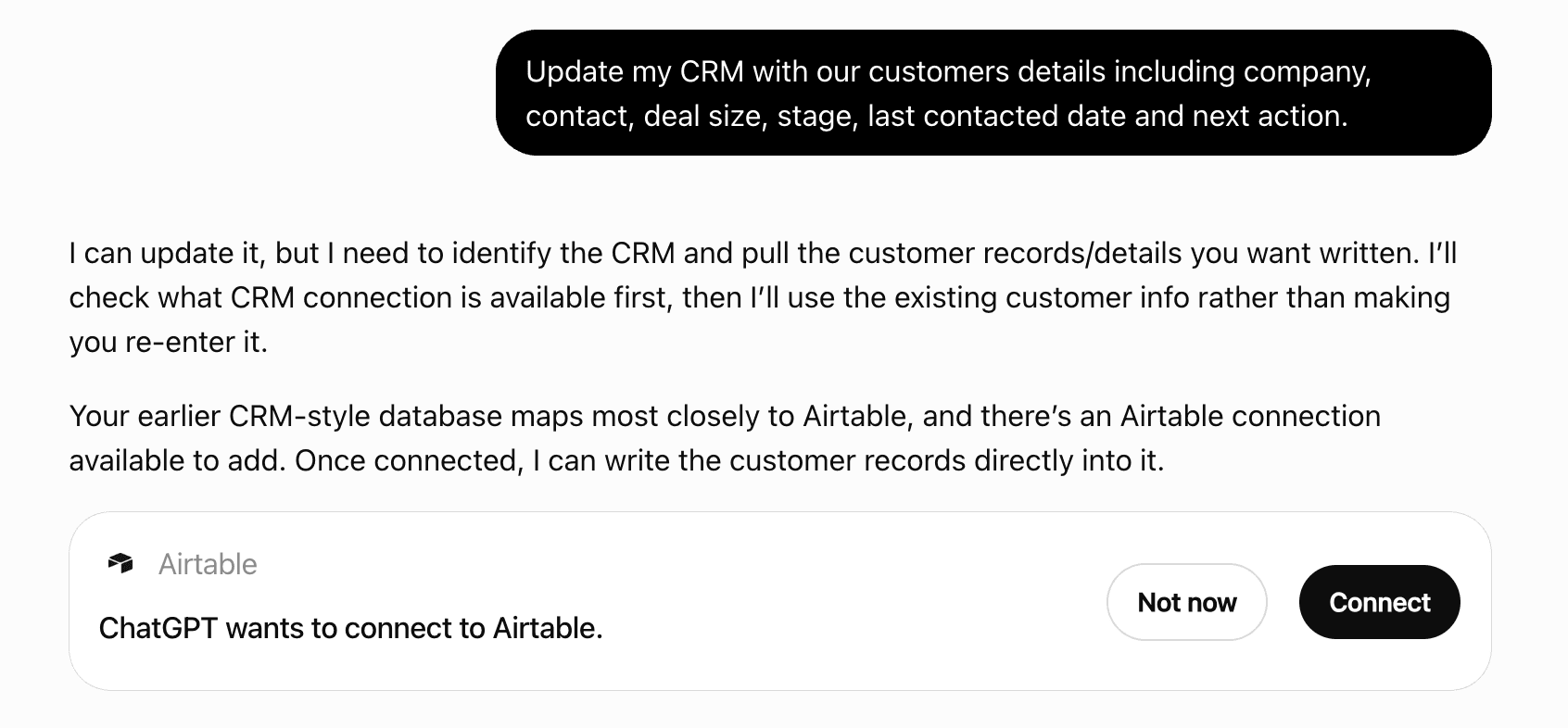
Get alerts for Heyou
Get updates when Heyou’s Discoverability Score or category rank changes.
Competing in ChatGPT Buyer & Account Intelligence Signals
View Category19 tools agents can invoke
Curated digest of a person's public LinkedIn activity: recurring themes they post about, the single best current reason to reach out this week, and anything they've publicly asked for help with. Returns a small, opinionated shortlist — not a full list of their posts. Use `person_publications` instead when you need specific posts matching a topic, date range, or other filter, or more results than this shortlist.
person_public_activity
Raw, filterable, paginated list of a person's actual LinkedIn posts and comments — no curation or ranking opinion, just records matching your filters (topic, date range, post vs. comment, relevance threshold). Use `person_public_activity` instead when you want a curated summary — recurring themes, a ranked outreach opener, or help-asks — rather than the underlying posts themselves.
person_publications
Rank the tenant's curated customer-contact roster by relationship strength, to find who is ready to be asked for a case study or reference. Call this when the user asks something like "which customers can we ask for a reference/case study?" or "who's our warmest customer contact?" — not for a general customer-relationship question (use relationship_map) or a specific named company (use explain_relationship). `introducedBy` always names who actually holds the strongest relationship — a tenant user, never an outside contact — and `isCaller` tells you whether that's the caller themselves or a colleague to route the ask through. `gateCapitalWarning`, when present, is a plain-fact annotation (recent real asks on this introducer) — it never changes the ranking, which is by relationship strength alone.
advocacy_ready
ACCESS: find the highest-probability path for reaching the right person inside a target company — either through a warm introduction (someone with a real relationship to the target, whom the user can activate) or directly. Call this whenever the user asks how to get into / break into / reach / get introduced at / sell to a company, or who can get them in. Focus with persona ("CFO", "economic buyer"), explicit titles[], or personVanityName. The conclusion carries its own hedging; paths on estimated-only evidence are potential paths, not established ones. Each path has two legs, each with its own strength and confidence band: userToGate (the user's own route to the introducer; null for a colleague handoff, which is organizational trust rather than a measured edge) and lastLeg (introducer to target, the leg the ranking treats as decisive). The envelope's conclusion and confidence cover both legs of the top path only. A userToGate strength of `unknown` means Heyou has no warmth or clue evidence for that route, not that no relationship exists. An introducer's recent usage (real asks/declines, or Heyou having suggested them before) is reported as plain evidence, never baked into ranking or hidden in a score; asking the same person too often wears out a real relationship, and the alternative paths are returned alongside the top one. `company.isCustomerAccount` and `gate.isSuperConnector` are tenant-flagged facts (their team marked this company as a customer, or this person as a super-connector), not model estimates. If the target company is on the tenant's excluded-target list, this returns an empty path list with an explanation instead of any paths: the tenant has ruled the company out, so it is not a low-confidence result. Optional gateKind restricts the path to a specific curated roster kind (investor, customer, super_connector, partner, past_customer) — e.g. "could any of our investors open a door here?" When set, direct caller-to-target paths are excluded (the caller already has that relationship; this answers a different question), and only via-gate paths through that kind's tenant roster are considered. gateKind: investor additionally reports an investorAskBudget on each path (real asks in the current window vs. this tenant's configured per-gate cap) — when a path is already at or over that cap, the path is still returned (never silently dropped) but its summary says so explicitly; prefer a different path or defer the ask rather than ignoring that note. gateKind: super_connector additionally reports a gateCapitalWarning when recent usage is elevated — a super-connector's capital is scarcer than a typical introducer's, so when this field is present, lead with an alternative path if one exists rather than defaulting to the super-connector.
find_path_to_company
ACCESS, reverse direction: given a person the user already knows, rank the companies where that person can plausibly introduce them to someone — the mirror of find_path_to_company, which starts from a company instead. Call this when the user names a PERSON they know and asks which companies/targets that person could unlock, rather than asking about one specific company. Narrow with persona ("CFO", "economic buyer") or explicit titles[] to prefer companies where the introducer's best-reachable target matches that role. This is a TRIAGE tool — output is deliberately shallow (one row per company, no full evidence chain). Once the user picks a promising company from the results, call find_path_to_company for that companyId to get the full evidence and alternatives. The conclusion carries its own hedging; a clue-only source (source: "clue") means no AI relationship score exists yet, only deterministic signals. `gateIsSuperConnector` (true when the tenant has flagged this person as a super-connector) and each company's `isCustomerAccount` are tenant-curated facts, not model estimates. Companies on the tenant's excluded-target list never appear in `companies`, regardless of ICP fit or target-account status — declared via an excluded-count unknown, not silently dropped.
find_best_targets_via_person
Correct Heyou's stored relationship-strength for a specific pair. It applies when the user states or implies their real relationship differs from what Heyou reported ("actually we don't get along", "she and I go way back"), or proceeds with a recommendation that wasn't Heyou's top pick from an earlier find_path_to_company/next_best_actions answer — which Heyou flags as a `possible_warmth_miscalibration` entry in a related answer's `unknowns`, marking a possible mismatch, not a confirmed one. `overriddenStrength` (0-100) is on the same scale as get_warmth_scores' numbers, and the write is rejected unless a recent get_warmth_scores call covered this exact pair. A pair with no prior score or override on file still accepts a correction. `overriddenStrength` must be a whole number from 0 to 100; an out-of-range value is rejected by schema validation. `reasoning` is required: why the relationship differs, in the user's own words or a faithful paraphrase. It is stored with the correction. Requires fromVanityName/toVanityName to be existing, previously-discovered connections for this tenant (resolve_person turns a name into a vanity name). It takes effect immediately, organization-wide, with no approval step.
set_warmth_override
Look up Heyou's current relationship-strength number (0-100) for specific pairs, for calibrating a warmth-override correction. set_warmth_override requires a recent lookup of the pair it writes; looking up the pairs ranked immediately above, at, and up to two after the one being corrected (from a recent find_path_to_company or next_best_actions answer) places the corrected number relative to its neighbors. This is the one Heyou tool that returns a raw number instead of a band; the numbers exist for calibration, and every other tool reports strength and confidence as bands. Only exact (fromVanityName, toVanityName) pairs that appeared in the caller's own recent find_path_to_company or next_best_actions answers are eligible; any other pair, including one with a substituted fromVanityName, returns `eligibleForCalibration: false` and no number, by design. That only means this lookup shows no number for the pair: it does not stop a correction. The lookup still counts as the one set_warmth_override requires for that pair, so ask the user for their number and write it. `effectiveStrength` is null when Heyou has neither a scored assessment nor an override for that exact pair — null means no data, not a low or zero score. `isOverridden` means the number reflects a prior correction, not the AI's own assessment.
get_warmth_scores
Explain WHY Heyou believes two specific people have (or lack) a relationship: the full evidence chain — scored assessment, deterministic signals, shared work/education history — with freshness per item. Call this when the user challenges or drills into a relationship claim from a previous answer ("why do you think X knows Y?"). Takes fromVanityName and toVanityName. Each edge's `fromIsSuperConnector` flags whether the tenant has marked that side of the pair as a super-connector — a tenant-curated fact, not a model estimate.
explain_relationship
ACTION: get a ranked, sequenced list of concrete next moves for a target company — warm introductions to request, dormant relationships to re-warm, timely moments (job changes, event mentions, recent posts) to use as openers, threading gaps to close, and protective holds (people the user should NOT touch right now, based on observed unanswered outreach). Call this when the user asks "what should I do next with <company>", "how do I move this deal forward", or wants a play-by-play for an account. Hold actions are ranked first — they protect the user's relationship capital. A warm-intro introducer's recent usage (real asks/declines, or Heyou having suggested them before) is reported as plain evidence on that action, never hidden in ranking; repeating the same introducer every time wears out the relationship. A warm-intro action's `introducer.isSuperConnector` (present only when the action goes through a colleague, never for direct outreach) flags that your team has marked the introducer as a super-connector; it carries no number. If the company is on the tenant's excluded-target list, this returns no actions and explains why instead of a quiet empty list.
next_best_actions
Report how well the tenant can reach its ICP accounts, one facet at a time. Today only `facet: "top_gates"` exists: per-gate count of distinct ICP-eligible companies that gate can reach via an admitted warmth/clue edge toward a current employee there, optionally restricted to a curated roster kind (`gateKind`: investor/customer/super_connector/partner/past_customer). Call this when the user asks something like "which customers/investors/super-connectors open the most doors?" or "who are our best introducers?" — not for a single named company (use find_path_to_company) or a single named person (use find_best_targets_via_person). `reachableAccountCount` counts companies, not people — a gate reaching 3 people at the same company counts that company once. `gateCapitalNote` is a plain-fact annotation (recent real asks/declines), never a ranking factor — gates are ordered purely by reach.
reachable_accounts
INFLUENCE: reveal the relationship structure around people at a target company — who in the user's organization (and network) actually has a relationship with them, how strong, based on what evidence, and how recent. Call this when the user asks who knows / who can influence / who matters around someone, or wants the power structure behind an org chart. Optionally focus with personVanityName, a persona ("CFO", "economic buyer"), or explicit titles[]. A LinkedIn connection alone is reach, not a relationship — strength comes from scored evidence. The response carries hedged wording and a typed unknowns list. `map.company.isCustomerAccount` and each edge's `fromIsSuperConnector` are tenant-curated facts, not scores. A company on the tenant's excluded-target list returns an empty target list with an explanation instead of a map. Each target's `topicOverlap` cites specific recent public posts whose topics line up with your own product/domain language — null means either nothing matched or your tenant brand profile isn't available yet, never a confirmed absence of overlap.
relationship_map
File a bug report for Heyou's engineering team, from this connection or conversation. Call this when the user explicitly asks you to report a problem, OR proactively whenever you notice a concrete defect yourself — do not wait for the user to say something is wrong. Heyou automatically attaches recent tool-call history as evidence; on a connection where Heyou cannot see your conversation with the user, consider (with the user's permission) including the relevant exchange via conversationExcerpt. After a successful call, tell the user you filed a bug report; if the call declines or errors, relay the actual outcome — never claim a report was filed when it was not.
report_bug
Record a recommendation card for one person when the user is pursuing a way to reach a company or a person: they ask how to get there, ask to be introduced, name the company or person to go for, or choose one of the options you showed. Asking for more information about an option (what the company does, who works there, more detail) is not pursuing it: do not call this tool for it. The path to record is the one the user is pursuing. When the user started from a person (asked who that person could introduce them to) and then chose a company or a person from that answer, the path is through that same introducer to the person that answer showed, even when find_path_to_company ranks another introducer's path first; record a different path only when the user asks for it or names another introducer. When no introducer is in play, it is the first path find_path_to_company returns (a path from any other tool works the same). Say in your reply which introducer and person you recorded. When the user says which of the paths you showed they want to pursue, record that path instead, even if the first one was already recorded; each path is recorded separately. The user does not need to ask for a recommendation, and nothing needs to be confirmed with them first: this call only queues a request. It contacts nobody (nothing is sent to the person or to anyone else), and the card is a suggestion the user can dismiss. Heyou prepares the card with the same pipeline that writes the weekly recommendations, so it must pass the same eligibility and quality checks: it appears in the user's own recommendations list only if it does. Pass the path's kind as `pathKind`, the person at the end of the path as `targetVanityName` (never the introducer), and, for a `via_gate` path, its introducer (the path's `gate`) as `viaVanityName`; leave `viaVanityName` out for a `direct` path. Also pass the `companyId` of the company the user wants to reach when it is clear which company that is. Heyou prepares the card for exactly this person through exactly this introducer: if that path does not qualify, no card is created, and Heyou never substitutes another person or another introducer. Heyou checks eligibility itself when it prepares the card, so nothing needs to be checked first. One thing does come first when the user says they know the introducer of the path (its `gate`) and Heyou holds no relationship score for that pair, or a low one: a path through an introducer Heyou has no relationship with does not qualify, so a request made before the relationship is recorded creates no card and uses up one of the daily requests. In that case do not record the path yet. First record the relationship through whatever Heyou offers for correcting a relationship score (a tool, or a flow where there is one), and in the reply where the new score is set, record the path as well, with no further message from the user: they have already said they are pursuing it. If you did record the path before the relationship was recorded, record it again in that reply. Heyou answers with a status: `requested` (queued, not yet created, and a card is not guaranteed), `already_requested` (a request for this path is already queued or running), `not_eligible` (Heyou cannot prepare recommendations for this user or organization right now; `reason` says why), or `cap_reached` (the daily limit of requests was reached).
request_recommendation_if_eligible
Resolve a company name, website/domain, or LinkedIn company id to the companies Heyou knows for your organization. Call this first when the user names a target company, then pass the returned companyId to the other Heyou tools. The exception is a company already identified in this conversation: an earlier Heyou answer gave its companyId as that company's own result, not as one of several candidates the user has not yet chosen between, and the user has not said it is the wrong one. In that case pass that companyId as the query instead of the name, because an id resolves to exactly that company. Returns up to 10 candidates with a coverage summary (how many current employees Heyou knows there) and each candidate's linkedinUrl, whose LinkedIn page tells a candidate apart from a similarly-named one. When needsDisambiguation is true, no candidate is a confident match, and the intended company is often not among the first candidates. Neither candidate order nor currentEmployeesKnown indicates which one is meant: a company the caller has no visibility into legitimately shows near-zero coverage.
resolve_company
Resolve a person's name (a LinkedIn vanity name, or a full LinkedIn profile URL) to the people Heyou knows for your organization. Call this first when the user names a person by name rather than passing a vanityName from a previous Heyou answer, then pass the returned vanityName to find_best_targets_via_person or the other Heyou tools. Returns up to 10 candidates with colleague/1st-degree-connection hints; hasMore is true when more than 10 people matched and the list was cut off. Optional `company`, `companyId` and `location` params narrow an ambiguous name search (company is matched by company name or title; companyId is the LinkedIn company id from resolve_company or find_path_to_company, matched exactly against a position's company, so a company stored under two names is still found: pass `companyId` instead of `company` whenever you hold the id, and never both; location against the location). Whenever you pass `company` or `companyId`, also state `companyPeriod`, which says which of the person's positions it is matched against: `current` (the headline and current positions; with `companyId`, current positions) when the user places the person at that company now or does not say when; `past` (previous positions only, never the headline) when the user states that the person used to work there; `any` (the headline and all positions; with `companyId`, all positions) when the user is unsure whether it is now or before. An omitted `companyPeriod` means `current`, and it is ignored without `company` or `companyId`. When a company filter is used, each candidate's `companyMatch` says how it matched: `current_position`, `past_position` (a previous position there: the person used to work at that company) or `headline`. When needsDisambiguation is true, no candidate is a confident match, and the response's guidance names the details that would narrow the search. Neither candidate order nor the colleague/connection hints indicate which one is meant: a person the caller has no visibility into legitimately shows neither. A candidate with isColleague: true is a registered user of your own organization — their employer is already known (it's yours). Treat this as fully resolving any question about which company they work at; do not ask the user to confirm it and do not wait for headline text to mention it.
resolve_person
Sweep the CALLER's own strong relationships (effectiveStrength >= 70) against every company the tenant considers ICP-eligible (a target account, or scoring at/above the ICP fit threshold — excluding anything on the tenant's excluded-target list), and report how many of those the caller can personally reach. Call this when the user asks what their own network can reach, how many target accounts they have an in at, or wants a "first session" overview of their reach — never for a specific company (use find_path_to_company) or a specific person's network (use find_best_targets_via_person). Takes no arguments — always the caller's own network, never a teammate's. `reachableCount` of `totalEligible` is a strict count: only the caller's own edges count, not a colleague's. `examples` highlights up to 5 of the most interesting reaches — ranked by how unexpected the connection is (a shared school/community/military background ranks above a shared employer), not by relationship strength alone. Each example's `edge` is the caller's own relationship to that person, shaped like every other Heyou relationship edge (a band, never a raw number, except via get_warmth_scores). No dollar/ARR figures exist in this data — never state one.
my_network_capital
A friction-weighted leaderboard of who engages most with the CALLER's own LinkedIn posts — comments and reactions over the last 90 days, ranked with comments always outranking reactions (a comment counts from 1; a reaction needs 2+ to filter out a single drive-by like). Call this when the user asks who engages most with their content, who their "biggest fan" is, or wants to know which engaged followers work at target accounts. Takes no arguments — always the caller's own posts. Tracks comments and reactions only — LinkedIn "shares"/reposts are not captured by this data source at all; a fan who only shares without commenting or reacting will not appear. `lastEngagedAt` is derived from the fan's most recent COMMENT when they have one (a reliable timestamp); when a fan qualifies through reactions alone, it falls back to a reaction date that can in practice be the POST'S OWN publish date rather than the reaction's — treat a reaction-only `lastEngagedAt` as approximate, not as precise as a comment-derived one. `warmPathStatus: "direct"` means at least one person on the tenant has an admission-gated direct relationship to this fan; `"unknown"` means that was checked and found none, or genuinely never evaluated — it never means "confirmed unreachable", and gate-mediated (multi-hop) reach is not checked at all in this tool. `icpFit`/`isTargetAccount` are annotations on the fan's current employer, never a filter — a fan at a non-ICP company still appears if they qualify by engagement.
inbound_engagement_leaderboard
Sweep the whole tenant network for a named event (e.g. "SaaStr") mentioned in public LinkedIn posts, and report who, with their ICP fit and best internal edge. Call this when the user asks who in their network mentioned/attended/is going to a specific named event — not for general activity (use person_public_activity for one person's themes/openers) or a general content opener (use next_best_actions). Matching is a case-insensitive substring match against extracted event names — an unusual spelling or abbreviation may not match. `isIcpFit` and `icpCompanyFitNowScore`/`icpPersonaFitScore` are reported on every match, never used to drop one — a mention from someone at a non-ICP company still shows, just not flagged as ICP-fit. `bestEdge` is the strongest known internal relationship toward that person (any tenant user, or a 1st-degree connection holder) — null when nobody in the tenant has a measured or deterministic signal toward them yet. A mention signals interest, not confirmed attendance. `doNotEngage`, when set, means a recent post from that person was flagged sensitive (bereavement/layoff) — avoid engaging on it.
event_mention_sweep
Who the user is in Heyou: their name, email and organization, the LinkedIn profile Heyou has on file for them (with the work history and education read from it), and which data sources — LinkedIn, WhatsApp, Google Calendar — feed Heyou's evidence for them. Takes no arguments and only ever returns the caller's own data. Call it when the user asks about themselves (who they are signed in as, their profile, work history or organization), when you need their own LinkedIn vanity name and do not already have it, or to explain why evidence from a source is missing: a source that is not_connected or not_available contributes nothing. not_available means the feature is not offered to their account; not_connected means they can connect it themselves. Everything under linkedinProfile comes from the profile on file, which is matched by LinkedIn vanity name, and Heyou's answers about "their" relationships are based on that profile — so a profile with a different name or employers the user does not recognise means those answers describe someone else. linkedinProfile is null when no profile is on file. When scraped is false, Heyou has not read the profile yet, so its empty fields say nothing about the person.
get_current_user
 Recommended guideHow to get your ChatGPT Plugin suggestedFollow the practical steps agents use to find, shortlist, and choose your Plugin.Read guide
Heyou ChatGPT Plugin FAQ
How the directory, categories and Discoverability Score work.
Read the methodologyHow do I improve Heyou's ChatGPT Plugin discoverability?
The levers are the listing surface agents actually read: names, descriptions, keywords, tool metadata, and registry health. Which lever matters depends on where discovery breaks, which is what continuous measurement shows.
What are Heyou alternatives on ChatGPT?
As of 2026-11-04, Heyou competes with 6sense, Actively, Autobound, Boomerang, Bullseye, Common Room, Draup for Sales, Humantic AI and 5 more in ChatGPT Buyer & Account Intelligence Signals, ranked by public Discoverability Score.
Where is this profile measured?
This profile uses the geography attached to the latest public registry snapshot: US. Locale tags are intentionally omitted.