



ancoreMind
The Qlik consultant that does the work for you – in every app, on every Qlik platform.
 View in the Claude registry
- Brand
- ancoreSoft
- Category
- Data & Analytics
- Primary Subcategory
- Self-Serve BI & Conversational Analytics
Integration details
Description
Get answers from your Qlik Cloud apps and change them without leaving Claude. Ask who your top customers were or how sales developed month by month. Or ask for a new sheet with a bar chart, other colours, a different layout, a new master measure – in your own words. ancoreMind is a Qlik consultant that knows how to read and build a Qlik app. You name the app and ask; ancoreMind answers from that app or makes the change in it. How changes work: - A change runs only while you have that app open in Qlik with ancoreMind, in your own browser, signed in with the same account and the same Qlik user. Without the open app nothing is changed; reading still works. - Changes stay inside that one open app: sheets, charts, master items, variables, bookmarks, filter panes and similar objects. It can also make selections in your open session, for example by applying a bookmark. ancoreMind never reloads data, publishes, or touches data files, other apps or spaces, reports or email this way. - A delete can be taken back while the Qlik tab stays open (up to 24 hours): ask "undo that" in the same conversation. - You see on the consent page whether ancoreMind may make changes, and you can turn changes off later under Connected apps in your account. Connecting takes one Allow: the consent page also connects your Qlik Cloud, Qlik signs you in in the same window, and you are back in Claude. How to check an answer: - Ask how a figure is calculated, and ancoreMind explains it in plain words. - Your questions and requests appear in their own Conversation in ancoreMind. - ancoreMind works with your own Qlik rights: only apps and objects your Qlik account may read or change. Your requests and their answers are saved in your ancoreMind Conversation. Each answered request uses minutes of your plan. What you need: an ancoreMind plan that includes this connection, and Qlik Cloud. Setup and examples: https://stage.ancoresoft.com/help/ancoremind/claude-and-chatgpt
- Integration type
- Connector
- Verification status
 Community connector
- Platform
- Claude
- Primary Subcategory
- Self-Serve BI & Conversational Analytics
- Secondary Subcategories
- None listed
- Brand
- ancoreSoft
- Access
- Account required
- First tracked
- 2026-11-17
- Tool count
- 3
- Market
- US
The Primary Subcategory used for this profile’s headline score.
Other Subcategories where the Integration is listed.
 AgentDiscoClaude Discoverability Score
Claude Connector discovery is coming soon
Community Connectors only appear in Claude’s registry.Once verified, organic discovery begins and we can calculate your score.Read more about Community Connector verification.
No spam. Unsubscribe any time.
What discovery looks like
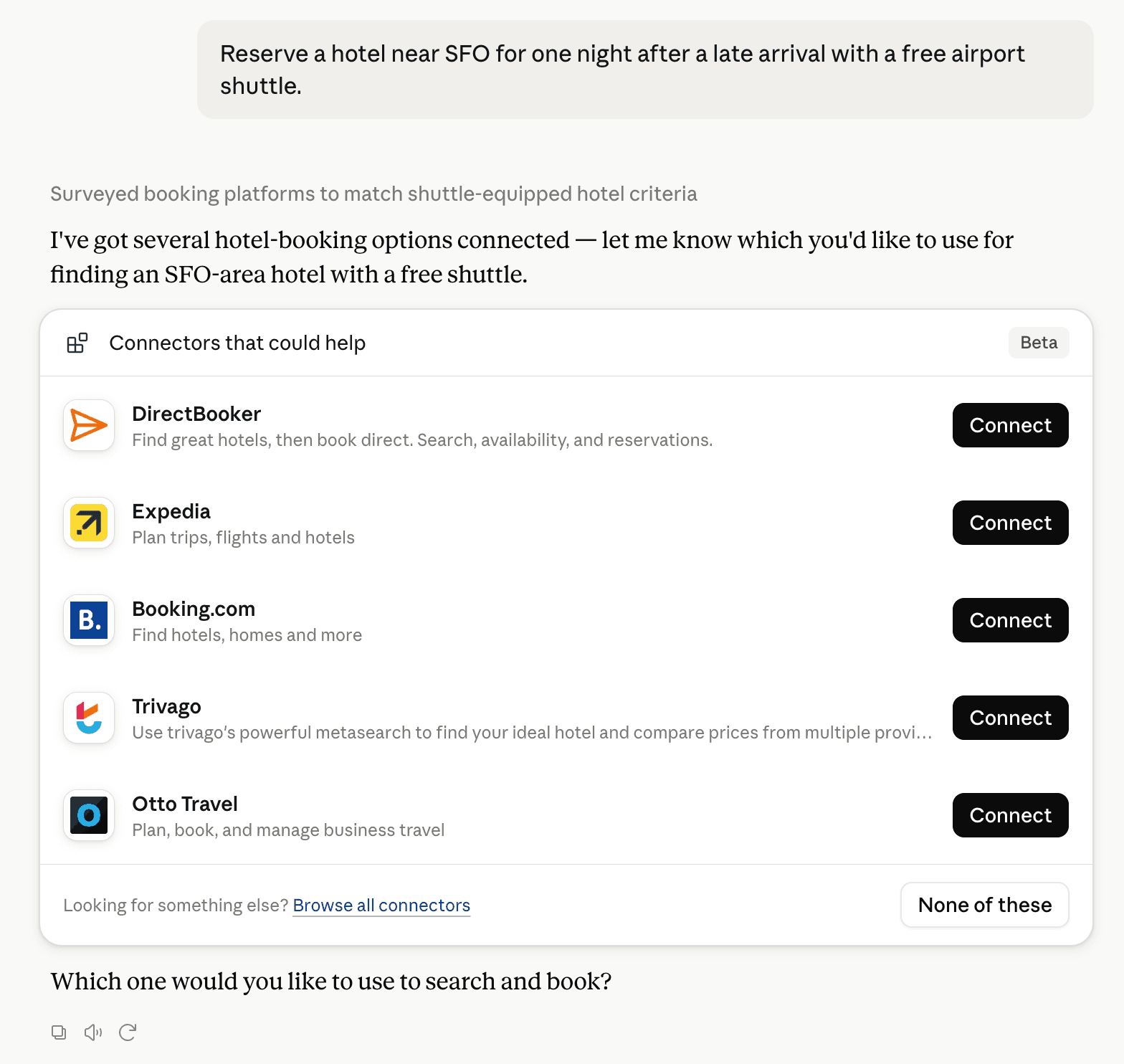
Claude can surface verified Connectors when they match a user’s Prompt.
How Claude Connector discovery works
Your Connector will compete to appear for users’ Prompts once Claude verifies it
Competing in Claude Self-Serve BI & Conversational Analytics
View Category3 tools agents can invoke

ancoreMind Claude Connector FAQ
How the directory, categories and Discoverability Score work.
Read the methodologyHow do I improve ancoreMind's Claude Connector discoverability?
The levers are the listing surface agents actually read: names, descriptions, keywords, tool metadata, and registry health. Which lever matters depends on where discovery breaks, which is what continuous measurement shows.
What are ancoreMind alternatives on Claude?
As of 2026-11-18, ancoreMind competes with Omni Analytics, Polar Analytics, Google Cloud BigQuery, Blaze SQL, Supermetrics Marketing Analytics, Adobe Customer Journey Analytics, Snowflake, Grafana Cloud and 153 more in Claude Self-Serve BI & Conversational Analytics, ranked by public Discoverability Score.
Where is this profile measured?
This profile uses the geography attached to the latest public registry snapshot: US. Locale tags are intentionally omitted.