



fairyfly
Work in SAP through your own SAP GUI for Windows: Claude opens transactions, reads screens and fills forms as you, with changes approved at your PC.
 View in the Claude registry
- Brand
- fairyfly
- Category
- AI
- Primary Subcategory
- Desktop, OS & File Automation
Integration details
Description
fairyfly is a desktop automation app from DataZoo GmbH. It lets Claude operate the SAP GUI for Windows session you already have open, as the logged-on user. Claude can start transactions, read screens, tables and messages as structured data, open value help, and fill and submit forms. SAP checks your authorizations on every step, so Claude can never do more than your SAP user. Requirements: a Windows PC with SAP GUI for Windows and access to an SAP system on which SAP GUI Scripting is allowed; the fairyfly app for Windows (free download) paired with a fairyfly workspace; and a fairyfly account (sign-in with Google or a Microsoft work account). Your SAP licence and SAP user stay your own. fairyfly calls no SAP API on your behalf and never asks for your SAP password. How it works: Claude sends tool calls to the fairyfly gateway, which relays them over an outbound-only connection to the fairyfly app on your PC. Nothing on the PC is opened to the internet and no VPN is needed. Built for control: - Changes need permission: writes are allowed only if your workspace permits them, and each change is approved at your PC (a notification with Approve and Deny, or an approval window), unless you allow changes for that PC. - Read tools are marked read-only. Tools that can change SAP data are marked destructive, so Claude asks before using them. - Text read from SAP is passed to Claude as untrusted data, not as instructions. - Admins can turn on an audit trail per workspace; secrets are blurred in screenshots. Typical uses: order to cash (sales order, delivery and invoice status), procure to pay (open purchase orders, overdue deliveries), blocked vendor invoices and their reasons, or a form prepared for you to review before you save it. Pricing: the first 1,000 tool calls per month are free; after that, usage is billed by fairyfly on fairyfly.io (not through Claude). fairyfly is not affiliated with or endorsed by SAP SE. SAP and SAP GUI are trademarks of SAP SE.
- Integration type
- Connector
- Verification status
 Community connector
- Platform
- Claude
- Primary Subcategory
- Desktop, OS & File Automation
- Secondary Subcategories
- None listed
- Brand
- fairyfly
- Access
- Account required
- First tracked
- 2026-11-07
- Tool count
- 17
- Market
- US
The Primary Subcategory used for this profile’s headline score.
Other Subcategories where the Integration is listed.
 AgentDiscoClaude Discoverability Score
Claude Connector discovery is coming soon
Community Connectors only appear in Claude’s registry.Once verified, organic discovery begins and we can calculate your score.Read more about Community Connector verification.
No spam. Unsubscribe any time.
What discovery looks like
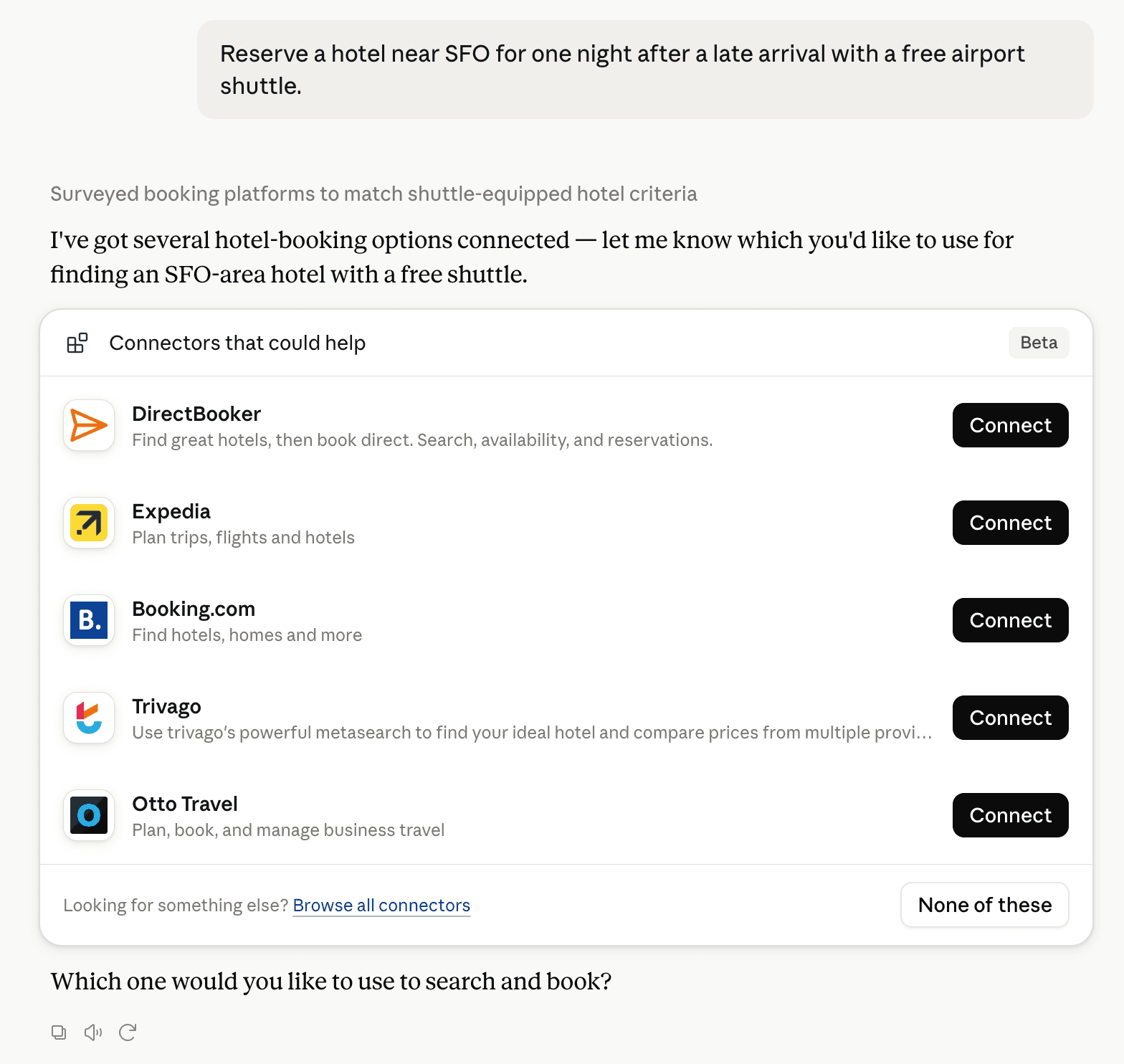
Claude can surface verified Connectors when they match a user’s Prompt.
How Claude Connector discovery works
Your Connector will compete to appear for users’ Prompts once Claude verifies it
Competing in Claude Desktop, OS & File Automation
View Category17 tools agents can invoke

fairyfly Claude Connector FAQ
How the directory, categories and Discoverability Score work.
Read the methodologyHow do I improve fairyfly's Claude Connector discoverability?
The levers are the listing surface agents actually read: names, descriptions, keywords, tool metadata, and registry health. Which lever matters depends on where discovery breaks, which is what continuous measurement shows.
What are fairyfly alternatives on Claude?
As of 2026-11-08, fairyfly competes with api.agi.tech, Desktop steward, DeviceLink, Remote Desktop Commander, Rooster Wake, Still Dock, Termalin, YayFTP in Claude Desktop, OS & File Automation, ranked by public Discoverability Score.
Where is this profile measured?
This profile uses the geography attached to the latest public registry snapshot: US. Locale tags are intentionally omitted.