
Oravex
Ask your Oravex ERP about sales, invoices, projects, approvals and your own attendance, with your own permissions. Changes are only proposed and are saved only when you confirm them in Oravex.
 View in the Claude registry
- Brand
- Oravex
- Category
- Operations
- Primary Subcategory
- ERP & Operations Resource Tools
Integration details
Description
Oravex brings your Oravex ERP workspace into the conversation. Ask in plain language and get answers from your own live business data: confirmed sales against last month, who owes you money and how much is overdue, purchase orders, open and overdue tasks by project, documents waiting for your approval, and your own monthly attendance. How it works - You connect once: pick your Oravex workspace, sign in on your own Oravex site (two-factor authentication is required by default), choose the company, and approve the access on a consent screen. - Every request runs as you, with exactly the permissions you already have in Oravex, inside the one company you chose. The connector cannot see anything you cannot see. - Sensitive data is never shared: passwords and tokens, national ID and passport numbers, bank accounts and IBANs, payroll and loans, employees' private contact details, biometric data, chat and e-mail contents, and system settings. Proposals, not changes If your administrator allows it and you tick "Allow proposing changes" when connecting, the assistant can prepare a draft for you: a time-off request, an expense, a quotation, a task, a contact, a CRM lead, or a note on a record. Each proposal waits on a review page in Oravex, and nothing is saved until you confirm it there. The connector can never approve, reject, post, pay, delete, archive or cancel anything. Control and transparency Every call is written to an audit log in your workspace. You can disconnect at any time from Oravex > Preferences > Connected apps, and your administrator can revoke any connection or switch the connector off for the whole workspace. Oravex is built and operated by AiLigent. Requirements: an Oravex workspace where your administrator has enabled AI connections and added you to the connector's users.
- Integration type
- Connector
- Verification status
 Community connector
- Platform
- Claude
- Primary Subcategory
- ERP & Operations Resource Tools
- Secondary Subcategories
- None listed
- Brand
- Oravex
- Access
- Account required
- First tracked
- 2026-11-20
- Tool count
- 21
- Market
- US
The Primary Subcategory used for this profile’s headline score.
Other Subcategories where the Integration is listed.
 AgentDiscoClaude Discoverability Score
Claude Connector discovery is coming soon
Community Connectors only appear in Claude’s registry.Once verified, organic discovery begins and we can calculate your score.Read more about Community Connector verification.
No spam. Unsubscribe any time.
What discovery looks like
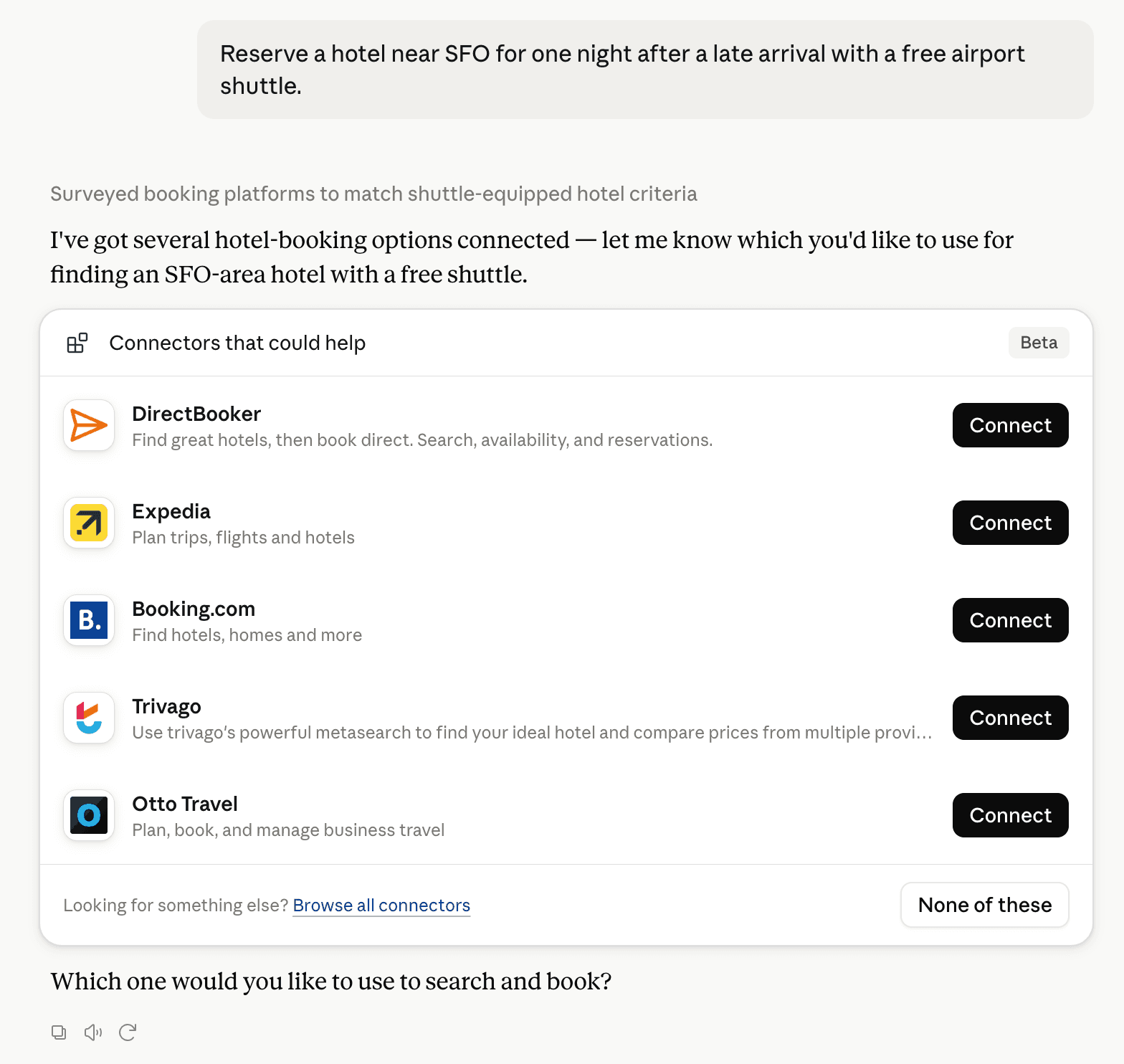
Claude can surface verified Connectors when they match a user’s Prompt.
How Claude Connector discovery works
Your Connector will compete to appear for users’ Prompts once Claude verifies it
Competing in Claude ERP & Operations Resource Tools
View Category

21 tools agents can invoke

Oravex Claude Connector FAQ
How the directory, categories and Discoverability Score work.
Read the methodologyHow do I improve Oravex's Claude Connector discoverability?
The levers are the listing surface agents actually read: names, descriptions, keywords, tool metadata, and registry health. Which lever matters depends on where discovery breaks, which is what continuous measurement shows.
What are Oravex alternatives on Claude?
As of 2026-11-21, Oravex competes with 4truck, Accessly, AdminPulse, Agobis, agri-mcp.tcit.cl, AgX, all manager, Alloovium and 286 more in Claude ERP & Operations Resource Tools, ranked by public Discoverability Score.
Where is this profile measured?
This profile uses the geography attached to the latest public registry snapshot: US. Locale tags are intentionally omitted.