
ClearScribe AI
Ask about, search and manage your ClearScribe meetings, transcripts, notes and AI Memory from Claude, including action items, highlights, translations and Meeting Bot requests.
 View in the Claude registry
- Brand
- ClearScribe AI
- Category
- Productivity
- Primary Subcategory
- Meeting Notes & Call Intelligence
Integration details
Description
ClearScribe AI connects Claude to your ClearScribe account at clearscribeai.com, so you can work with your saved meetings, transcripts, notes and AI Memory in a conversation. What you can do: - Find and read meetings, transcripts and notes, or search your whole ClearScribe library. - Ask questions about one meeting, across several meetings, or across your notes and AI Memory, with source excerpts. - Read saved Meeting Intelligence (summary, minutes, decisions, follow-up email) and Conversation Signals. - Work with Action Items: list them, change their status, schedule email reminders, or create a Jira issue from one through your Jira connection in ClearScribe. - Organize meetings with folders, tags and archiving; correct speaker names; create highlights from exact transcript passages. - Translate content, transcribe audio or video files, summarize documents and YouTube videos. - See your calendar connections, Auto-Join settings and Meeting Bot sessions, and prepare a Meeting Bot request for a call. - Create or revoke public read-only share links for a meeting. Approvals: Claude asks you before every tool that creates, changes or deletes data. Deleting meetings, folders, tags, highlights or AI Memories uses a separate prepare-and-confirm step. Meeting Bot requests, cancellations and rescheduling only take effect after you approve them on the ClearScribe website. Paid regenerations show their warnings, including possible costs, before they start. Requirements: a ClearScribe account with ClearScribe MCP access. Calendar and Auto-Join tools use the calendar you connect in ClearScribe (read-only for Google Calendar). Jira tools need a Jira account connected in ClearScribe. The connector does not record your microphone. Live Captions open on the ClearScribe website, where you start the session yourself.
- Integration type
- Connector
- Verification status
 Community connector
- Platform
- Claude
- Primary Subcategory
- Meeting Notes & Call Intelligence
- Secondary Subcategories
- None listed
- Brand
- ClearScribe AI
- Access
- Account required
- First tracked
- 2026-11-23
- Tool count
- 102
- Market
- US
The Primary Subcategory used for this profile’s headline score.
Other Subcategories where the Integration is listed.
 AgentDiscoClaude Discoverability Score
Claude Connector discovery is coming soon
Community Connectors only appear in Claude’s registry.Once verified, organic discovery begins and we can calculate your score.Read more about Community Connector verification.
No spam. Unsubscribe any time.
What discovery looks like
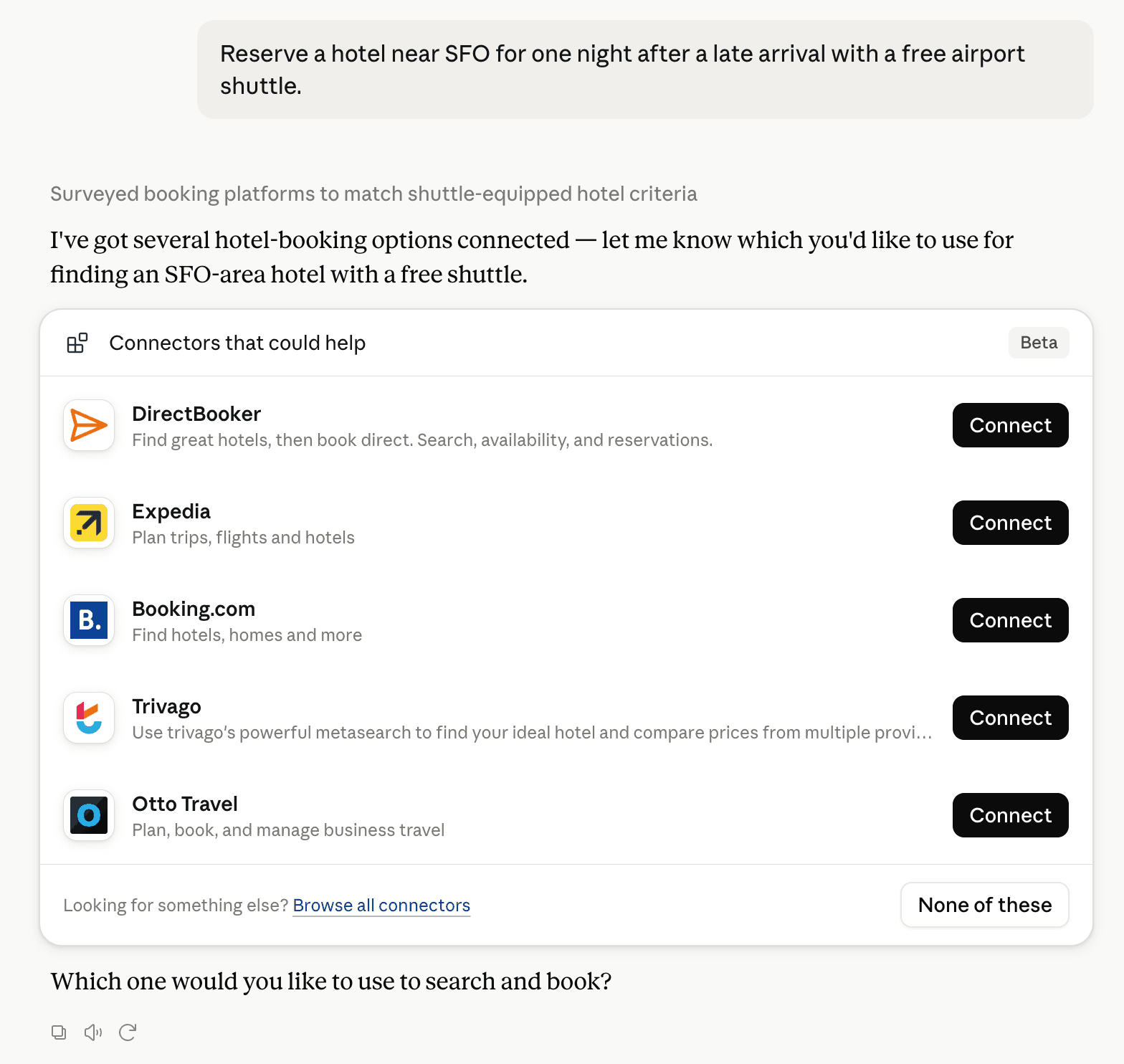
Claude can surface verified Connectors when they match a user’s Prompt.
How Claude Connector discovery works
Your Connector will compete to appear for users’ Prompts once Claude verifies it
Competing in Claude Meeting Notes & Call Intelligence
View Category102 tools agents can invoke

ClearScribe AI Claude Connector FAQ
How the directory, categories and Discoverability Score work.
Read the methodologyHow do I improve ClearScribe AI's Claude Connector discoverability?
The levers are the listing surface agents actually read: names, descriptions, keywords, tool metadata, and registry health. Which lever matters depends on where discovery breaks, which is what continuous measurement shows.
What are ClearScribe AI alternatives on Claude?
As of 2026-11-24, ClearScribe AI competes with tl;dv - AI Note Taker & Meeting Recorder: Transcripts, Summaries & Meeting Minutes, Fathom – Your Meeting Intelligence Layer, Granola, Grain, Circleback, Webex Meetings, Fireflies, Attio and 126 more in Claude Meeting Notes & Call Intelligence, ranked by public Discoverability Score.
Where is this profile measured?
This profile uses the geography attached to the latest public registry snapshot: US. Locale tags are intentionally omitted.