



WebCAD
Design mechanical parts and mechanisms in WebCAD from a chat, check that they build, see them, and get STEP files.
 View in the Claude registry
- Brand
- WebCAD
- Category
- Pending
- Primary Subcategory
- CAD & 3D Design Tool Control
Integration details
Description
WebCAD is a CAD app that runs in the browser. With WebCAD connected, your assistant can design mechanical parts and simple mechanisms for you in WebCAD: it writes the model in ArchScript, WebCAD's text modelling language, builds it in WebCAD, shows you pictures of it, and gives you a STEP file that opens in other CAD tools or can go to a machine shop or a 3D-print service. What you can ask for: - Plates, brackets, enclosures, pulleys and other machined or printed parts, with holes, slots, pockets and rounded edges. - Assemblies with joints that move, such as hinges, arms and linkages. WebCAD reports parts that collide or come apart as a joint moves through its range. - Gear pairs and simple drivetrains. - A first stress check of a part: a material, a fixed face and a load, with the peak stress and how far the part bends (2 WebCAD credits per study). What you get: - Every build reports PASS, or FAIL with the problems found, so the assistant can fix them before it calls a part done. - Pictures of the model from the directions you ask for. - A STEP file for 1 WebCAD credit, made only when the build passes. Download links work for 24 hours. - In assistants that show apps in the conversation, a 3D view of the part that you can turn and zoom, with a STEP button. Limits: - A PASS means the model builds in WebCAD. Whether a part is right for its purpose (fit, strength, safety, manufacturability) still needs a person's review. - Stress results are a first check for a person to review, not an engineering sign-off. - A build takes from about 15 seconds to a few minutes. You need a WebCAD account (app.webcad.ca). Looking up, checking, building and pictures use no credits; STEP files and stress studies use the account's WebCAD credits (25 a month on the Free plan; see webcad.ca/pricing). WebCAD does not keep your scripts after a build; STEP files are deleted after 7 days, and the 3D view's part shapes after 24 hours.
- Integration type
- Connector
- Verification status
 Community connector
- Platform
- Claude
- Category
- Pending
- Primary Subcategory
- CAD & 3D Design Tool Control
- Secondary Subcategories
- None listed
- Brand
- WebCAD
- Access
- Account required
- First tracked
- 2026-10-18
- Tool count
- 9
- Market
- US
The broad Category that contains the Primary Subcategory.
The Primary Subcategory used for this profile’s headline score.
Other Subcategories where the Integration is listed.
 Agent DiscoverabilityClaude Discoverability Score
Claude Connector discovery is coming soon
Community Connectors only appear in Claude’s registry.Once verified, organic discovery begins and we can calculate your score.Read more about Community Connector verification.
No spam. Unsubscribe any time.
What discovery looks like
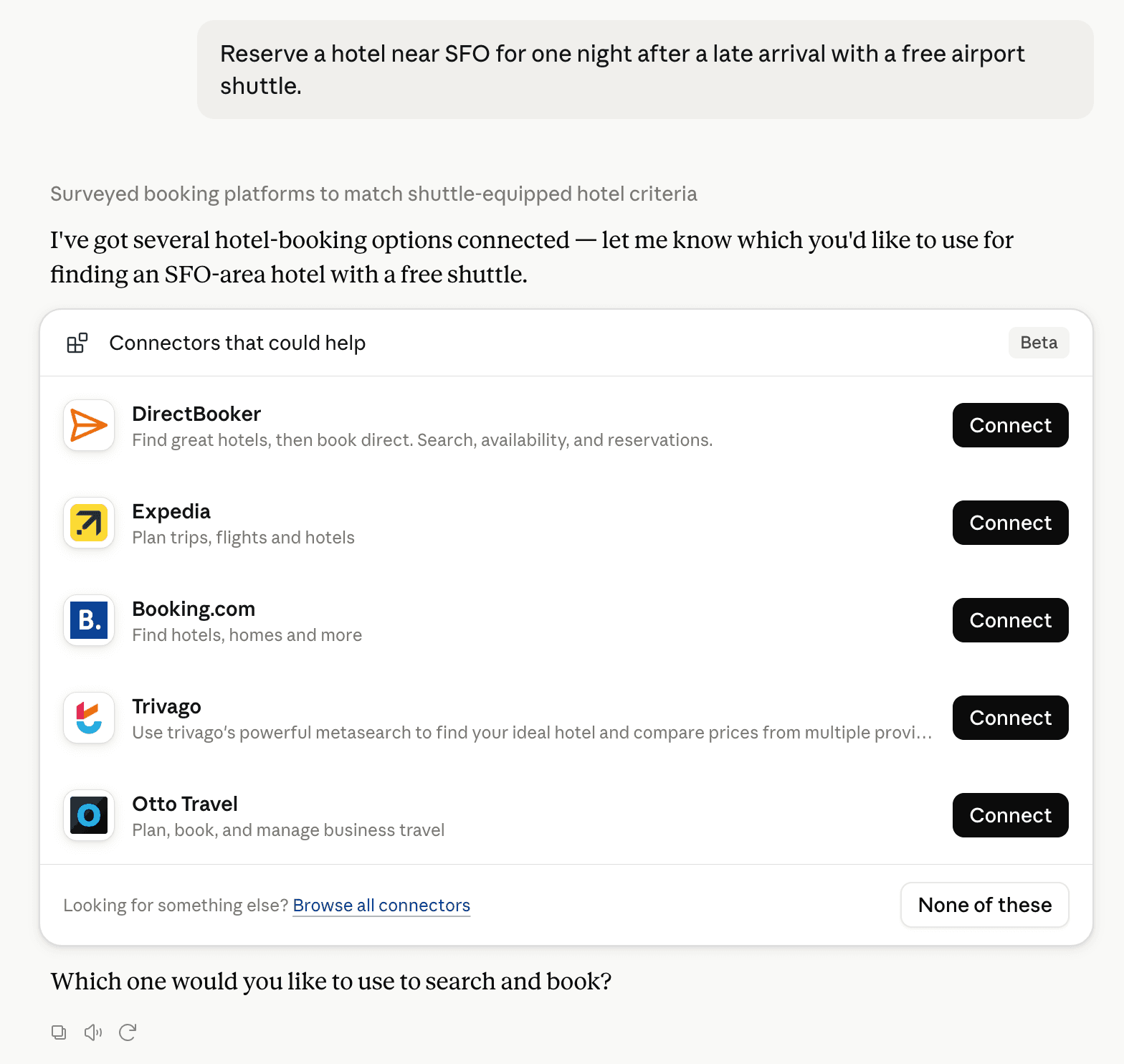
Claude can surface verified Connectors when they match a user’s Prompt.
How Claude Connector discovery works
Your Connector will compete to appear for users’ Prompts once Claude verifies it
Competing in Claude CAD & 3D Design Tool Control
View Category9 tools agents can invoke

WebCAD Claude Connector FAQ
How the directory, categories and Discoverability Score work.
Read the methodologyHow do I improve WebCAD's Claude Connector discoverability?
The levers are the listing surface agents actually read: names, descriptions, keywords, tool metadata, and registry health. Which lever matters depends on where discovery breaks, which is what continuous measurement shows.
What are WebCAD alternatives on Claude?
As of 2026-11-06, WebCAD competes with 3DOptix optical design and simulations, Avontus Viewer, Behavior Trees, BoardRepo, Cadwork.ai, CELUS Design Studio, CheapCAD Tools, Diatech Make and 21 more in Claude CAD & 3D Design Tool Control, ranked by public Discoverability Score.
Where is this profile measured?
This profile uses the geography attached to the latest public registry snapshot: US. Locale tags are intentionally omitted.