
WPZOOM
Edit your WordPress site by chat: pages, posts, menus, theme settings and ready-made design sections, through the free WPZOOM AI Connect plugin.
 View in the Claude registry
- Brand
- WPZOOM
- Category
- Content & Design
- Primary Subcategory
- CMS & Website Content Management
Integration details
Description
WPZOOM lets you edit and manage your WordPress website by chatting with Claude. It is for site owners who want to change their site without learning the WordPress admin. Connect a site that runs the free WPZOOM AI Connect plugin, then ask in plain language: rewrite the About page, add a team section, rebuild the menu, change the color palette, create a contact form, or run a checkup. Claude reads what your site has, proposes the change, and makes it after you confirm. What it can do on a connected site: - Pages and posts: create drafts, edit existing content, set categories and tags, upload images, and change the texts, links and images of pages built with Elementor. - Menus: add, move, rename and remove items. - Design: on WPZOOM themes such as Inspiro, read and change theme settings (colors, palettes, fonts, header and footer layouts). On block themes, global styles and templates. - New pages from ready-made design sections (hero, services, team, testimonials, FAQ, contact), saved as drafts for you to review. - With the matching WPZOOM plugins: contact forms, portfolio items, slides and recipe cards. - Checkups: HTTPS, permalinks, front page, menus, available updates, and an accessibility check of a page. How it stays safe: you sign in with your email, and each site is connected through a WordPress application password that you approve on the site itself. Claude acts as that WordPress user. It cannot install, update or remove plugins or themes, manage users, delete content or add code. New pages are drafts, changes that overwrite content or settings ask for confirmation, and most changes can be undone for 30 days. Disconnect a site from the plugin or from your account at mcp.wpzoom.com, and access ends immediately. Requirements: a self-hosted WordPress site on HTTPS running WordPress 6.9 or newer, with the WPZOOM AI Connect plugin from WordPress.org. Theme tools need a WPZOOM theme; pages, posts and menus work with any theme.
- Integration type
- Connector
- Verification status
 Community connector
- Platform
- Claude
- Primary Subcategory
- CMS & Website Content Management
- Secondary Subcategories
- None listed
- Brand
- WPZOOM
- Access
- Account required
- First tracked
- 2026-11-19
- Tool count
- 77
- Market
- US
The Primary Subcategory used for this profile’s headline score.
Other Subcategories where the Integration is listed.
 AgentDiscoClaude Discoverability Score
Claude Connector discovery is coming soon
Community Connectors only appear in Claude’s registry.Once verified, organic discovery begins and we can calculate your score.Read more about Community Connector verification.
No spam. Unsubscribe any time.
What discovery looks like
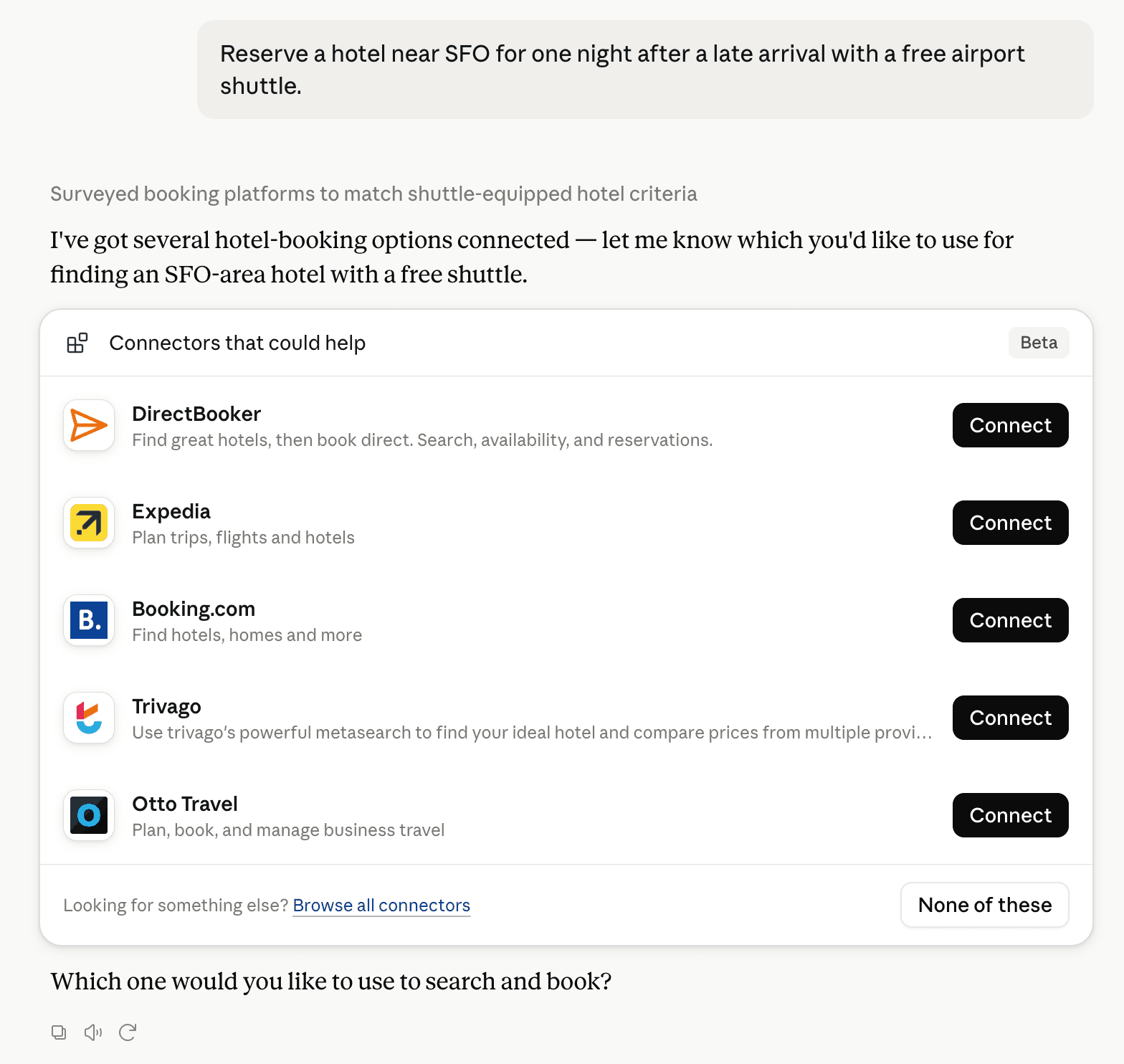
Claude can surface verified Connectors when they match a user’s Prompt.
How Claude Connector discovery works
Your Connector will compete to appear for users’ Prompts once Claude verifies it
Competing in Claude CMS & Website Content Management
View Category

77 tools agents can invoke

WPZOOM Claude Connector FAQ
How the directory, categories and Discoverability Score work.
Read the methodologyHow do I improve WPZOOM's Claude Connector discoverability?
The levers are the listing surface agents actually read: names, descriptions, keywords, tool metadata, and registry health. Which lever matters depends on where discovery breaks, which is what continuous measurement shows.
What are WPZOOM alternatives on Claude?
As of 2026-11-20, WPZOOM competes with Agility CMS, Webflow, Contentful MCP, Kajabi, WordPress, Smartling, Sanity, Cloudinary and 72 more in Claude CMS & Website Content Management, ranked by public Discoverability Score.
Where is this profile measured?
This profile uses the geography attached to the latest public registry snapshot: US. Locale tags are intentionally omitted.